Power Automate vs Custom Development: When to Use Which for Workflow Automation
Table of Content
- Power Automate vs Custom Development: An Overview
- When is Power Automate the Superior Choice?
- When is Custom Development Justified?
- Decision Matrix: Decision Framework for Technical Leaders to Choose Between Power Automate vs Custom Development
- The Hybrid Approach: Why Not Both?
- How MultiQoS Helps You With A Hybrid Architecture?
- FAQs
Summary
Choosing between Microsoft Power Automate and custom development is a key architectural decision. Power Automate offers fast deployment for internal Microsoft 365 workflows but faces licensing and performance limits when handling high data volumes. Custom development offers unlimited scalability and control but requires a higher upfront investment (the “Dev Tax”).
This article provides a decision matrix for CTOs, comparing the two on cost (OPEX vs. CAPEX), speed, and technical debt. It argues the optimal choice for mature organizations in 2026 is a Hybrid architecture where Power Automate acts as an “Orchestrator” for simple triggers, while custom Azure Functions handle heavy computation, combining the strengths of both. Read on to determine the best approach for your complexity and integration needs.
Your engineering team can reduce wastage of key resources spent on building SharePoint approval workflow using Microsoft Power Automate. However, the real question that most enterprises like yours face is the choice between Power Automate and custom development.
And why is this a key debate among many decision makers across enterprises? The reason is simple: “Technical Debt.” And this is where Power Automate workflow automation can have an edge over custom development.
It helps you strategically automate key tasks. But deciding between these two approaches needs consideration of complexity thresholds, volume constraints, integration requirements, and total cost of ownership.
This article helps you with all the key considerations to decide between Power Automate and custom development approaches. So, without further delay, let’s first understand both separately.
Power Automate vs Custom Development: An Overview
The decision to use Power Automate or custom-developed software is a matter of strategic architecture: choosing the former is faster, but the latter offers a longer lifespan in terms of ownership, scalability, and performance.
Whereas Power Automate is perfect for quick productivity gains, custom development is an asset-generation strategy that gives you full control over code and data.
What is Power Automate?
Microsoft Power Automate (previously known as Microsoft Flow) is a low-code automation platform that is a simplified workflow tool and improves productivity by connecting applications and services, which is hosted on the cloud. It allows users to automate manual operations, simple individual notifications, and complex enterprise operations.
What is Custom Software Development?
Custom Software Development is the method of creating custom software applications directly by using programming languages (Java, C#, Python, or Node.js) and frameworks to address a particular organizational need, as opposed to off-the-shelf or low-code/no-code development. This approach is generally referred to as the traditional or procedural code development.
Key Comparison: Power Automate vs. Custom Development.
| Feature | Power Automate (Low-Code) |
Custom Development (Pro-Code) |
|
Primary Audience |
Citizen Developers and Hybrid IT | Professional Software Engineers |
|
Speed to Market |
Days to weeks using a visual interface | Months for coding, testing, and DevOps |
|
Cost Structure |
Subscription-based (OPEX); scales with usage |
High upfront investment (CAPEX); lower long-term infrastructure costs |
| Integration | Over 1,400 pre-built connectors |
Bespoke REST, gRPC, or GraphQL APIs |
| Logic Depth | Moderate; can lead to complex “spaghetti flows.” |
Handles complex algorithms and state |
| Performance | Throttled by “Power Platform Requests” |
High throughput (Azure Functions) |
When is Power Automate the Superior Choice?
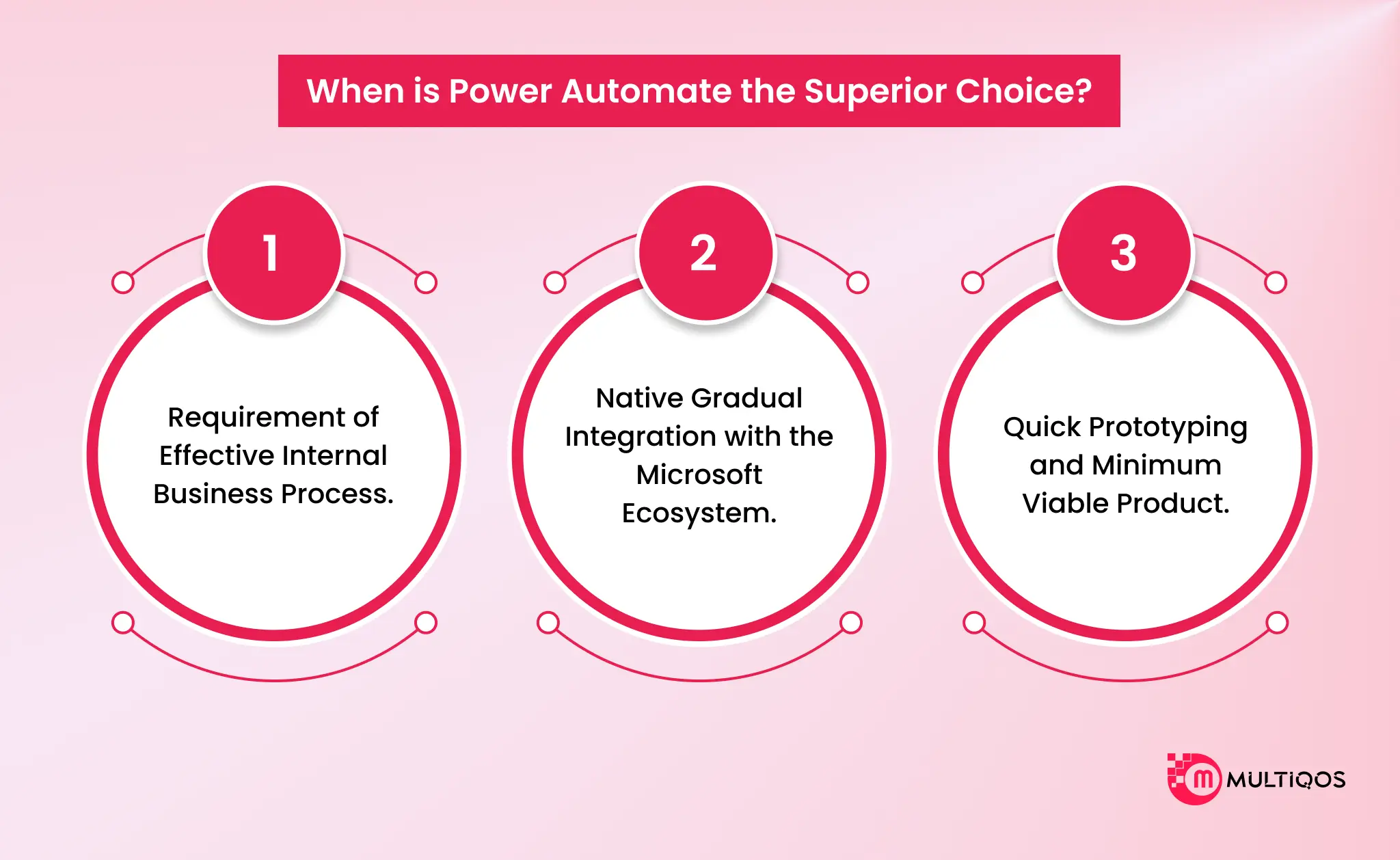
Power Automate is an ideal solution to deploy to organizations that aim to focus their attention on workflow automation, development speed, and smooth integration with the Microsoft stack. With Power Automate workflow automation, you are able to digitize manual processes and render them cost-effective.
These are just a few real-life situations when you ought to consider making use of Power Automate.
Requirement of Effective Internal Business Process.
Power Automate is most suitable for automating leave requests, expense approvals, and onboarding. These tasks can be performed more efficiently by its ability to handle high-volume, low-complexity internal workflows.
Consider a case of the onboarding process. An HR executive will be required to create an account, assign certain tool licenses to the newly hired employee, and leave. Meanwhile, an approved procurement system developed with Power Automate will be able to test budgets in real-time and channel approvals.
Native Gradual Integration with the Microsoft Ecosystem.
Power Automate is optimally set up to process your organizational information if it is stored on SharePoint, Teams, or Dynamics 365. In the given case, Power Automate workflow automation is the best choice due to native integration. It frequently does not require anything but a valid login to interconnect services.
This method will remove the pain of creating custom API handlers and the plumbing code necessary to handle authentication in the Microsoft tenant.
Out-of-the-box capabilities refer to workflows that automatically start when a SharePoint task is created, a notification appears in Teams, or a record is updated in Dynamics 365. It is mostly applicable to user-initiated activities that solely exist on Office 365, including approval processes forwarded between Outlook and SharePoint.
Quick Prototyping and Minimum Viable Product.
The low-code software is far superior to the custom software in situations when business needs are unclear or evolve quickly. Power Automate can be iteratively updated in real-time through a drag-and-drop browser-based interface and does not require the rigorous code, compilation, and deployment pipelines of classical development.
The nature of the platform will favour a fail-fast approach. It enables groups to create a Minimum Viable Product (MVP) to test a process and receive responses immediately.
Business process automation tools such as Power Automate can be used by professional developers to sketch complex logic or user interfaces in a short period before making the commitment to full-scale custom development. You can leverage Power Automate services and prototyping to establish business value and only upgrade or relocate to more custom workflows when the requirements change to exceed the reach of a platform.
When is Custom Development Justified?
While Power Automate provides a robust framework for rapid internal automation, there are specific architectural thresholds where custom development or Azure-based hybrid solutions become the superior, if not necessary, choice. These scenarios typically involve extreme scale, computational intensity, or strict brand governance.
High-Volume Processing
Power Automate is governed by strict execution limits designed to protect the shared tenant environment. If your workflow requires processing millions of transactions per hour, such as real-time IoT telemetry ingestion or high-frequency trading logs, then Power Automate’s throttling mechanisms will likely trigger service interruptions.
In contrast, a custom serverless function (Azure Functions) or Azure Logic Apps (Standard) operates on a consumption or dedicated plan that can scale horizontally to handle massive throughput without these artificial ceilings.
Complex Algorithmic Logic
Low-code platforms are lean in linear steps and transactional. They have problems with workflows that involve complicated mathematical modeling, intensive video processing, or intensive recursive loops.
As an example, a dataset of 100,000 rows in Power Automate run through an “Apply to Each” loop is many times slower than a compiled Python or C# script because of the latency of each API call to take up an action. Custom code is much more effective in this case, and the processing can be done in-memory and even with optimized libraries used to do heavy computation.
External Customer Facing Apps.
Power Automate and Power Apps are essentially created to be used internally in an organization. When the need changes to a pixel-perfect customer-facing portal, it must be custom-developed. It offers a completely white-labeled experience, unwrapped in the “Power Apps” brand, and full control over the UI/UX, which is essential to stay within the brand and secure customer confidence.
Decision Matrix: Decision Framework for Technical Leaders to Choose Between Power Automate vs Custom Development
To navigate the architectural trade-offs between Power Automate and custom development in 2026, use this matrix. It contrasts the operational realities of low-code constraints against the flexibility of pro-code solutions.
|
Criteria |
Power Automate (Low-Code) | Custom Development (Pro-Code) | CTO’s Verdict |
|
Speed to Market |
Rapid. MVP in days and full deployment in weeks. Drag-and-drop interface accelerates simple logic. | Moderate to Slow. Requires weeks or months for architecture, coding, testing, and CI/CD setup. |
Power Automate for internal tools and simple approval flows. |
|
Cost Structure |
OPEX Heavy with per-user or per-flow licensing pricing. | CAPEX / Consumption. High initial dev cost, but run costs are often lower. | Custom Dev for high-volume, external-facing apps where licensing would kill ROI. |
|
Scalability & Limits |
Capped. Throttled by API limits. Loops and concurrency are limited by tenant governance. | Elastic. Scales horizontally. Serverless architectures (Azure Functions, AWS Lambda) handle millions of events without throttling. | Custom Dev for high-frequency processing. |
|
Complexity & Logic |
Linear. Best for “If This, Then That.” Struggles with complex loops, recursion, or heavy data transformation. | Unlimited and offers full control over algorithms, memory management, and recursive logic using efficient languages (C#, Python). |
Custom Dev for complex algorithms or heavy data manipulation. |
| Integration | Connector-Driven. 1,400+ pre-built connectors. effortless for Microsoft 365, Salesforce, etc. Custom connectors require work. | Protocol-Agnostic. Can connect to anything via REST, gRPC, SOAP, or direct database connections. No “premium connector” fees. |
Power Automate for standard SaaS; Custom for legacy systems. |
| Maintenance | Platform-Managed. Microsoft handles security/updates. Risk of “Shadow IT” if governance is weak. | Dev-Managed. You own the code, libraries, and security patches. Technical debt accumulates if not actively maintained. |
Power Automate for lower maintenance overhead on standard processes. |
| Talent Pool | Citizen developers. Business analysts and non-coders can build and maintain flows. | Specialized engineers. Requires experienced software developers and DevOps engineers. |
Power Automate to offload simple IT tasks to business units. |
1. The “Licensing Wall” vs. The “Dev Tax.”
Power Automate offers an enticingly low barrier to entry. However, CTOs often hit a “Licensing Wall” where the cost of adding users to a flow exceeds the cost of building a custom microservice. Conversely, custom development imposes a “Dev Tax,” the ongoing cost of engineering salaries to maintain code that could have been a simple, self-updating standard connector.
Pro Tip: If the automation saves less money than the license cost of the users running it, move to custom development (Serverless).
2. Throughput vs. Latency
Power Automate is designed for asynchronous background processes. It introduces inherent latency due to its polling triggers and API abstraction layers.
Pro Tip: For user-facing applications requiring sub-second response times (a customer clicking “Buy Now”), custom development is mandatory to ensure a responsive UI.
3. Governance as a Bottleneck
Although Power Automate is enabling citizen developers, it has a governance problem. The absence of strict Data Loss Prevention (DLP) policies makes it easy to leak sensitive information to third-party services. The engineering team is also left with the security control to undertake in the custom development, and it becomes easy to uphold high standards of compliance, such as the SOC 2 or HIPAA.
Pro Tip: Personal productivity and department workflow should always be done in Power Automate, and only custom development should be applicable when dealing with data enterprise-wide and core IP.

The Hybrid Approach: Why Not Both?
While the debate is often framed around the choice between Power Automate vs custom development, the most mature enterprises in 2026 recognize this as a false separation. The optimal architectural pattern is a mixed model that strategically leverages the strengths of both platforms to create a system that is greater than the sum of its parts.
Strategy: The Orchestrator and the Heavy Lifter
This approach uses Power Automate as the Orchestrator, handling the connective tissue of business processes such as triggers, approvals, and simple data movement. It is what unites the segregated SaaS services.
Why This Works
- Decoupled Complexity: You keep your low-code flows clean and readable by offloading complex loops or calculations to a black box API (the Azure Function). This prevents the dreaded spaghetti flow.
- Scalable Performance: The heavy lifting is done in a serverless environment (Azure Functions), which can be easily scaled to any size at very low cost without hitting the rigid throttling constraints of Power Automate.
The underlying low-code layer is code-protected with version management by engineering, whilst the business user has the freedom to modify approval routings or email templates on the governance and security-sensitive logic. Take an example of a multinational marketing department that uploads massive proprietary design data for automatic analysis.
- Trigger (Power Automate): A user uploads a file to a SharePoint library. This event is automatically identified by Power Automate. This is the simple trigger because no custom webhooks are required.
- Notification (Power Automate): The flow instantly sends a “Processing Started” card to a Teams channel. The received notification is this one.
- Heavy Lifting (Azure Function via Custom Connector): The flow sends the file URLto a custom Azure Function. Function (Python or C#): The custom code downloads the file, converts the binary proprietary format, finds metadata through a dedicated library (which Power Automate cannot do), and maybe even executes an AI model to label the image, which is lightweight. It provides the results in a JSON object.
- Action (Power Automate): The flow receives the JSON response. Based on the Status field returned by the code, the code uses a simple Condition block to either email the Marketing Director (if successful) or log a ticket in Jira (if unsuccessful).
How MultiQoS Helps You With A Hybrid Architecture?
This hybrid architecture keeps the system clean. The citizen developer can easily change the Teams message or the SharePoint folder without breaking the complex parsing logic. Meanwhile, the experienced developer can optimize the parsing algorithm without worrying about connecting to SharePoint or authenticating with Teams. It maximizes the ROI of both the low-code platform and professional engineering talent.
But with a hybrid architecture, you need an expert at the helm of custom development who has Microsoft Power Automate expertise. MultiQoS offers the same with end-to-end Power Automate services. Connect with our experts to get customized solutions for your workflow automation.
FAQs
It depends on your goal. Select Power Automate to automate internal processes, perform simple approvals, and integrate within minutes with Microsoft 365. Select custom development when the customer-facing apps, complex algorithms are required, large volume processing is required, or you have to have complete control over code and performance.
Custom Development is expensive in terms of upfront cost (CAPEX) to engineer, but in terms of its long-term running costs, in high-volume work, it is less expensive. Power Automate has a lower entry barrier (OPEX) and can reach a point called a Licensing Wall, where the cost is linearly proportional to the number of users.
Do not use Power Automate when you have external customer-facing applications where you require strict brand control (UI/UX) or when you require a high rate of processing (such as real-time data in an IoT) that is beyond the API throttling capacity. It also finds it hard to deal with complicated recursive logic or much data processing.
No, a Hybrid Approach can be a good idea. Power Automate will act as an orchestrator (triggers and approvals) and leave the complex logic or high data processing to custom Azure Functions. This makes workflows clean and scalable.
Power Automate targets businesses looking to automate work. Professional software engineers who develop complex, scalable solutions using coding languages are the target of custom development.

Get In Touch

Get Stories in Your Inbox Thrice a Month.
Power Automate Integration with Power Apps, Power BI, and Microsoft 365 for End‑to‑End Automation
Power Apps Modernization: How to Reduce Technical Debt by Modernizing Legacy Apps?