
Power Apps Modernization: How to Reduce Technical Debt by Modernizing Legacy Apps?
Table of Contents
- The Enterprise Dilemma: Why Traditional Modernization Fails
- 4 Strategies to Modernize Legacy Apps with Power Apps
- Top Scenarios of Enterprise Modernization.
- A 4-Step Roadmap for Low-Code Modernization
- How MultiQoS Helps Enterprises Modernize with Microsoft Power Apps?
- FAQs
Summary:
Most enterprises have already tried to “fix” their legacy stack in some way. A migration project kicked off, a new ERP phase was proposed, or a set of point solutions appeared around the main system. On paper, the strategy looks sound. In reality, timelines slip, integrations pile up, and the core legacy applications keep eating the budget year after year.
Microsoft notes that these systems quietly accumulate technical debt and risk, which is why more organizations now look to incremental application modernization with Power Apps rather than a full replacement.
In this blog, we unpack how to modernize legacy apps with Power Apps without disrupting your core operations. We cover the four strategies CIOs rely on most: “wrap and renew,” incremental replacement using a strangler pattern, bridging non-API systems with RPA, and fusion development with Azure, and connect them to real enterprise scenarios like InfoPath and Lotus Notes replacement, ERP extensions, and AI-driven document processing.
You will also get a 4-step roadmap that aligns with proven legacy system modernization strategies and shows how MultiQoS helps organizations design an enterprise app modernization strategy they can actually execute.
Legacy applications rarely fail all at once. They drain budgets quietly, slow every new initiative, and make change harder than it should be. Microsoft notes that maintaining these systems means climbing an ever-growing mountain of technical debt, which is why many enterprises now prefer incremental modernization over full replacement.
The problem is that too many organizations still treat modernization as a massive rebuild. That usually means long timelines, wider risk, and delayed ROI. Power Apps offer a more practical path: modernize in manageable increments, connect legacy systems, and improve workflows without forcing a disruptive rip-and-replace move.
The business case is hard to ignore. A Forrester study commissioned by Microsoft found that organizations using Power Apps achieved 206% ROI over three years and reduced app development time by 50%. In this article, we’ll break down the best ways to replace, extend, or refactor legacy apps with Power Apps.
The Enterprise Dilemma: Why Traditional Modernization Fails
Traditional enterprise app modernization often breaks at the operating model level, not the technology level. Large “rip and replace” initiatives assume you can redesign and cut over complex legacy systems in one coordinated push, yet most CIOs know their core applications are tightly coupled, under-documented, and business critical.
By considering those systems as one project, scope, risk, and stakeholder dependency multiply long before value arrives in the KPIs of a business unit. The recurring analysis on stalled modernization projects points to over-extended scope, underestimation of integration efforts, and validation at a tardy stage as the primary factors that cause initiatives to go off track and go over budget.
Low-code modernization of an application has a more manageable mechanism. As an alternative to one big and risky cutover, CIOs can seek an incremental application modernization and apply Power Apps modernization patterns to modernize legacy apps with Power Apps in smaller, business-aligned slices.
Implementing Microsoft Power Platform as a low-code application platform (LCAP) to modernize legacy apps with Power Apps, and furnish the current data and operations with new experiences.
4 Strategies to Modernize Legacy Apps with Power Apps
Once you step away from big bang rebuilds, the real question is not “why modernize,” but “what is the safest way to move first?” These four patterns are the ones CIOs and architects keep coming back to when they use Microsoft Power Apps development services as part of a broader enterprise app modernization strategy.
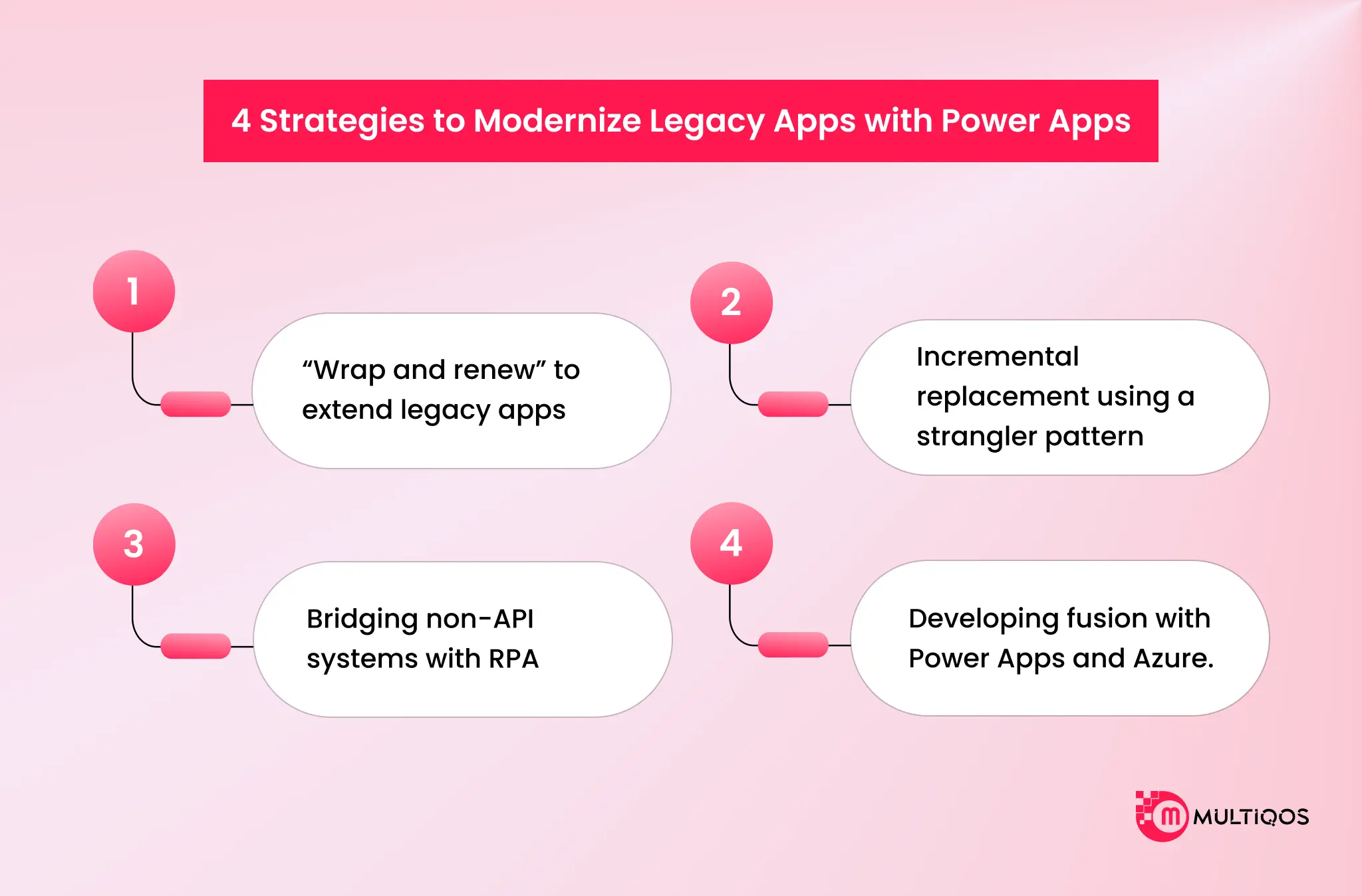
1. “Wrap and renew” to extend legacy apps
This is the type of design you turn to when the backend continues to do its job, but user experience shows this is obviously not happening. In the case of legacy systems, using Power Apps, you simply overlay an existing data source with a modern, responsive interface and bind it to the Microsoft Power Platform ecosystem, which has hundreds of certified connectors to SaaS, databases, and on-premise systems.
Practically, it implies that you do not tear legacy applications apart and refer to Power Apps as their extensions instead. You leave the main logic in place, get rid of paperwork and cumbersome customers, and provide users with one and the same front end. It is a low-code legacy system migration model, which enhances usability, security, and access, but keeps key operations going on systems you already trust.
2. Incremental replacement using a strangler pattern
Some systems will eventually need to be retired, but trying to replace them in one shot is rarely realistic. An incremental application modernization approach lets you identify specific capabilities, carve them off, and rebuild them with Power Apps and other Microsoft Power Platform services.
Over time, more and more traffic flows through this new low-code application modernization layer. You might start with a single approval flow or reporting surface, then move to full modules such as inventory, case management, or field service. The legacy application becomes smaller and less critical until you can safely decommission it, with clear Power Apps migration examples to reuse on the next system.
3. Bridging non-API systems with RPA
The most difficult to upgrade legacy applications have no APIs whatsoever. To them, RPA in integrating old applications is the solution. Power Automate desktop flows have the ability to log into outdated desktop or terminal applications, browse menus, and extract or write data, which can be transferred to Dataverse, SharePoint, or other sources that Power Apps consumes.
It results in users operating in a modern Power Apps front end, with unattended RPA flows, performing the unattended work in the legacy interface. This allows old systems to be involved in new end-to-end processes without a years-long integration effort, and your Power Apps modernization story keeps flowing, even where APIs are not possible.
4. Developing fusion with Power Apps and Azure.
The concept of modernization does not need to be either pro-code or low-code. Fusion development Power Apps teams purposely assemble professional developers, low-code makers, and IT around a common solution. Pro developers develop Azure Functions, Azure API Management, or other Azure technologies to create secure APIs and heavy business logic and expose them as custom connectors in Power Apps.
The building blocks can then be assembled into the user experience, validations, and workflow within a low-code application platform. This trend promotes monolithic to microservices transitions based on low code, assists with diminishing technical debt in a regulated manner, and maintains citizen developer governance intact since the difficult integration and security efforts remain the prerogative of IT.
With time, you have reusable Power Apps migration examples that can be followed by other teams instead of having to start afresh.
Top Scenarios of Enterprise Modernization.
Such scenarios demonstrate how businesses employ Power Apps to legacy systems in order to achieve the results quickly, without a risky rip-and-replace application.
Scenario A: Modernization of InfoPath, Lotus Notes, and old forms.
The remaining critical workflows that remain in the InfoPath, Lotus Notes, or email cannot be easily secured or modified. Using modernization of the Power Apps on Microsoft Power Platform, you are now able to redesign these flows as a cloud-native app with an Entrata ID, Dataverse, and DLP policies that give you a clean, low-code legacy system migration path.
Scenario B: Frontline and finance on-premise extension of the ERs.
Rather than replacing existing ERPs, enterprises add Power Apps to them with SAP ERP connectors and gateways. EY is no different and implemented this trend to combine Power Apps with SAP to minimize the lead times of general ledgers and show how modernizing legacy applications with low code can save money without the need to modernize the entire ERP system.
A 4-Step Roadmap for Low-Code Modernization
This roadmap helps you move off legacy systems with Power Apps modernization in a controlled, business-first way.
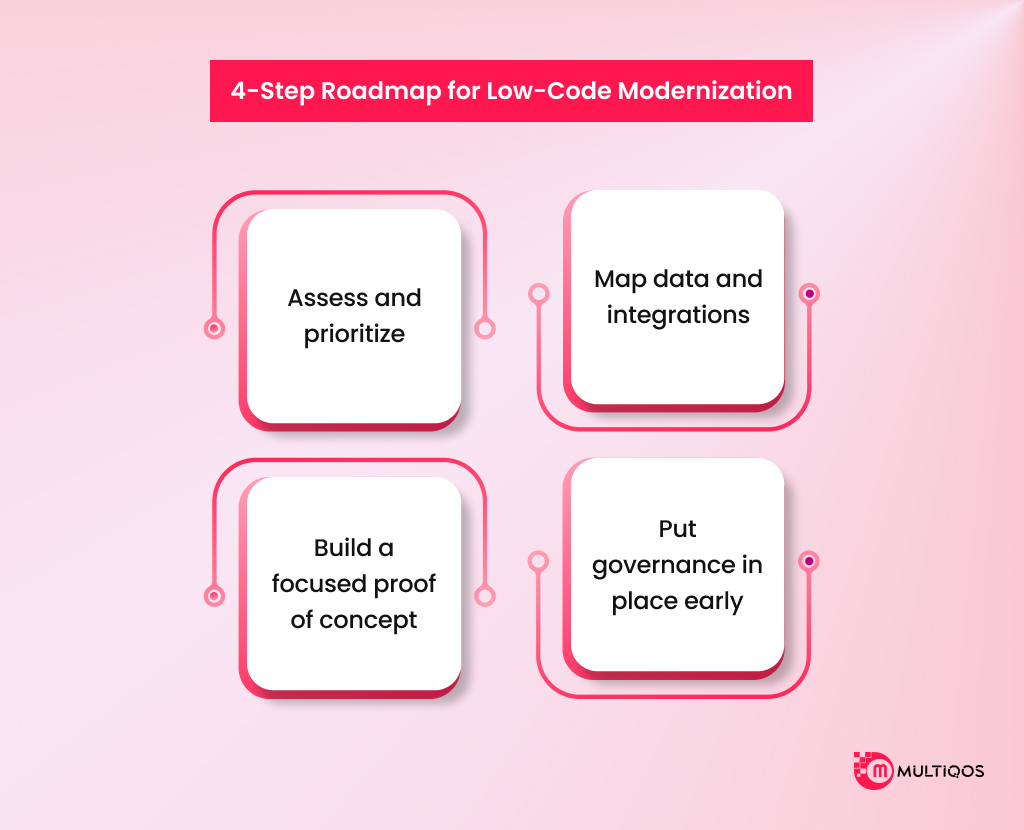
1. Assess and prioritize
Start with an honest inventory of your application portfolio. Flag systems with high technical debt, high business impact, and poor user experience, then shortlist a few where low-code application modernization can deliver visible value fast, instead of trying to modernize everything.
2. Map data and integrations
Decide where data should live, in legacy systems connected in place or moved into Dataverse as part of a low-code legacy system migration. Identify which Microsoft Power Platform connectors you can use, where you need custom APIs for legacy app integration, and how you will extend or ultimately replace legacy apps with Power Apps.
3. Build a focused proof of concept
Select a high-value and low-risk workflow and transform it with Power Apps and Power Automate first. The idea is to demonstrate that you can easily modernize old apps with Power Apps, integrate with existing apps and reduce manual work, and we could make real Power Apps migration examples so that stakeholders could also see the value of Power Apps.
4. Put governance in place early
As usage grows, define clear citizen-developer governance, environment strategy, and DLP policies for the Microsoft Power Platform. A lightweight Center of Excellence helps control connectors, data access, and the app lifecycle, so your low-code application platform scales without app sprawl, security gaps, or unmanaged technical debt.
How MultiQoS Helps Enterprises Modernize with Microsoft Power Apps?
Nobody disputes the fact that the legacy stack is an issue. Then the actual business begins, and the five-year-long so-called strategic rebuild becomes a moving deadline that continues to burn budget, yet the old system is running in the background. Your group experiences it much earlier than the board can realise any ROI.
Our attitude towards Power Apps modernization is different. We begin by leveraging the existing reality you already possess, your legacy stack, Microsoft investments, data silos, and risk constraints, and create a low-code application modernization path that is within that ecosystem rather than attempting to blow it up. The idea is that you will start with Power Apps and legacy apps step-by-step, rather than creating a new platform you will have to maintain.
You are not in need of another vendor selling a generic rip-and-replace program. You need a partner who can assist you in the replacement and extension of legacy apps with Power Apps, where it counts the most, maintain the core stability, and provide you with the enterprise app modernization strategy that you can actually implement. When you are ready to leave the maintenance mode and enter into a risk-conscious phased modernization process, we ought to discuss how MultiQoS can help you with your Power Apps roadmap to legacy systems.
FAQs
Many teams start with simple forms, then assume Power Apps cannot handle more. In practice, enterprises use fusion development Power Apps patterns, pairing pro developers on Azure APIs with low-code makers on the front end, to support fairly complex workflows while keeping core logic in services that IT controls.
Teams moving dozens or hundreds of old apps to Power Apps often take advantage of already purchased Microsoft 365 licenses, and saving the cost of a separate platform or maintenance significantly lowers the total cost of ownership over time.
This is a popular issue on Reddit and in forums of administration. The solution is governance and a Center of Excellence, where there is a clear environment strategy, DLP policies, connector rules, and citizen developer guardrails.
Among the common pitfalls are the underestimation of integration work, disregard of performance and delegation thresholds, the belief that Power Apps is a thin UI with no underlying data, and ALM.

Get In Touch

Get Stories in Your Inbox Thrice a Month.
Paper Checklists to Power Apps for Manufacturing: Digitizing Shop-Floor Workflows
Microsoft Fabric vs Power BI: 8 Differences That Decide Your Platform Spend
How to Successfully Implement Microsoft Power Platform in Your Organization