
Next.js Web Development: Benefits, Features & Use Cases
Need quick insights? Summarize with AI & save time
 ChatGPT
 Perplexity
 Claude
 Google AI Mode
Table of Contents
- What is Next.js Web Development?
- Key Features of the Next.js Framework
- What Are the Advantages of the Next.js Framework?
- Practical Use Cases for Next.js Development
- When Should You Use Next.js?
- Next.js Decision Matrix and Business Impact
- Next.js vs. Other Web Development Approaches
- What to Look for in Next.js Development Services
- Conclusion
- FAQs
Summary :
Next.js web development means building websites and web apps on a React framework that adds routing, server rendering, caching, and backend logic to React’s component model. This blog explains how Next.js works with React, its core features, and the business advantages it delivers. It maps use cases to rendering approaches, compares Next.js with React with Vite and server-rendered frameworks, and lists what to look for in a Next.js development partner.
Front ends almost never die in one loud, dramatic outage. Product pages crawl on a mid-range phone, and somebody’s price change sits in a queue until the next full redeploy. Deloitte’s 2026 Global Technology Leadership Study pegs technical debt at 21% to 40% of IT spending. Your creaky front end is a small slice of that number, sure, but it’s in there.
So what is Next.js web development?
It’s building websites and web apps on Next.js, a React framework that bolts routing, server rendering, caching, and backend logic onto React’s component model. We hear it pitched as “React, but faster to write” a lot. Wrong frame. The interesting part is where your code ends up running, and what every page costs you to serve.
In this guide, you will get to know how it works, where it fits, where it piles on overhead, and how to size up a Next.js development company. Before any of that, here’s the question most teams skip right past: does every screen in your product honestly need the same rendering model?
What is Next.js Web Development?
React is a UI library, nothing more. It paints components on the screen. Routing? Data fetching? Where the HTML gets cooked? Not its problem. With Next.js web development, those choices come baked into the framework, and your team inherits conventions rather than re-gluing them from scratch, project after project.
What is the Next.js Framework?
Open source, maintained by Vercel, and it rolls routing, data fetching, rendering, bundling, and server-side logic into one toolchain. One detail worth flagging: React’s own docs recommend starting new apps with a framework, and the first name on their list is the Next.js App Router.
How Next.js Works With React
React keeps its job as your UI layer. What Next.js adds is a say over where each component executes. Server Components run on the server, so their code (credentials included) never lands in the browser.
Client Components pick up the hands-on bits like forms, filters, and state. Already shipping React development work? Then the syntax won’t trip your team up. That server boundary will, and it’s the real learning curve.
Next.js vs. Traditional React Development
A traditional React setup, usually spun up with Vite, renders in the browser by default. After that it’s your team’s job to choose a router, a data layer and a server strategy, and then babysit all three through every upgrade so they keep getting along. Next.js hands you those as conventions. You trade away a bit of freedom; you get fewer integration headaches back.
Key Components of a Next.js Application
Crack open most production apps and you will find the same five parts,
- App Router: folders in the app directory define your URLs, layouts and loading states.
- Server and Client Components: the server renders first, and interactivity only shows up where users actually need it.
- Route Handlers: API endpoints that sit in the same codebase as your pages.
- Server Actions: server functions that take care of form submissions and data changes.
- Caching layer: rules deciding how long rendered output and fetched data stay valid.
Key Features of the Next.js Framework
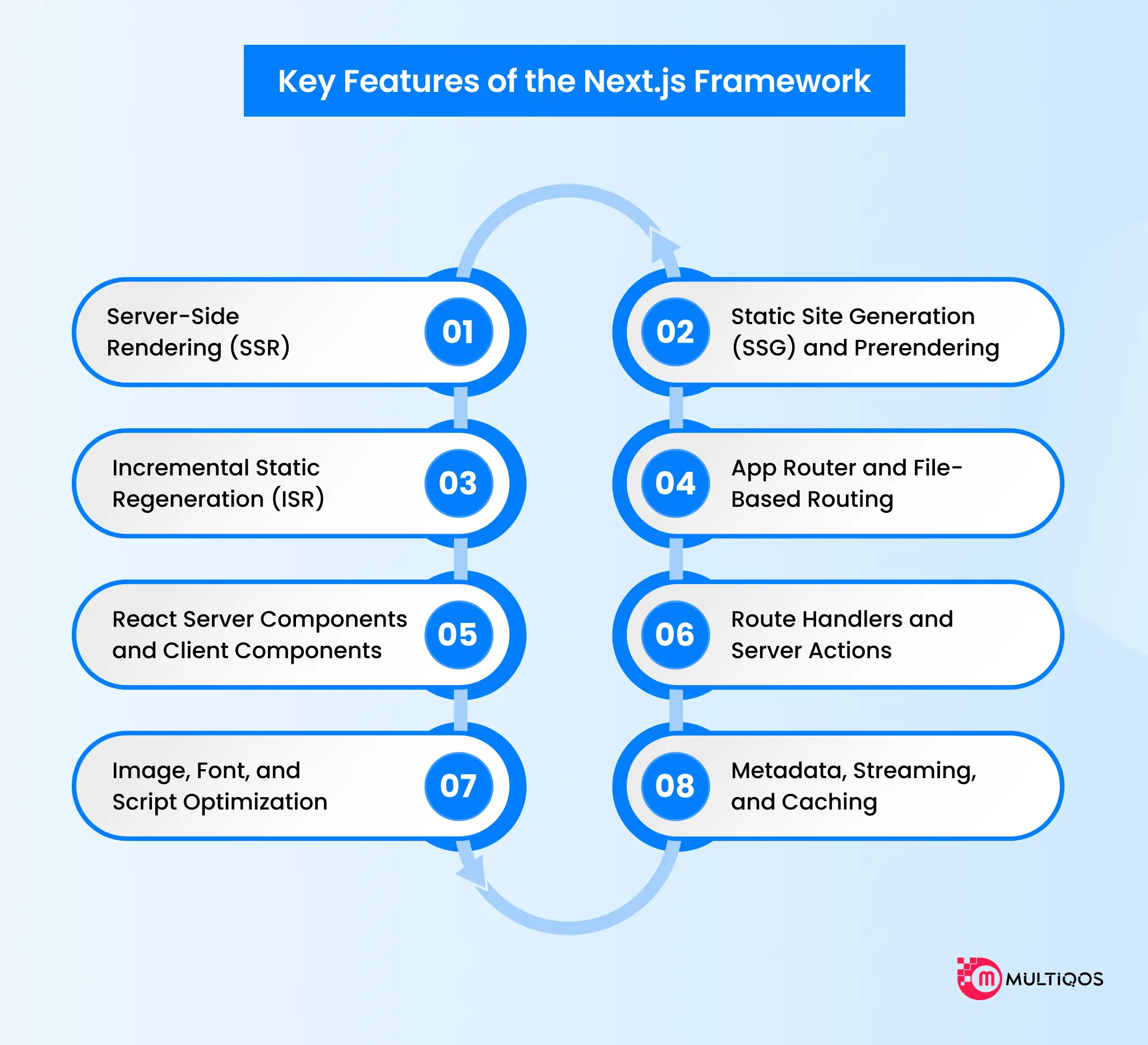
Every one of these features exists to fix a specific problem. Switch them all on by default, though, and you’ll eventually meet a hosting bill nobody budgeted for. The better question isn’t “can we use it?” so much as “which screens actually need it?”
1. Server-Side Rendering (SSR)
SSR cooks a page’s HTML fresh on every request. That’s the right call for screens that shift depending on who’s looking, think dashboards or live inventory. The price is compute, which is why caching belongs in the design conversation, not in the post-mortem after your first traffic spike.
2. Static Site Generation (SSG) and Prerendering
SSG does the rendering once, at build time, then lets a CDN hand the pages out. Marketing pages, documentation, and blog content all live happily here, since they rarely change and cost very little to serve.
3. Incremental Static Regeneration (ISR)
ISR refreshes static pages in the background, on a schedule or when something triggers it. Tweak one price in a sprawling catalog and just that page updates. Nobody waits on a full rebuild.
4. App Router and File-Based Routing
Inside the App Router, folders turn into routes. Shared layouts hang around as people click through, so headers and sidebars stay put from page to page.
5. React Server Components and Client Components
Server Components grab data close to the database and keep secrets off the client. Client Components own the interactivity. The real design call is where you draw the line between them, because set the client boundary too high in the component tree and you end up shipping JavaScript the page never asked for.
6. Route Handlers and Server Actions
Route Handlers expose endpoints for webhooks, mobile apps and API integration with partner systems. Server Actions, on the other hand, process forms without a separate API layer. Either way, give them the same validation and authorization you’d demand of any public endpoint.
7. Image, Font, and Script Optimization
The built-in components take care of the fiddly stuff. Images get optimized. Fonts are self-hosted, so the layout stops jumping around. Third-party scripts load when you say so. Net result, your Core Web Vitals stay protected without any custom tooling.
8. Metadata, Streaming, and Caching
The Metadata API spits out titles, descriptions, and Open Graph tags for each route. Streaming ships the page shell first and fills in the slow sections as their data trickles in.
Next.js 16 went further with Cache Components and the “use cache” directive, which turns caching into something explicit and opt-in. It pairs that with Partial Prerendering, so a static shell and dynamic content can share a single route.
What Are the Advantages of the Next.js Framework?
A framework advantage is worth exactly as much as the number it moves for your organization. Here’s how the advantages of the Next. js framework translate into outcomes you actually measure.
Improved Performance and User Experience
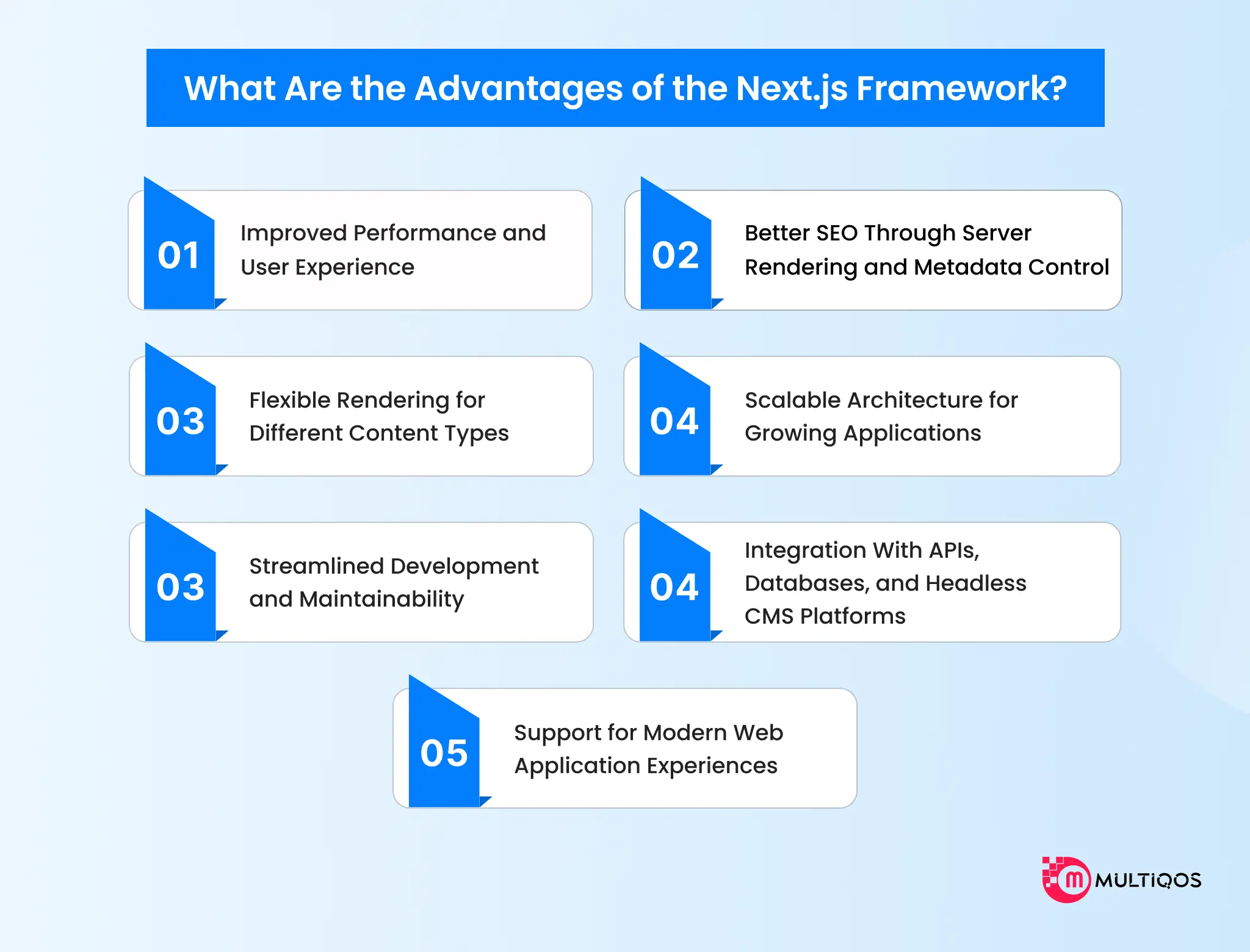
Server rendering gets usable HTML to the browser first. Server Components shrink the JavaScript a browser has to download, and people on slower devices see content sooner because of it. That’s the case for putting website performance optimization on the agenda in revenue meetings, not leaving it buried in engineering backlogs.
Better SEO Through Server Rendering and Metadata Control
Crawlers get complete HTML, not an empty shell twiddling its thumbs while scripts load. Per-route metadata, canonical tags, and structured data sit right beside each page, which keeps technical SEO living inside the codebase. Will Next.js rank your pages by itself? No. What it does is make crawlable output the default.
Flexible Rendering for Different Content Types
One app can serve a static homepage, a revalidated product catalog, and a request-time checkout, all at once. You match rendering cost to each screen instead of paying top dollar for the priciest strategy everywhere.
Scalable Architecture for Growing Applications
When traffic spikes, cached output soaks up the hit at the CDN. Dynamic routes scale on their own track as stateless Node.js services in containers. Keep those two apart, and you’ve got the practical foundation of web application scalability.
Streamlined Development and Maintainability
One framework stands in for a separately maintained router, bundler, and server, which means fewer upgrade fights. That’s not a small thing at enterprise scale. In IBM’s 2025 CEO study, half of surveyed CEOs said rapid investment had left them with disconnected, piecemeal technology. A front end cobbled together from five tools is the same headache in miniature.
Integration With APIs, Databases, and Headless CMS Platforms
Server Components query databases and headless CMS APIs directly, and the credentials never get anywhere near the browser. Throw in on-demand revalidation and content teams can push changes live without waiting around for a developer to redeploy.
Support for Modern Web Application Experiences
Streaming responses and server-side AI calls slot naturally into the App Router. Gartner predicts that by 2027, at least 55% of software engineering teams will be building LLM-based features. With Next.js, you call models on the server, stream the answers into the interface, and the API keys never set foot in the client.
Practical Use Cases for Next.js Development
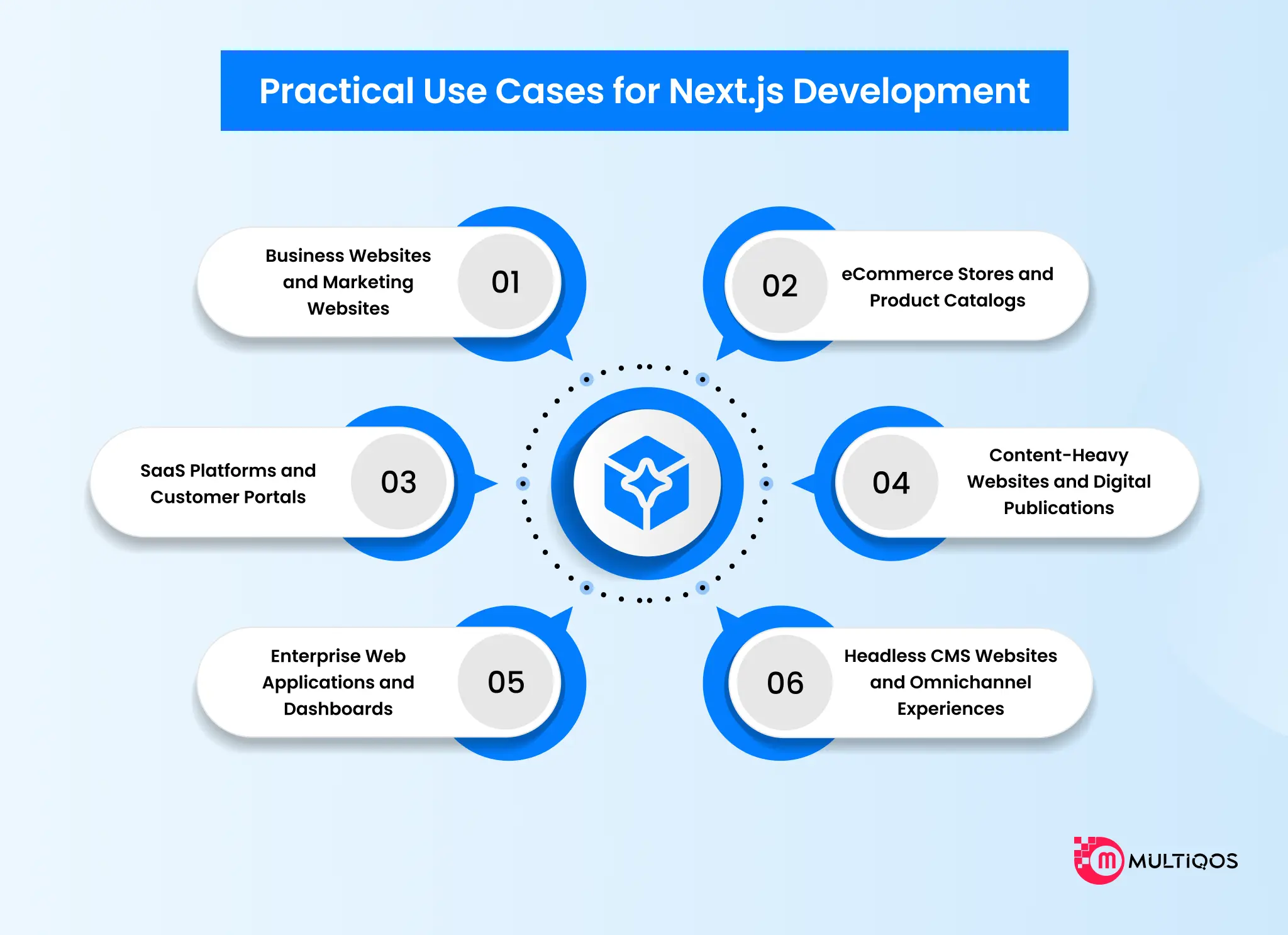
Next.js web development use cases split less along industry lines than along rendering needs. Businesses developing SaaS platforms or enterprise web applications can consider custom application development to meet their specific functional and scalability needs. The table maps each one up front; details follow.
| Use Case | Core Requirement | Rendering Approach |
|---|---|---|
| Business and marketing websites | Indexable pages, fast first load | Static prerendering plus CMS |
| eCommerce stores and catalogs | Indexable products, changing prices | ISR, request-time cart and checkout |
| SaaS platforms and customer portals | Authenticated, personalized views | SSR with Client Components |
| Content-heavy publications | Frequent publishing, traffic spikes | SSG with on-demand revalidation |
| Enterprise apps and dashboards | Role-based data, many integrations | Server Components and streaming |
| Headless and omnichannel experiences | One content source, many channels | Route Handlers plus static pages |
Business Websites and Marketing Websites
What does a marketing team actually ask of a page? Three things, usually: load fast, rank, and let them change copy without begging a developer for a ticket. Prerendered pages on top of a headless CMS cover all of it.
eCommerce Stores and Product Catalogs
McKinsey describes a global brand whose site kept keeling over every time a product launched. That only stopped once it moved to a microservices, API-first, cloud-native and headless architecture. Next.js drops into that pattern as the storefront layer (cached product pages out front, checkout rendered at request time) and honestly, it’s a comfortable fit.
SaaS Platforms and Customer Portals
Behind the login wall, nobody’s Googling your settings page. Personalization and security count for more than search visibility there. Because Server Components pull account data on the server, Next.js application development pays its way in this setting with leaner client bundles.
Content-Heavy Websites and Digital Publications
Editor hits publish, and on-demand revalidation refreshes that one article right then. The archive? Left alone. No rebuild.
Enterprise Web Applications and Dashboards
A dashboard hauls data out of ERP, CRM and analytics systems, and they don’t all reply at the same pace, not even close. Streaming paints the quick panels first, so a single sluggish API never gets to hold the whole screen hostage.
Headless CMS Websites and Omnichannel Experiences
One content hub, plugged in through Route Handlers, can feed your website, your mobile app and the displays in your stores. Every channel tells the same story.
When Should You Use Next.js?
“Everyone’s using it” is a lousy reason to pick a framework. Here are the signals that tell you when to use Next.js web development on actual merit.
When SEO and Initial Page Performance Matter
Say organic search or paid landing pages keep your pipeline fed. In that case server-rendered HTML and per-route metadata give you a head start on crawlability and Core Web Vitals.
When Pages Need Different Rendering Strategies
Mixed bags win biggest here. Products that blend public content, logged-in views and live data get the most out of it, since each route picks its own rendering model instead of inheriting somebody else’s.
When You Need a React-Based Full-Stack Web Framework
Team already fluent in React? Then Next.js stretches those skills onto the server and nobody has to learn a new language. That’s what full-stack web development in a single codebase buys you, in plain terms.
When You Need Flexible Content and Application Delivery
Start tiny if you like, with a static export that needs no server whatsoever. Later, as the product grows up, bolt on server features one route at a time. You won’t be rewriting the architecture.
Next.js Decision Matrix and Business Impact
Matching each screen to the right rendering approach helps you ensure infrastructure spend is predictable. Next.js ensures static and cached pages are served from the edge. At the same time, server compute is reserved for logged-in and personalized views.
What this means is your pages load faster and support better conversions and search visibility across channels. Plus, maintenance of the site stays manageable.
| Requirement | Best-Fit Approach | What to Watch |
|---|---|---|
| Marketing pages, docs, blog | Static prerendering (SSG) | Build time as page counts grow |
| Product and listing pages | ISR or Cache Components with tags | Cache invalidation across instances |
| Logged-in dashboards | Request-time rendering with streaming | Server cost per request |
| Forms and data updates | Server Actions | Validation and authorization on every action |
| Public APIs and webhooks | Route Handlers | Rate limits and authentication |
| Small brochure site | Static export or a simpler tool | Next.js may be more than you need |

Next.js vs. Other Web Development Approaches
No framework wins every matchup, and anyone telling you otherwise is selling something. Your pick hinges on how public the product is, how interactive it is, and what your team already knows.
| Criteria | Next.js | React With Vite | Server-Rendered Frameworks |
|---|---|---|---|
| Rendering flexibility | Static, cached, and request-time per route | Client-side by default | Server-side by default |
| SEO suitability | Strong out of the box | Weak without extra setup | Strong |
| Best fit | Mixed public and app experiences | Internal tools behind a login | Data-heavy apps, light interactivity |
Next.js vs. React With Vite
Vite gives you a client-rendered single-page application. For internal tools, where SEO doesn’t matter one bit, that’s perfectly fine. Next.js piles on the server rendering and routing you’d otherwise be wiring together by hand.
Next.js vs. Traditional Server-Rendered Frameworks
Laravel, Django and Rails render HTML on the server, and they’re a solid match for data-heavy apps with modest interactivity. Once the interface turns complicated and your people already think in React, though, Next.js pulls ahead.
Next.js vs. Other React Meta-Frameworks
React Router pairs up with Vite and leans on standard web APIs. Newer contenders like TanStack Start are still finding their feet. As for Next.js, it has the most complete Server Components implementation out there, and the price of admission is a heavier dose of framework-specific conventions.
What to Look for in Next.js Development Services
Plenty of developers can write React. Far fewer can design a caching strategy that walks out of launch day in one piece. Keep these criteria close when you’re weighing Next.js web development services.
Experience With Next.js Architecture and Rendering
Ask how they’d choose a rendering approach, route by route. A capable partner talks you through the decision and its cost, not just the code.If your project requires dedicated React expertise, you can hire ReactJS developers to support development, integration, and ongoing optimization.
Performance, Accessibility, and SEO Practices
Write measurable acceptance criteria into the contract. We mean Core Web Vitals thresholds, a WCAG conformance level, and crawlability checks, in writing.
API, CMS, and Enterprise Integration Expertise
Your front end is going to plug into ERP, CRM, payment, and identity systems. So ask them straight: at a scale like yours, how did they handle timeouts and partial failures?
Testing, Security, Deployment, and Ongoing Support
Make no mistake, Server Actions and Route Handlers are public endpoints, and like any API they need validation and dependency patching. Who applies framework security releases after launch? How fast? Get names and timelines.
Ability to Align Technical Decisions With Business Goals
Code keeps getting cheaper to churn out. Judgment about what to build, what to cache and what to retire hasn’t, and that’s now the scarce skill. Go with a partner who asks about your revenue model before your component library; it’s the bar we set for our own Next.js development services.
Key Criteria to Compare Next.js Partners
Put every shortlisted vendor through the same five checks, and score them side by side before you sign.
| Criteria | What to Ask | What a Strong Answer Looks Like |
|---|---|---|
| Experience | How do you choose between SSG, ISR, and request-time rendering for each route? Which Next.js projects at our scale have you shipped? | Walks through trade-offs in cost and freshness, and shows live production sites, not just demos |
| Performance | Which Core Web Vitals targets will you commit to in the contract? How do you monitor them after launch? | Written thresholds, a WCAG conformance level, and a regression process in the CI pipeline |
| Security | Who validates and authorizes Server Actions and Route Handlers? Who patches framework releases, and how fast? | Named owners, a defined patch window, and secrets handling and dependency audits built into delivery |
| Integrations | How have you handled timeouts, retries, and partial failures with ERP, CRM, payment, and identity systems? | Concrete examples of fallback behavior, caching of slow upstream calls, and clear API contracts |
| Support | What happens after go-live? What are your response times and escalation paths? | A support SLA in writing, a handover document, and a roadmap for upgrades and cache tuning |

Conclusion
Next.js does its best work where public content, personalized screens and live data share one product. Where a static site or an existing platform already handles the job, it’s at its weakest. So whether Next.js is a capable framework was never really the question.
The question is whether your Next.js web development plan maps each screen to the right rendering strategy, and whether somebody clearly owns caching, hosting, and upgrades.
FAQs
Next.js is used to build websites and web apps that need fast page loads, search visibility, and server-side logic. The usual suspects are marketing sites, eCommerce stores, SaaS dashboards, and content platforms.
Per-route rendering options, server-rendered HTML for SEO, and smaller client bundles top the list. Built-in handling for routing, images, and metadata rounds it out.
Yes. Next.js renders HTML on the server for crawlers, and it ships with a Metadata API for titles and descriptions. Rankings still hinge on content quality, though.
Yes, as long as you plan for it. At large scale, you’ll need a shared cache handler, consistent deployment IDs, and streaming-ready infrastructure on every instance.
React is a library for building user interfaces out of components. Next.js is a framework sitting on top of React, adding routing, server rendering, caching, data fetching, and API endpoints.

Get In Touch

Get Stories in Your Inbox Thrice a Month.

Cybersecurity for Web Applications: A 2026 Protection Framework for Modern Businesses

Breaking Down Website Development Cost: What Should You Expect?

Why NodeJS for Healthcare is the Go-To Choice for Scalable Health Apps?