
Power Apps Implementation in 2027: Step-by-Step Roadmap, Governance, Licensing, and Best Practices
Need quick insights? Summarize with AI & save time
 ChatGPT
 Perplexity
 Claude
 Google AI Mode
Table of Contents
- What is Changing for Power Apps Between Now and the End of 2027?
- The Step-by-Step Power Apps Implementation Roadmap for 2027
- Power Apps Governance in 2027: CoE Starter Kit to Agent-Ready Controls
- Power Apps Licensing in 2027: What to Budget and What to Fix Before
- Build Paths and Best Practices That Will Still Hold in 2027
- Conclusion
- FAQs
Summary:
Microsoft has published the deadlines that reshape Power Apps in 2027: the end of release waves, Dataverse for Teams and developer environment shutdowns, a Premium price rise to $22 per user per month on January 1, 2027, and license enforcement from February. This blog turns those dates into a six-phase implementation roadmap that starts with cleanup and ownership, then moves to environments, licensing, and a redesigned pilot workflow. It also covers a governance model for apps and AI agents together, a licensing breakdown of Premium, Pay-as-You-Go, and the Managed Environments trap, and best practices for build paths, testing, and quarterly value reviews.
Microsoft has already published the dates for massive changes in Power Apps that will shape how you build applications in 2027. Most teams still need to build a strategy to accommodate these changes. While most enterprises focus on use cases, changes from Microsoft—scattered across the Learn pages, Message Center posts, and licensing news—are still a mystery to them.
However, as deadlines approach, companies need to focus immediately on three key areas.
Dataverse for Teams and unmanaged developer environment shutdowns
- Readiness to pay premium prices of $22 per user per month from January 1, 2027
- License enforcement, which will start in February 2027
So, enterprises need to look beyond use cases and create a roadmap with planned cleanups, task ownership, and licensing. It must be a phased roadmap to help your teams cope with the changes and reduce resistance to change.
This piece offers a phase-wise Power App implementation guide with a comprehensive governance model for apps and AI agents. But first, you need to understand the changes in depth.
What is Changing for Power Apps Between Now and the End of 2027?
Your 2027 plan doesn’t start with a use case, but with dates Microsoft has already published, scattered across Learn pages, Message Center posts, and licensing news. So, let’s start with a major change.
Release Waves Are Ending
Microsoft is ending Power Platform release waves (Message Center post MC1461529). Features now arrive on a rolling basis instead of in two published batches a year. A planning cycle built around wave notes now needs a monthly release plan review owned by someone named.
The November 2026 to October 2027 Deadline Calendar
| Date | What Changes | What You Do |
|---|---|---|
| Nov 1, 2026 | The Add-on window for the AI Builder appears. The Date of Purchase or Renewal is the date when licenses are purchased or renewed and will not include AI Builder credits. | Re-plan AI workloads on Copilot Credits. |
| Nov 15, 2026 | Enable the creation of new Dataverse for Teams and developer environments without a managed environment. | Make sure that new builds are stopped in both. |
| Nov 30, 2026 | App Builder and vibe apps go the way of the dinosaur. | Determine whether to rebuild or retire each app. |
| Dec 15, 2026 | Unmanaged developer environments are suspended. | Allow for Managed Environments (premium license) or for export solutions. |
| Jan 1, 2027 | The Power Apps Premium subscription now costs $20 per user per month and has been increased to $22 per user per month. The 2,000-seat tier rises from $12 to $14. | Renew prior to this date (on the assumption of allowable terms). |
| Jan 15, 2027 | Developer environments are removed when they are suspended. | Ensure all exports are finished. |
| Feb 2027 | License enforcement begins. | It’s the first thing to close in the license. |
| Sep 15, 2027 | Upgraded Dataverse environments are not suspended, but the accounts in un-upgraded environments are. | Update if there is anything else you need. |
| Oct 30, 2027 | The environments are shut down. Apps, flows, agents, and data are no longer available. | There shouldn’t be anything remaining. |
Why Agents Now Sit Inside Every Power Apps Program
Your Power Apps estate now comes with built-in agentic capabilities. And this becomes important when 40% of enterprise applications will feature task-specific AI agents by the end of this year. Copilot Studio agents live in the same environments as your apps, call the same connectors, and read the same Dataverse tables. A program that governs apps and ignores agents has half a program.
The Step-by-Step Power Apps Implementation Roadmap for 2027
Generic roadmaps start with strategy and end with scale. However, with Microsoft’s recent changes, your strategy needs to start with cleanup, because the 2026 deprecations force it.
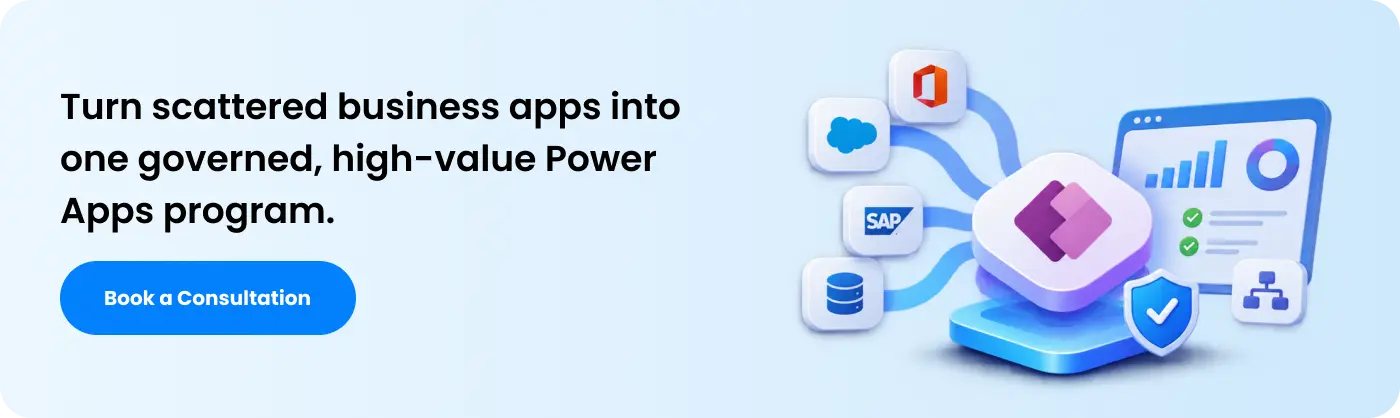
Here are six phases to follow in this order.
Phase 0: Inventory and Clean up (Q4 2026 to Q1 2027)
Owner: platform lead.
Output: A list of all Apps, Flows, Agents, and Environments with owner, last use, and user count tags.
With Dataverse for Teams and unmanaged developer environments, start early since they have hard deadlines.
App Builder and vibe applications must be owned and have a rebuild decision prior to November 30, 2026.
Phase 1: Operating Model and Ownership (Q1 2027)
- Owner: CIO sponsor with the CoE lead.
- Output: a named owner for every production app, a maker intake process, and a cost center for each environment.
Decide now whether the CoE Starter Kit stays or the Power Platform admin center takes over its jobs. Hundreds of business-built apps with no single owner for cost risk or roadmap is the failure this phase fixes. Everything after it depends on it.
Phase 2: Environments, ALM and Security (Q1 to Q2 2027)
- Owner: Platform Engineering.
- Output: Managed Environments as the default, environment groups, routing for new makers, solution-based ALM across dev, test, and production, and DLP policies.
The governance section below covers the controls.
Phase 3: Align Licensing Before Enforcement (Q1 2027)
- Owner: IT asset management with finance.
- Output: a user-by-app map matched to license type and checked against the admin center’s license consumption reports.
Close gaps before February. The licensing section below has the numbers.
Phase 4: Redesigned Pilot Workflow (Q2 2027)
- Owner: business process owner.
- Output: one workflow, redesigned and then built, with a baseline and a target. Pick a process with a measurable cycle time or error rate. Rebuilding the old process in a new app copies the old problem into a nicer interface.
Phase 5: Scale, Measure and Re-Tier Quarterly (Q3 2027 onward)
- Owner: CoE.
- Output: a quarterly review of usage, cost per active user, and value delivered. Move users between license tiers as their app counts change. Retire apps with no active users. The September 15 and October 30 Dataverse for Teams dates land here, and nothing should be left to meet them.
Power Apps Governance in 2027: CoE Starter Kit to Agent-Ready Controls
With a robust Power Apps governance strategy, apps, data, and AI agents are governed securely. Business operations are secure and compliant with risk-based approvals, integrated environment controls, data policies, and access management.
- Make Managed Environments the default boundary. They bring usage insights, sharing limits, and policy controls into one place. They’re also the way to keep a developer environment past December 15, 2026, and that requires a premium license.
- Group environments and route new makers. Environment groups apply one set of rules to many environments. Environment routing sends new makers into a governed space instead of the default environment, where ungoverned apps pile up.
- Run DLP as a living policy. Classify connectors as business, non-business, or blocked, then review the policy every quarter as new connectors and agent actions appear.
- Give agents an identity. Copilot Studio agents can carry an Entra Agent ID, so access and authentication are controlled and audited the way they are for a user. Microsoft’s release plan adds enhanced admin controls for agent security.
- Match controls to autonomy. Tier one: assistive; a human approves every action. Tier two: acts within set limits. Tier three: acts across systems on its own. Review frequency and approval depth rise with each tier.
Power Apps Licensing in 2027: What to Budget and What to Fix Before
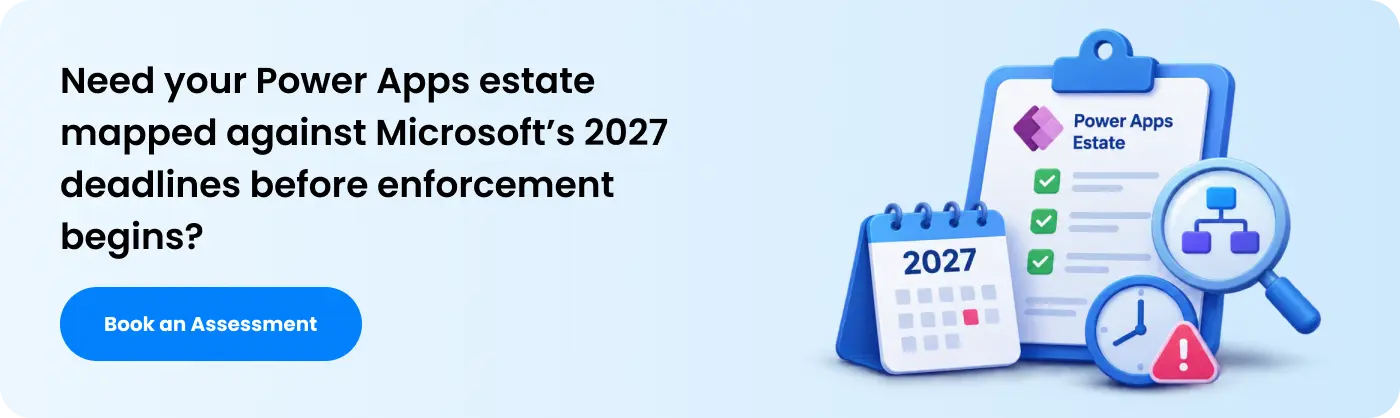
Many teams underestimate the February deadline. Microsoft started warning admins in March 2026 and showing notices inside apps in June 2026. From February 2027, anyone without the right license can’t open the affected apps.
The warnings escalate on a clock. A friendly message turns into a warning after 7 days. Seven days later, it becomes an error. Then the app blocks people. Access comes back once a license is detected, but your team is locked out until then. Quarter close won’t wait.
Power Apps Premium and the January 2027 Price Change
Premium is the plain per-person plan. It costs $20 per user each month, and that person can use as many apps as they want.
Buy at least 2,000 seats and the price drops to $12. You can do that through an Enterprise Agreement (a direct deal with Microsoft) or through an enterprise Cloud Solution Provider (a Microsoft partner). On 2,000 seats, that saves $192,000 a year.
Per App Plan Status and Pay-as-You-Go
The $5 Per App plan covers one person for one app. Some buyers can still get it. Some can’t.
- Can keep it: companies on an Enterprise Agreement or buying through a Cloud Solution Provider.
- Lose it: companies on an older MPSA contract or buying directly from Microsoft.
Pay-as-You-Go is the replacement. You pay $10 for each person who opens each app in a month, billed through Azure, Microsoft’s cloud service.
| Apps Each Person Uses | Pay-as-You-Go | Premium | Cheaper |
|---|---|---|---|
| 1 | $10 | $20 | Pay-as-You-Go |
| 3 | $30 | $20 | Premium |
Now run the numbers on 100 people who use one app. Per App costs $500 a month. Pay-as-You-Go costs 100% more. Premium costs 300% more. Same people, same app, very different bill.
The Managed Environments Licensing Trap
A Managed Environment is a locked-down workspace with extra admin controls. Turn it on and the free Microsoft 365 rights your staff relied on stop counting. Everyone who opens an app there needs their own paid Power Apps license.
Pipelines, the tool that moves an app from testing to live, require this setup. So a simple SharePoint app can suddenly come with a license bill. The app didn’t change. Only where it lives did.
Copilot Credits and the End of AI Builder Credits
Copilot Credits are prepaid points for AI features. They replace the older AI Builder credits. Copilot Studio costs $200 a month and includes 25,000 credits. Pay-as-you-go charges $0.01 per credit instead. If you use fewer than 20,000 credits a month, pay-as-you-go is cheaper.
Dataverse Capacity Costs
Dataverse is where Microsoft stores your apps’ data. Storage past your included amount costs extra. Database storage runs $40 to $48 per GB each month. File storage runs $2.40.
So keep attachments like PDFs out of the database. For logs, use Elastic Tables with time-to-live, a setting that deletes old records automatically.
Build Paths and Best Practices That Will Still Hold in 2027
Most Power Apps implementation teams treat price as the whole story. Get the license right, and you’re done. However, you need to understand the build path and the best practices needed for optimal implementation.
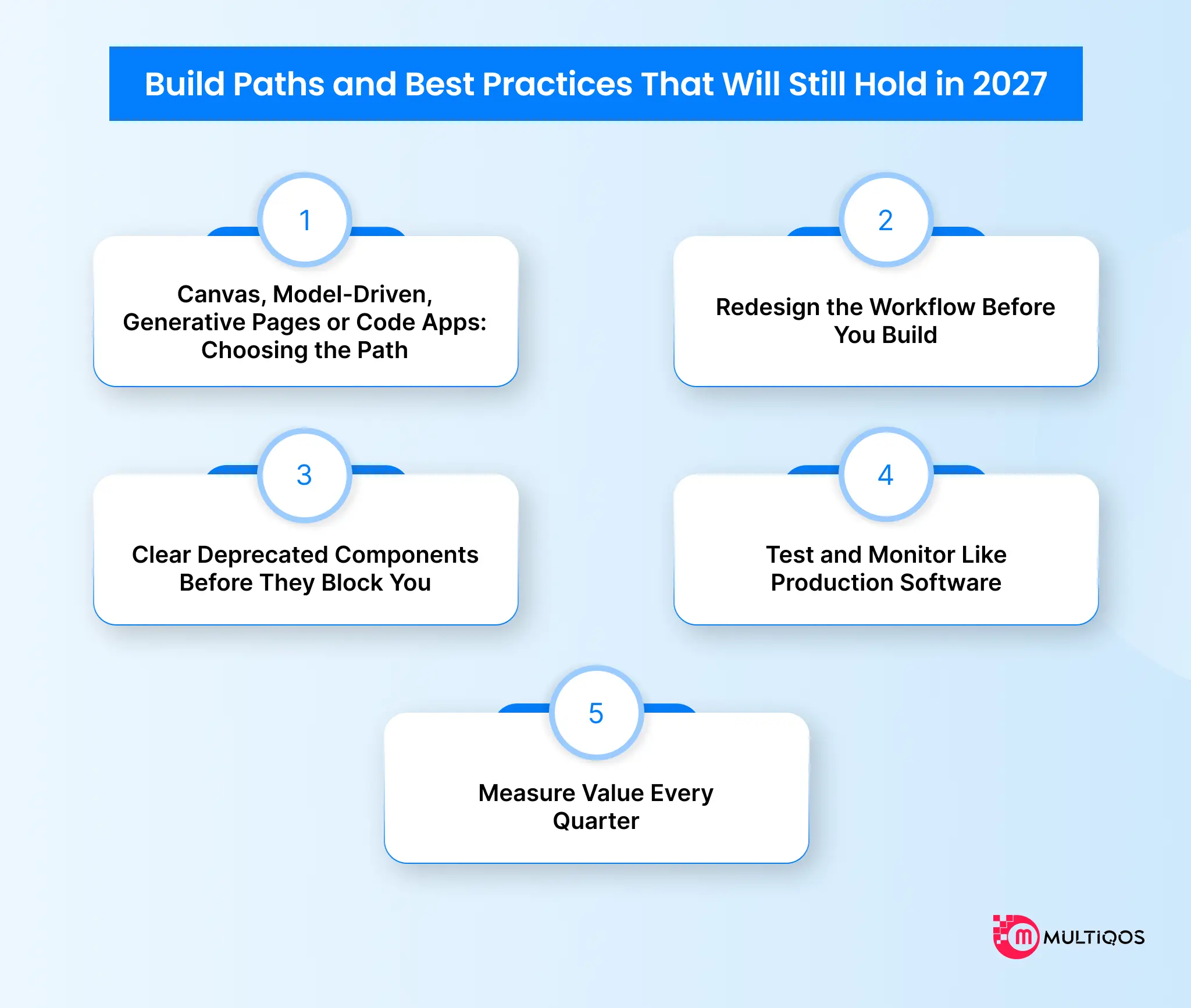
Canvas, Model-Driven, Generative Pages or Code Apps: Choosing the Path
Picking the wrong build path is the costliest mistake in the project, because it shows up later as slow growth, wasted licenses, and security gaps. Decide before anyone builds anything.
| Build Path | Think Of It As | Best For |
|---|---|---|
| Model-Driven Apps | A filing system that builds its own screens | Staff doing data-heavy work like case management or audits |
| Canvas Apps | A blank page you design yourself | Field workers who need mobile forms, a camera or GPS, even offline |
| Generative Pages | A website with a login | Customers, suppliers and partners helping themselves |
| Code Apps | Custom parts built by professional developers | Unusual screens or links to older company systems |
A few things worth knowing before you choose:
- Start with model-driven for record-heavy work. The screens come from the data design, so effort goes into planning the data and deciding who can see what. Copilot can turn a plain-English description into tables and forms in minutes.
- Watch canvas apps closely. Each connection to another system carries its own login. Each one is a possible leak.
- Use generative pages only for outsiders. They exist so people outside your company can help themselves safely.
- Save code apps for last. They need professional developers, and they cost the most to maintain.
The pattern is the same across all four. Pick the simplest path that fits the people using it. Every extra layer of complexity comes back as a license or security bill.
Redesign the Workflow Before You Build
Most teams copy a paper form or spreadsheet into an app, step for step. It’s called “paper on glass.” A broken process inside an app is still a broken process. It just runs faster. Fix the steps first, then build.
Then give every rule one proper home:
- Screen formulas. Keep these to what the user sees, like navigation and quick checks. Heavy calculations here slow the app down.
- Data rules. These apply the same checks everywhere the data gets entered.
- Server code. Use it for rules that must never be skipped, like security and compliance.
- Automated flows. Use them for slower jobs like emails and approvals, so the screen never freezes while waiting.
Nothing important hides inside a screen. That’s the whole idea.
Clear Deprecated Components Before They Block You
Microsoft retires old tools on a schedule. Ignore the schedule, and you get sudden outages and blocked launches. Check these four first:
- The Center of Excellence Starter Kit. This free tracking kit stopped getting new features in early 2026. Your Power Platform Center of Excellence team should switch to the built-in Admin Center. It shows new apps and makers within 15 minutes, flags apps with no owner, and flags anything untouched for over 60 days. That’s the new base for Power Apps governance.
- Personal developer spaces. Unmanaged developer environments face suspension, then deletion. Move the work into managed environments or a governed test space before you lose it.
- Spare Per App seats. The Per App plan has reached end of sale for new direct and MPSA customers. Audit your Power Apps licensing and cut seats nobody uses.
- Old forms and workflows. InfoPath forms are at end of life. Classic Dataverse workflows need to move to modern automated flows.
Every item on that list has a date. None shows up in the budget until it breaks something.
Test and Monitor Like Production Software
A business-critical app deserves the same care as any other software. No hand edits on the live version. No unchecked launches.
Apps should move through three stages: build, test, live. Pipelines handle the move automatically. Built-in checks scan for speed and security problems. The live copy is locked, so nobody tweaks it on the fly. And the live space must be one of your managed environments.
Some settings don’t travel with the app. Reset them after every move:
- Monitoring keys. They make sure logs reach the live workspace.
- Logins and secret codes. Tie them to the live system.
- Chatbot channel security. Turn it on for live use.
- Group access. Give access by group, not by individual person.
Once the app is live, watch for slow responses, crashes, and failed saves. Send alerts straight to the help desk.
Measure Value Every Quarter
Counting apps built tells you nothing. Ask four questions each quarter:
- How much time did we save? One example is onboarding dropping from 14 days to 2 hours.
- Which old software or contracts did we retire?
- Which Premium licenses sit idle? Those can move to pay-as-you-go.
- Is the house clean? That means no ownerless apps, full policy compliance, and no unmanaged live launches.
Most companies sit on a five-step maturity scale, from ad hoc at Level 100 to fully built into company strategy at Level 500. Level 300 is where goals get set, and apps get ranked by return. Climb one level at a time.
Conclusion
Microsoft has already published the dates. What’s left is the order you work in. Cleanup first, then ownership, then licenses, then the build. Start with whatever carries the earliest date.
- Take inventory now. List every app, flow, agent,nt and environment, with an owner for each. Finish before November 15, 2026, when new Dataverse for Teams and unmanaged developer environments stop.
- Decide on App Builder and vibe apps. Rebuild or retire each one before November 30, 2026.
- Export developer work. Do it before December 15, 2026, or move it into a managed environment with a premium license.
- Match every user to a license. Close the gaps before February 2027, when people without the right license get locked out.
- Name an owner for every live app. Then make managed environments the default.
- Pilot one redesigned workflow. Pick a process you can time, build, and review the numbers for every quarter.
Work in that order, and the dates stop being a threat. A solid Power Apps implementation comes down to three answers: what you own, who pays for it, and who fixes it when it breaks.
FAQs
A single pilot workflow can go live in weeks. An enterprise program with governance, environments, and licensing alignment runs across several quarters. Timing depends mostly on cleanup, ownership decisions, and ALM setup—not on building screens.
In-house works when you have a platform lead, solution architects, and an active CoE. A partner helps when you lack governance experience, face the 2027 deadlines, or need a fast pilot. A lot of teams do a combination of both. The partner sets the foundations; the internal team owns operations.
Platform Lead, Solution Architect, Security and Compliance Owner, ALM or DevOps Engineer, Business Process Owner, and Citizen Developer Champions. Add a license manager from IT asset management to track usage.
Yes. Connectors and custom connectors link Power Apps to SAP, Salesforce, ServiceNow, and many others. Some connectors are premium, so they may require a different license. Check connector types before choosing a plan.
Choose the environment region that meets residency rules. With Managed Environments, DLP policies, and role-based access, data movement is under your control. Add audit logging and review it on a schedule. Involve legal and security before the pilot, not after.

Get In Touch

Get Stories in Your Inbox Thrice a Month.

Escaping Pilot Purgatory: Why AI in Supply Chain Fails and How FDE Turns It Around
The Promise of AI Agents in Legal: Stronger Compliance, Better Costs, and Enhanced Accuracy
AI Voice Agents in Real Estate: From Use Cases to Implementation, Everything You Need to Know