
Microsoft IQ Explained: The Role of Fabric IQ, Foundry IQ, Work IQ, and Web IQ
Need quick insights? Summarize with AI & save time
 ChatGPT
 Perplexity
 Claude
 Google AI Mode
Table of Content
- Why Enterprise AI Needs More Context
- The Evolution from Generative AI to Agentic AI
- Microsoft IQ and Its Four Intelligence Layers: An Overview
- What is Microsoft IQ?
- The Four Components of Microsoft IQ
- What is Work IQ?
- What is Fabric IQ?
- What is Foundry IQ?
- What is Web IQ?
- How Fabric IQ, Foundry IQ, Work IQ and Web IQ Work Together
- Microsoft IQ Architecture: From Data to AI Agents
- Microsoft IQ Enterprise Use Cases
- Benefits of Microsoft IQ for Businesses
- Microsoft IQ vs. Traditional Enterprise AI
- How Businesses Can Prepare for Microsoft IQ
- The Future of Microsoft IQ and Enterprise AI
- Conclusion
- FAQs
Summary:
Microsoft IQ is an intelligence layer, not a model. It gives Copilot and custom agents shared business context through four layers. Fabric IQ translates structured data into business meaning. Foundry IQ retrieves cited answers from documents. Work IQ maps how people actually collaborate. Web IQ brings in live external facts. This guide covers what each layer does, how they work together, six enterprise use cases, and five steps to prepare before you build.
Every other enterprise wants to scale their AI agents and automate tasks to achieve more efficiency, but what is blocking this? The endeavor is the context gap. Every new agent starts from a near-zero situation. It doesn’t know where your data lives, what your metrics mean, or which policies apply while executing different tasks.
This is why more than 40% of agentic AI projects will be canceled by the end of 2027. The repercussions are already massive. You will see costs climbing, business value staying unclear, and risk controls falling short.
So, what fixes an agent that knows everything except your business?
Microsoft IQ is the answer. It is not another model or LLM. It is an intelligence layer that gives Copilot and custom agents shared business context through four layers: Fabric IQ, Foundry IQ, Work IQ, and Web IQ. Especially understanding which layer answers which question is what decides whether agents stay grounded or guess.
Then again, four layers also means four boundaries to get right. This guide covers what each IQ does, how the four work together, six enterprise use cases, and five steps to prepare before you build.
Why Enterprise AI Needs More Context
Evolving language models have the capability to complete complex tasks, but when these models are in enterprise environments, they face context gap issues. If you think enterprise AI implementation does not have the model capability issue, then the primary constraint is scaling across systems.
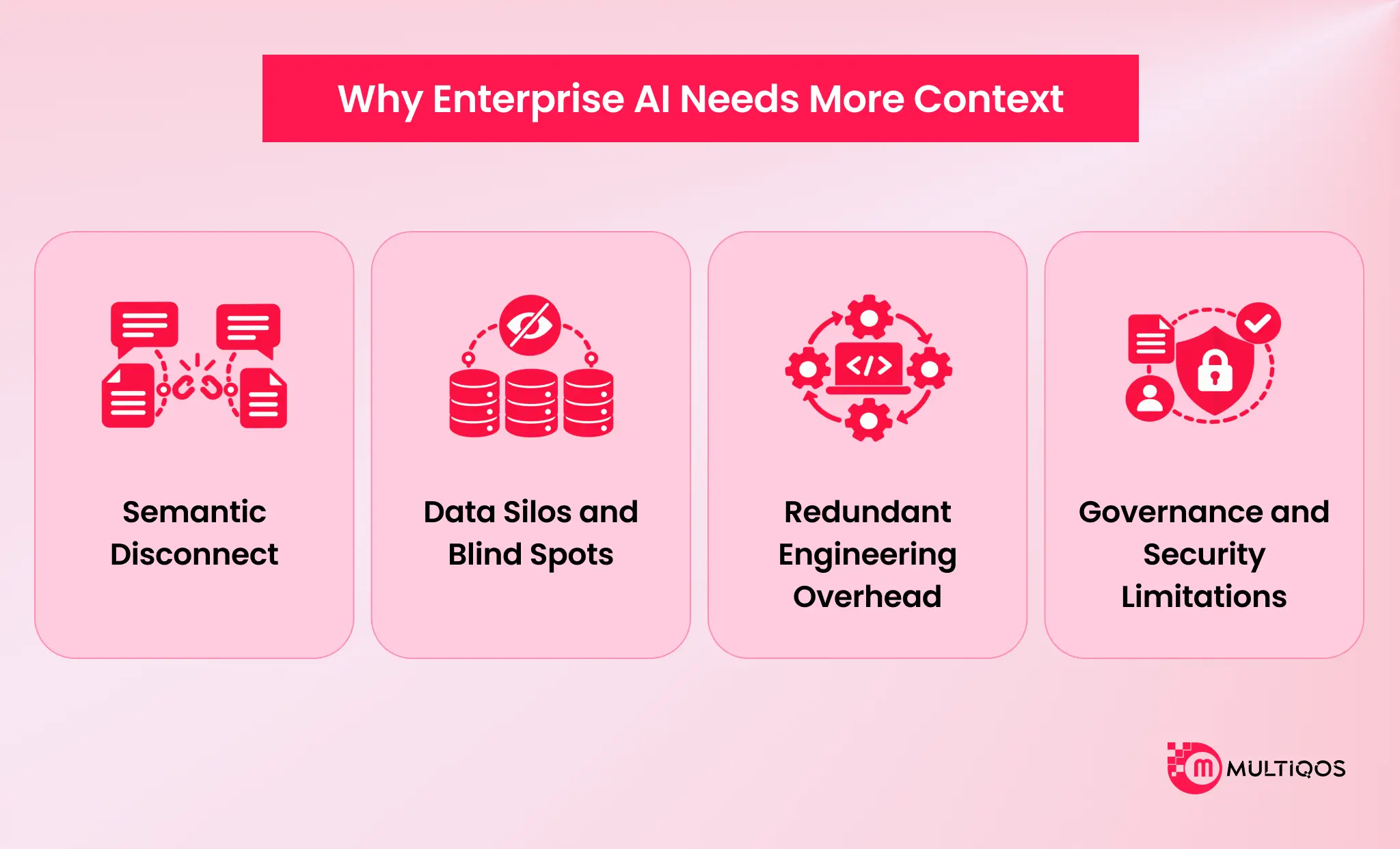
AI can certainly process a vast amount of text, but it naturally lacks awareness of a company’s localized operational rules, dynamic collaboration networks, and compliance standards. Some of the key barriers that enterprise AI implementations do face due to a lack of deeper unified context awareness are,
1. Semantic Disconnect
Enterprises do organize the data in schemas and tables. An AI agent would read this raw data, but without business context, it will have no idea what a specific metric or entity would mean for a company. The business impact and the key objectives that specific data would help AI agents achieve through task executions are totally out of context. This leads to a lack of AI’s capability to reason about the cascading effects, constraints, and specific limitations.
2. Data Silos and Blind Spots
AI agents tailored for specific tasks and specific apps would have an issue with collaboration without a centralized system. For example, if an AI agent is built for Dynamics 365, it will have difficulty collaborating with AI agent setups, specifically for Microsoft Teams.
Similarly, a reporting agent in Power BI cannot access the information or informal human context explaining why a metric changed. You need a unified context to ensure that agents understand the critical relationships across the apps, departments, teams, and their dependencies.
3. Redundant Engineering Overhead
Agentic AI systems are basically implemented to improve productivity and reduce engineering overhead, but with the lack of context and fragmented enterprise signals, development teams have to work hard. They need to wire up context manually for every new AI project. What this means is that they have to repeatedly build custom retrieval-augmented generation pipelines.
And not just pipelines; they also need to connect different data sources and manage document chunking along with indexing from scratch, so this together becomes a massive engineering overhead.
4. Governance and Security Limitations
The problem with a fragmented context is that security and governance come as an afterthought for teams. Without a shared intelligence layer, which inherently respects existing identity boundaries and permissions, enterprises face increased risk in implementing and scaling AI beyond isolated pilot programs.
The Evolution from Generative AI to Agentic AI
A generative AI chatbot can write a quarterly summary, but it cannot execute a specific task. For example, it cannot notice that a refrigerated shipment lost temperature control during the night, work out how to rectify this issue, and open the claim before the products spoil. This is the gap between generative AI chatbots and agentic AI systems.
Data Generation vs Task Execution
Generative AI chatbots run on rule-based training programs or isolated prompt-response loops. What this means is that these models can reason well, but they lack native awareness of localized operational loops, live business metrics, and dynamic organizational context.
At the same time, agentic AI systems can execute multi-step workflows, monitor live systems, evaluate trade-offs, and take governed actions. It is not just a chat interface but an active decision-maker in its entirety. Enterprises exploring this shift need to understand how autonomous, multi-step workflows are built through agentic AI services.
Enterprise Context Gap
Implementing agentic AI systems often hits a bottleneck, and that is the lack of enterprise context. Most enterprise systems provide fragmented signals. The context across different departments and unstructured PDFs and collaboration channels is diverse.
Plus, enterprise systems are often rigged with RAG pipelines and hard-coded with API integrations without any shared understanding.
MCP, A2A, and Governed Identity
Agents need a standardized protocol to function in a business environment. It also requires secure identities. Model Context Protocol, or MCP, is like a universal plug adapter for AI. Conventionally, human developers had to write custom code to teach an AI how to use a specific software program, but with MCP, an AI can simply connect to a new database or app without the hassle of human developers writing custom code.
Agent-to-agent, or A2A, protocol enables multi-agent orchestration. It is the framework for AI teamwork. Instead of one massive AI trying to do everything, companies can use specialized AIs. A2A allows enterprises to leverage multi-agent architectures.
With Agent 365 Autopilot, each agent gets its own Entra ID, identity, a mailbox, and a place in the organizational chart. What this means is Microsoft treats agents exactly like human hires. The Entra ID is Microsoft’s corporate login system, so AI gets its own employee login and its own email address to send and receive messages.
Microsoft IQ and Its Four Intelligence Layers: An Overview
Modern enterprise architectures introduce a shared intelligence substrate. What this means is that they offer a context fabric for every agent by default. Take, for example, Microsoft IQ, which organizes enterprise intelligence into four pillars built specifically for agentic workflows. It executes queries across these specialized pillars, and an agent can seamlessly execute a complex task.
Now that you have an overview of all the intelligence layers of Microsoft IQ, let’s understand them one by one.
What is Microsoft IQ?
Microsoft IQ is an enterprise architectural layer that sits between a company’s internal data infrastructure and agents. It is not a large language model but acts as a unified intelligence layer for enterprises. It automatically connects fragmented corporate data, such as databases, emails, and unstructured files.
Plus, Microsoft IQ translates these data into meaningful business semantics. This allows AI agentic systems to have enterprise context and respect the security boundaries without requiring custom code and manual retrieval-augmented generation pipelines.
How Does Microsoft IQ Work?
Microsoft IQ operates with a shared context fabric across the Microsoft ecosystem. Rather than forcing AI developers to configure individual vector databases, it Unifies data and exposes it natively through open protocols like Model Context Protocol, agent-to-agent protocols, and REST APIs.
- Context Registration: Enterprise systems continuously feed data signals into specialized context layers, like human interactions in Microsoft 365, operational data in one lake, and managed policies in Azure.
- Dynamic Discovery via MCP: When an agent needs information, it does not rely on hardcoded integration code. It accesses unified MCP servers that expose dynamic schema discovery (getSchema) and generic verb-based execution tools (fetch, create, do_action).
- Agentic Planning & Multi-Source Routing: For a complex user request, Boundary AI IQ functions as a retrieval orchestrator. It decomposes prompts into targeted sequences, routes them across relevant IQ pillars, re-ranks results, and synthesizes a verified response with citations.
- Governed Execution: The agent acts through secure write paths that strictly enforce Entra ID user identity and tenant-level compliance boundaries.
The Four Components of Microsoft IQ
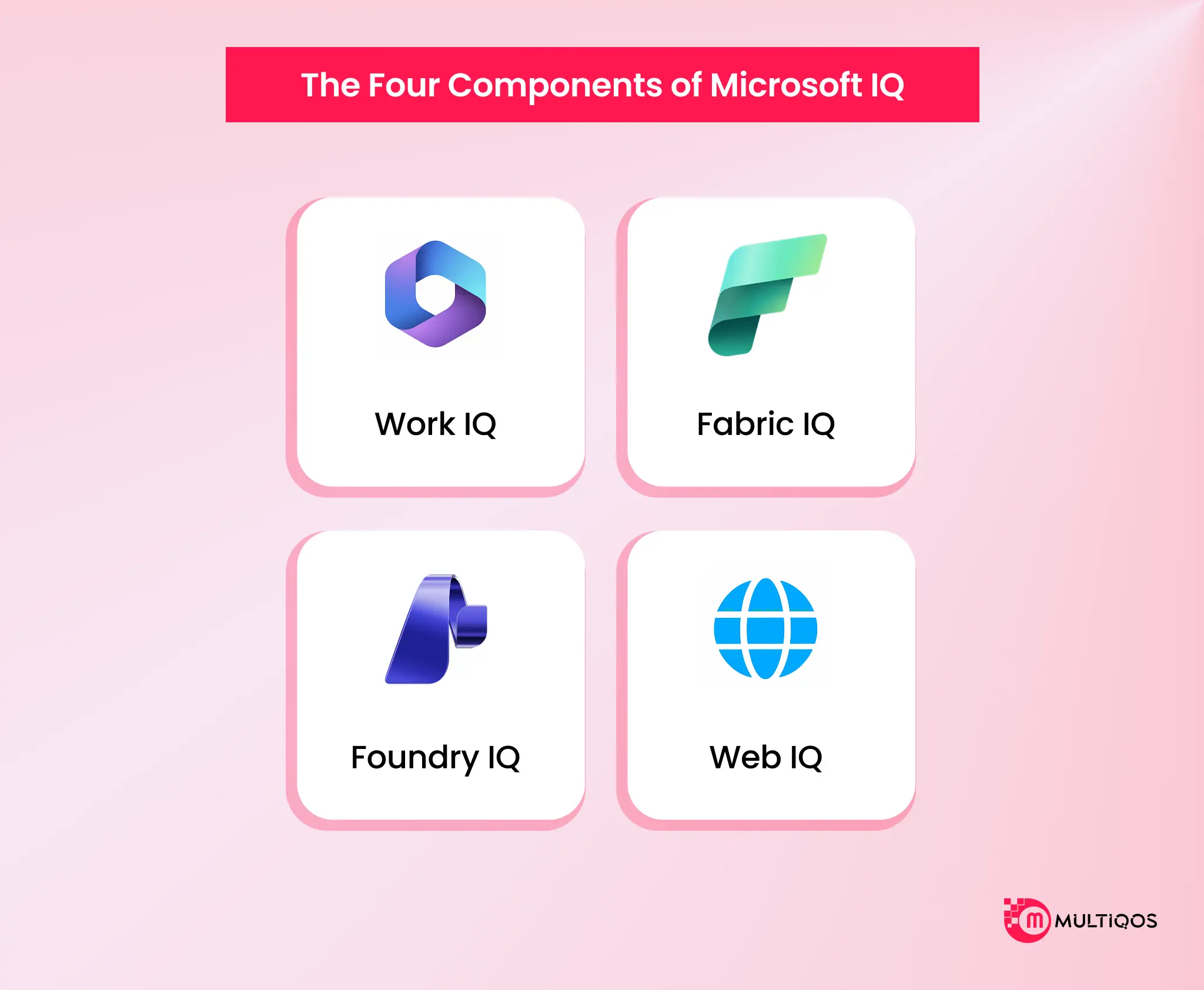
- Work IQ moves past the HR organizational chart and builds a dynamic collaboration graph called the Work Chart. Work IQ can track real-time interaction signals across Microsoft Teams, emails, and calendars. This allows agentic AI systems to know which person owns an issue, how a project is progressing, and who the real subject matter expert is for a specific task.
- Fabric IQ converts raw structured data in OneLake and Power BI into standardized business semantics, graphs, and operational rules. It allows agent AI systems to reason about multiple concepts, such as customer shipment and cold chain breach, rather than processing database schemas.
- Foundry IQ Place is an SLA-backed agent retrieval engine instead of custom RAG. With an LLM planner, it decomposes a complex query into smaller sub-queries, then runs parallel searches across indexed documents and live endpoints. Further, Foundry IQ reranks different results and synthesizes an accurate answer.
- Web IQ connects an AI to the live internet so that agentic systems can answer current real-world facts rather than hallucinating or relying on outdated training data. It offers iterative loops, which allow agentic AI systems to execute search, read the data, think about the result immediately, and search again in a rapid, continuous loop. It helps solve complex enterprise problems. Web IQ operates in very rapid fashion, providing a response under 164 ms 95% of the time. Plus, it offers token-efficient operations.
Now that you know the key components of Microsoft IQ, let’s understand how each of them contributes to the entire system one by one.
What is Work IQ?
Work IQ is the intelligence layer that understands the human side of your business. It is not a directory of names and titles. It helps AI agents understand how people actually work, communicate, and collaborate every day.
How Work IQ Understands Workplace Context
A static HR chart shows who reports to whom, not how work gets done. Work IQ builds a live, digital map of your real working relationships instead. It looks at who emails whom, who attends the same meetings, and who edits documents together.
Microsoft 365 and Organizational Intelligence
Work IQ operates securely inside the Microsoft 365 environment. It continuously gathers context from everyday tools like Teams, Outlook, and SharePoint. What this means is that ordinary employee workflows turn into a network of information that AI can learn from.
Workplace Signals, Collaboration and Business Relationships
By tracking these collaboration signals, Work IQ understands the context behind a project. It knows who made a decision in a meeting, what next steps were agreed, and who the real subject-matter experts are, even when they are not listed as the project lead. So, agents route work to the right person, not just the person with the right title.
How Work IQ Supports Copilot and AI Agents
Work IQ allows agents to safely read your emails, check your calendar, and send messages for you. It also powers Agent 365 autopilots, which are autonomous digital coworkers. Each gets its own corporate email address, a spot on the org chart, and the ability to complete tasks independently.
Work IQ Use Cases
- Smart Meeting Follow-ups: After a budget meeting, an AI uses Work IQ to read the meeting notes and check past emails about the budget. It then drafts a personalized follow-up email that matches your usual tone.
- Finding the Right Person: If a shipment is delayed, an AI uses recent Teams chats and email history to identify the true logistics project lead. It notifies that person of the problem right away.
What is Fabric IQ?
Fabric IQ is a smart translation layer for enterprise data. Instead of forcing AI agents to look at confusing database tables filled with raw information, Fabric IQ translates the data into plain business concepts.
How Fabric IQ Connects Data and Business Context
Fabric IQ sits on top of the raw, unstructured data and acts like a company dictionary. It defines exactly what a term, shipment, or an order means to AI agents. It maps out how different terms in operations connect with each other.
This provides proper enterprise context for AI agents. It guarantees that when a human or an AI asks a question, they use the exact same business rules rather than guessing what a spreadsheet column means.
Fabric IQ, Semantic Models and Business Meaning
Fabric IQ relies on the rules you already set up for your enterprise to make sure everyone is on the same page. You can set up these rules for reporting tools like Power BI. If your company has a strict mathematical formula for calculating net profit, Fabric IQ instantly adopts that rule.
This prevents different departments from coming up with conflicting answers to the exact same question, ensuring the enterprise context has been leveraged for specific tasks. Clean semantic models are the foundation, and you can leverage Power BI development services to standardize your dashboards and reports before agents start relying on them.
Key Capabilities of Fabric IQ
Fabric IQ provides its intelligence through four main tools:
- Ontology: The master dictionary that defines your business concepts and how they relate.
- Graph: A visual map that connects the dots, allowing you to trace a specific product from the warehouse all the way to the end customer.
- Data Agents: Virtual data analysts that let you type a question in plain English and get an instant, accurate chart or answer.
- Operations Agents: Automated bots that watch your live data 24/7, spotting problems (like a broken machine) and automatically triggering a fix.
Fabric IQ and Microsoft Fabric
Microsoft Fabric is a unified storage pool for all your company’s data, known as one lake. Fabric IQ is built directly into the system. As it lives right next to your data, it doesn’t require you to buy new licenses or build expensive pipelines to copy information from one place to another.
How Fabric IQ Supports AI Agents
If you leverage a smart AI on a raw database, it is likely to get confused, make things up, or hallucinate due to unstructured information. Fabric IQ acts as a guide, providing the AI with a complete roadmap of how your business actually works.
It provides enterprise context and allows the AI to confidently analyze live metrics, different options, and make accurate business decisions without needing a software developer to write custom code.
Fabric IQ Use Cases
- Fixing Supply Chain Delays: One of the key use cases of Fabric IQ is creating an automated agent for fixing supply chain delays. It can watch live tracking data, and if there is a traffic jam or a refrigerated truck gets too warm, the agent would automatically reroute the shipment to save the goods or their quality.
- Consistent BI Reporting: With consistent Power BI reporting leveraging Fabric IQ, any manager can ask an AI bot for revenue reports instantly and get the exact same reliable number, allowing them to strategize further and get comprehensive data on their official dashboards.
- Preventing Manufacturing Issues: Leveraging Microsoft Fabric IQ, the system can connect inventory levels with supplier updates. This allows the system to warn the factory manager about a parts shortage before assembly lines get disrupted.
What is Foundry IQ?
Foundry IQ is the knowledge layer that connects AI to your company’s scattered files, documents, and policies. It is not another search box. Instead of letting an agent guess or make up an answer, it feeds the agent the exact corporate documents needed for a factual, verified response.
How Foundry IQ Creates Enterprise Knowledge
Foundry IQ accesses data through your internal infrastructure, PDFs, and manuals, then breaks down information into smaller chunks and builds an organized, searchable library. This means your AI models can find the exact paragraph that answers a specific question instead of scanning the entire document.
Connecting Structured and Unstructured Enterprise Data
Foundry IQ acts like a master hub. It does not stop at Word documents. It can pull numbers from Fabric IQ, emails from Work IQ, and public news from Web IQ, then combine them into one complete answer. So, the agent gets one verified view instead of four disconnected ones.
Knowledge Bases and Permission-Aware Information
Security here is built in, not bolted on later. When a user asks a question, Foundry IQ first checks that person’s permissions. If the user cannot see a confidential HR file or a private contract, the AI cannot see it or use it to answer either. This allows enterprises to scale AI without opening new access gaps.
How Foundry IQ Supports AI Agents
Before Foundry IQ, developers had to build custom, fragile connections just to let an AI read a company file. Now, an agent simply asks Foundry IQ a question. It breaks the question down, searches multiple places at the same time, and hands back a clean answer with exact citations pointing to the original files.
Foundry IQ Use Cases
- Employee Self-Service: An HR bot uses Foundry IQ to read the official employee handbook. Staff get accurate answers about benefits and leave policies without waiting on the HR team.
- Crisis Management: During a supply chain delay, an agent reads through complex supplier contract PDFs to work out the company’s legal options and penalty clauses before the delay turns into a loss.
What is Web IQ?
Web IQ is the layer that gives your internal AI agents a secure window to the outside world. It brings fresh, real-time facts from the open internet without putting your private corporate data at risk.
How Web IQ Brings External Intelligence to AI
The other IQ layers focus on internal company data. Web IQ uses Bing’s search technology to gather global information. It sits outside the corporate firewall, so the AI can look up external facts without ever exposing your internal secrets to the public web.
Web IQ and Real-Time Web Information
Web IQ covers the real world: websites, news articles, images, and videos in over 100 languages. This ensures your agents act on current events, not outdated training data.
AI-Native Web Intelligence and Grounding
Standard search engines are built for humans who click links and read pages. When an AI tries to read a full website, ads and messy menus slow it down and cost the company money. Web IQ is built for bots. It strips away the junk and hands the AI only the clean facts it needs, the “golden paragraphs.”
How Web IQ Supports AI Agents
Web IQ delivers answers in less than 164 milliseconds and provides only the essential facts. This allows agents to research complex problems step by step, quickly. The result is an AI that stays accurate and affordable to run at scale.
Web IQ Use Cases
- AI Agent Real-Time Grounding: Using WebIQ, AI agents and LLMs can access up-to-date news, images, video descriptions, and web pages to gather real-time data
- Dynamic Inventory and Weather Monitoring: It allows autonomous agents to adjust stock levels based on live weather data feeds for inventory management without the need for any external environmental triggers.
- Token-Efficient Passage Retrieval: Using WebIQ AI agentic systems can extract and return only semantically relevant evidence passages instead of full documents, reducing the token overhead and improving latency.
How Fabric IQ, Foundry IQ, Work IQ and Web IQ Work Together
Microsoft IQ is not one big database. It connects four specialized intelligence layers into a single, coordinated system. Instead of forcing AI to guess what company data means, or dumping every document into one messy repository,
Microsoft separates context into four distinct operational boundaries. When an agent needs to solve a complex business problem, it queries these layers together and gets one complete, accurate answer.
Business Context with Fabric IQ
Fabric IQ acts as the company’s financial and operational rulebook. It takes raw numbers and tables from Microsoft Fabric’s OneLake and translates them into everyday business terms like “Revenue,” “Orders,” and “Shipments.” It uses the exact formulas already set up in tools like Power BI. So, an agent calculates business numbers with official corporate rules, not definitions it made up on its own.
Enterprise Knowledge with Foundry IQ
Foundry IQ operates as a central corporate library and retrieval coordinator. It is built on Azure AI Search, which allows it to read unstructured documents such as employee handbooks, contracts, technical specifications, and internal wikis.
Workplace Context with Work IQ
Work IQ maps how daily work actually happens inside Microsoft 365. A static org chart shows reporting lines, not teamwork. Work IQ builds a live map instead, tracking who co-authors documents, attends meetings, and communicates across Teams and Outlook. What this means is that AI can understand project dynamics and identify the people who are actually responsible.
External Intelligence with Web IQ
Web IQ connects agents to the live internet. It is built on Bing search technology and designed for AI, not for human browsers. It delivers current facts, competitor developments, and breaking news from outside the corporate firewall. It also strips away website clutter and returns only the relevant paragraphs, which keeps AI reasoning fast and affordable.
How the Four IQs Create Unified Enterprise Intelligence
These four layers work as one interconnected stack, not as separate tools. Fabric IQ explains what the business numbers mean. Work IQ identifies the people involved. Web IQ adds real-time outside context. Foundry IQ ties it all together by coordinating search requests across every layer and handing the agent a unified, fully cited summary.
Microsoft IQ Architecture: From Data to AI Agents
Microsoft IQ bridges raw enterprise data repositories and user-facing AI applications. It sits in the middle, so neither side needs to know how the other is built.
Enterprise Data and Information Sources
At the foundation sits all company information. That includes structured databases in Microsoft Fabric, day-to-day messages and calendars in Microsoft 365, internal policy documents, and public internet sources.
The Microsoft IQ Intelligence Layer
The IQ layer sits directly on top of these raw sources. It translates disconnected records into structured meaning. It keeps internal company data private while organizing context so AI models can use it.
Fabric IQ, Foundry IQ, Work IQ and Web IQ
The four specialized engines process queries at the same time. Fabric IQ handles business logic. Foundry IQ processes documents. Work IQ organizes employee collaboration. Web IQ extracts relevant web passages.
Shared Context for AI Agents
Teams no longer have to configure custom connections for every AI tool. Applications connect through standard interfaces like the Model Context Protocol (MCP). Any bot built in Copilot Studio, Microsoft 365 Copilot, or custom software inherits access to company intelligence on day one.
From AI Insights to Business Actions
Microsoft IQ connects directly to company tools, so agents can do more than answer questions. Through protected action tools, an agent can draft an email, create a calendar invite, or update a database entry. Every action runs under strict corporate review rules.
Microsoft IQ Enterprise Use Cases
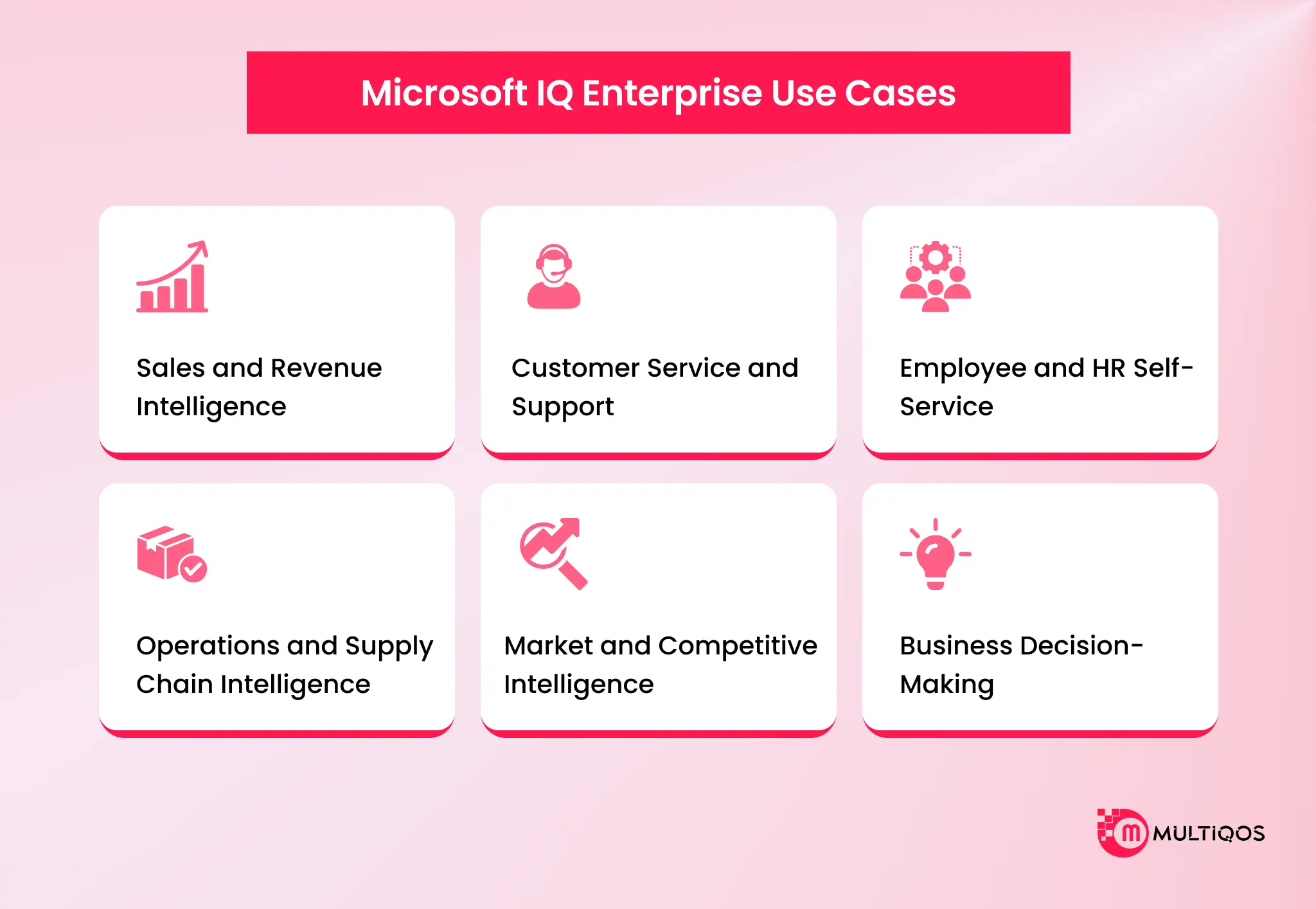
Here are some of the key use cases of Microsoft IQ for enterprises
Sales and Revenue Intelligence
Sales agents combine actual revenue numbers with customer email sentiment and recent market news to judge pipeline health. This allows leaders to see which deals need executive attention right now.
Customer Service and Support
Support agents resolve technical cases faster by combining three sources. Foundry IQ supplies warranty documents, Fabric IQ supplies purchase histories, and Web IQ supplies live supplier service alerts.
Employee and HR Self-Service
An HR bot answers questions on parental leave, benefits, and paid time off by quoting official policy documents through Foundry IQ. When it cannot answer, it routes the ticket to the right human representative, identified through Work IQ.
Operations and Supply Chain Intelligence
Operational agents monitor shipping containers in real time. For example, a temperature sensor signals a refrigeration failure. The agent verifies contract terms in Foundry IQ, checks port weather in Web IQ, alerts the regional manager through Work IQ, and logs the incident in Fabric IQ.
Market and Competitive Intelligence
Using Microsoft IQ, teams can track competitor pricing and product announcements, ensuring that they can create better strategies for optimal conversions. An agent then compares those moves of competitors, which were tracked through the web IQ, with the internal product roadmaps to provide intelligent recommendations.
Business Decision-Making
Executives receive real-time briefings that connect balance sheet metrics with actual operational activity. This prevents decisions built on outdated reports.
Benefits of Microsoft IQ for Businesses
Here are some crucial benefits of Microsoft IQ for your business.
Better Context for Enterprise AI
AI models stop giving generic or irrelevant responses. They now work with business data, internal rules, and employee dynamics.
Connected Enterprise Knowledge
Information silos between departments start to disappear. Sales data no longer sits locked in CRM tools while communication stays buried in email. Microsoft IQ builds a shared knowledge fabric across systems.
More Grounded AI Responses
Foundry IQ and Web IQ supply exact quotes and clear citations. So, team members can verify every answer against source records instead of taking it on trust.
Faster AI Agent Development
Software teams no longer spend months writing custom connections and data-fetching pipelines for every AI project. New tools can go live quickly on top of existing data infrastructure.
Improved Business Decision-Making
Teams spend less time reconciling conflicting spreadsheet numbers and hunting for documents. This allows faster, context-driven decisions.
Enterprise Security and Governance
Microsoft IQ follows your existing security rules. It respects Microsoft Entra ID logins, file permissions, and Purview data privacy classifications. Employees see only the data they are permitted to view.
Microsoft IQ vs. Traditional Enterprise AI
Here is a comprehensive comparison of how conventional enterprise AI implementations differ from Microsoft IQ.
| Aspect | Traditional Enterprise AI | Microsoft IQ | One-Line Overview |
|---|---|---|---|
| Data Integration | Isolated chatbots tied to a single file or database | Unifies structured records, emails, documents, and web data into a single shared layer | Connects fragmented corporate silos into a unified intelligence fabric. |
| Retrieval & Search | Standard RAG relying on simple keyword or vector searches | Context-aware AI with business ontologies, collaboration history, and query planning | Delivers verified, semantically grounded retrieval instead of simple keyword matching. |
| Automation | Passive chatbots that wait for typed prompts | Autonomous agents that monitor systems, spot anomalies, and take governed actions | Evolves AI from passive text generators into proactive, decision-making agents. |
| Competitive Advantage | Reliance on generic, ungrounded foundation models | LLMs deeply grounded in organizational context and business rules | Transforms company-specific operational context into the primary AI differentiator. |
How Businesses Can Prepare for Microsoft IQ
Businesses can prepare for Microsoft IQ by making data governance strong, aligning existing Microsoft 365 fabric investments, and starting with small governance agent pilots.
Assess Existing Data and Knowledge Sources
Start by reviewing where your critical business data lives. Identify the active databases, SharePoint libraries, and communication channels that will ground your future AI workflows.
Define Business Context and Semantics
Standardize core business terms and key metrics across departments. Build consistent Power BI semantic models so AI tools interpret your company concepts the same way your teams do.
Establish Security and Governance
Clean up file access permissions and data classification labels in Microsoft Purview. This ensures autonomous agents access only authorized corporate data.
Identify High-Value AI Agent Use Cases
Pick bounded, high-impact scenarios, such as automated supply chain alerts or smoother customer onboarding. Pilot them first, then expand to company-wide deployment. Once you have picked a bounded use case, custom AI agent development turns the pilot into a working agent your teams can test and refine.
Measure Business and Operational Outcomes
Track concrete metrics such as employee time saved, shorter support ticket resolution times, and improved reporting accuracy. These numbers show the operational return on investment.
The Future of Microsoft IQ and Enterprise AI
Enterprise software is moving away from generic prompt-and-response interfaces. It is heading toward systems that understand organizational roles, ongoing projects, and corporate priorities.
The Growing Role of AI Agents
Organizations will deploy more autonomous agents with specific operational roles. These agents will handle repetitive monitoring and data tasks alongside human teams.
Shared Intelligence Across Enterprise Systems
Individual applications will stop managing their own isolated data caches. Enterprise platforms will plug into a single, shared intelligence fabric that updates continuously.
Microsoft IQ and the Future of Agentic AI
Microsoft IQ sets up the infrastructure that safe autonomous operations depend on. It gives agents the business understanding, operational boundaries, and security controls they need to deliver reliable outcomes.
Conclusion
Microsoft IQ unifies structured metrics, company documents, daily human communication, and live internet updates into one cohesive context layer. It solves the enterprise context problem. As a result, AI systems reason from actual business reality, not from guesswork or generic training data.
Standardized protocols, automated retrieval, and built-in enterprise security give organizations a safe way to deploy autonomous digital workers. These workers collaborate across systems and deliver measurable business value.
FAQs
Microsoft IQ is an enterprise intelligence layer. It organizes company files, databases, collaboration signals, and web data into a shared context fabric for AI tools and autonomous agents.
No. Microsoft IQ is not an AI model or a Large Language Model (LLM) like GPT-4. It is the context-management infrastructure that gives AI models the business information they need to complete tasks accurately.
They are the four pillars of Microsoft IQ. Fabric IQ translates business numbers, Foundry IQ retrieves document knowledge, Work IQ maps employee collaboration, and Web IQ provides live internet search.
They operate as one coordinated system, typically orchestrated by Foundry IQ. It queries business data, communication logs, document repositories, and web sources in parallel, then produces a single cited answer.
Fabric IQ focuses on structured operational numbers and business metrics in OneLake. Foundry IQ manages unstructured text such as files, manuals, PDFs, and corporate wikis.
It gives agents a shared understanding of business definitions, permissions, and tools through open protocols like MCP. This removes the need to build custom connectors for every new AI deployment.
Yes. It is built on Microsoft enterprise infrastructure and automatically honors Microsoft Entra ID logins, file permissions, and Purview data privacy policies.

Get In Touch

Get Stories in Your Inbox Thrice a Month.
Building Automated Approval Workflows with Microsoft Power Automate
Paper Checklists to Power Apps for Manufacturing: Digitizing Shop-Floor Workflows
Microsoft Fabric vs Power BI: 8 Differences That Decide Your Platform Spend