
Paper Checklists to Power Apps for Manufacturing: Digitizing Shop-Floor Workflows
Need quick insights? Summarize with AI & save time
 ChatGPT
 Perplexity
 Claude
 Google AI Mode
Table of Content
- The Real Cost of Paper-Based Shop-Floor Processes
- Why Manufacturers Are Turning to Power Apps + Dataverse
- From Paper Checklists to Digital Workflows: What Power Apps Digitizes
- Where Does Microsoft Power Apps Fit in Your Manufacturing Setup?
- Step-by-Step Process to Implement Power Apps for Manufacturing Units
- Conclusion
- FAQs
Summary:
Manufacturing floors still run on clipboards, spreadsheets, and verbal shift handoffs, and it costs real money: lost data, stretched machine downtime, and audit trails nobody can trace back to a time, person, or machine. This guide breaks down what paper actually costs per shift, why Dataverse beats a flat SharePoint list for shop-floor apps, and which workflows quality inspections, maintenance logs, shift handoffs are worth digitizing first with Power Apps. It also covers offline or mobile design, integration, a rollout plan, and the one section most vendor content skips: where low-code genuinely fails.
Workers running $2 million worth of CNC machines and leaving the information on a random clipboard across the shop floor is common knowledge. This does not happen due to a lack of process but due to a lack of data centralization. This leads to delayed checks, maintenance, updates, and scattered shift handoffs.
This is where Power Apps development for manufacturing makes complete sense. It brings shop-floor data and workflows into one centralized digital system. Using Power Apps for manufacturing helps you ensure quality inspections, maintenance logs, and shift handoffs for shop floors through low-code mobile apps backed by Dataverse. This allows operational data to be captured once, at the source, in a structured system.
This article covers what paper actually costs you per shift, what Dataverse adds that a SharePoint list does not, which workflows are worth digitizing first.
The Real Cost of Paper-Based Shop-Floor Processes
Manufacturing compliance audits, inspections, and equipment logs have all been captured on spreadsheets and paper records over the years. But with the modern era of artificial intelligence and LLM-based operational capabilities, digitizing each log and inspection record and creating deeper insight matters.
Three primary areas of vulnerability on the shop floor are,
- Lost and inaccurate data
- Delayed Reporting and Blind Spots
- Compliance gaps and audit risks
Lost and Inaccurate Data
Analog processes such as capturing data manually on paper sheets, clipboards, and forms, which are often left incomplete or lost in translation, and create inaccurate information. This leads to,
- Widespread Delays: Information that does not reach the right decision-maker on the floor in time leads to delays across the shop floor. Many manufacturing processes are time-sensitive and require enough data to make the right decisions, or else wastage increases.
- Massive Financial Leakage: Delayed decision-making means more wastage, ultimately leading to massive financial losses. If you are a cast iron manufacturing plant, the right temperature information for the furnace at the right time is important, or you will end up losing money on the raw materials.
- Inconsistent Systems of Record: Because paper forms are not validated at the point of capture, data gaps and formatting differences are common, leaving organizations with unreliable and incomplete data.
Delayed Reporting and Blind Spots
Spreadsheets introduce a delay that is built into the process itself. When an operator spots an equipment safety hazard, that information sits on the form until someone physically scans and emails it to a supervisor. This leads to,
- Costly Unplanned Downtime: Delayed reporting slows down decision-making and stretches machine downtime far longer than it needs to be.
- Extended Cycle Times: Under manual workflows, tracking a flagged defect from report to resolution drags on.
- Zero Real-Time Visibility: Leadership has no centralized view of plant-level health. Checking the status of an inspection or a safety check means management is left guessing at how many actions are overdue.
Compliance Gaps and Audit Risks
Scattered checklists and spreadsheets do not just slow things down; they put manufacturers at direct regulatory risk. Paper records are difficult to verify, easy to misplace, and almost impossible to reconstruct months later. This leads to,
- Audit Stress: Quality and safety checks documented on paper weaken your position during audits such as ISO 9001 certification, because you are proving compliance with records that cannot be traced back to a time, a person, or a machine.
- Scattered Evidence: Supporting documentation like defect photos, Standard Operating Procedures, and work permits usually lives somewhere other than the sheet it belongs to. Pulling that history back together during an audit is slow, and evidence is frequently lost to the wrong record.
- Lack of Accountability: Paper forms carry no structured tracking, so there is no organized way to confirm that standard operating procedures are actually being followed shift after shift.
- Insecure Workarounds: Teams that build lightweight digital workarounds on platforms like SharePoint lists to avoid licensing costs often trade one risk for another. SharePoint items and documents are referenced through public URL structures, which means an unauthorized employee can potentially open sensitive operational records.
Why Manufacturers Are Turning to Power Apps + Dataverse
One of the most crucial debates across organizations on operational approaches has been why to use Microsoft Power Apps with Dataverse, and the reasons are obvious,
Low-Code vs. Building from Scratch
Conventional custom software development requires writing code from scratch. Choosing a low-code tool like Power Apps simplifies it.
- Faster Development- You can build and launch custom apps quickly, ensuring you cater to changing market and customer behavior.
- Lower Costs- It cuts down the need to hire massive programming teams to maintain complex code.
- Quicker Updates- Using Microsoft Power Apps plus Dataverse allows organizations to quickly make changes to their software.
What Dataverse Specifically Adds to the Capabilities of Microsoft Power Apps?
Dataverse is your database engine, which makes the app much more reliable. This becomes crucial when teams try to reduce costs by creating flat lists and storing data. With Dataverse, teams get,
- Connected Systems- Flat lists of data mean spreadsheets, and Dataverse allows teams to create a connected database. It connects different tables together, allowing apps to pull data automatically.
- No Size Limits- Basic lists often hit a limit of 2,000 items before they slow down or stop showing the results. Dataverse processes your search requests on the server and ensures apps are faster and more reliable.
- Native Support: Dataverse offers native capabilities locally, saving your data on the device when you’re offline and automatically sending updates back to the cloud as soon as the internet comes back.

From Paper Checklists to Digital Workflows: What Power Apps Digitizes
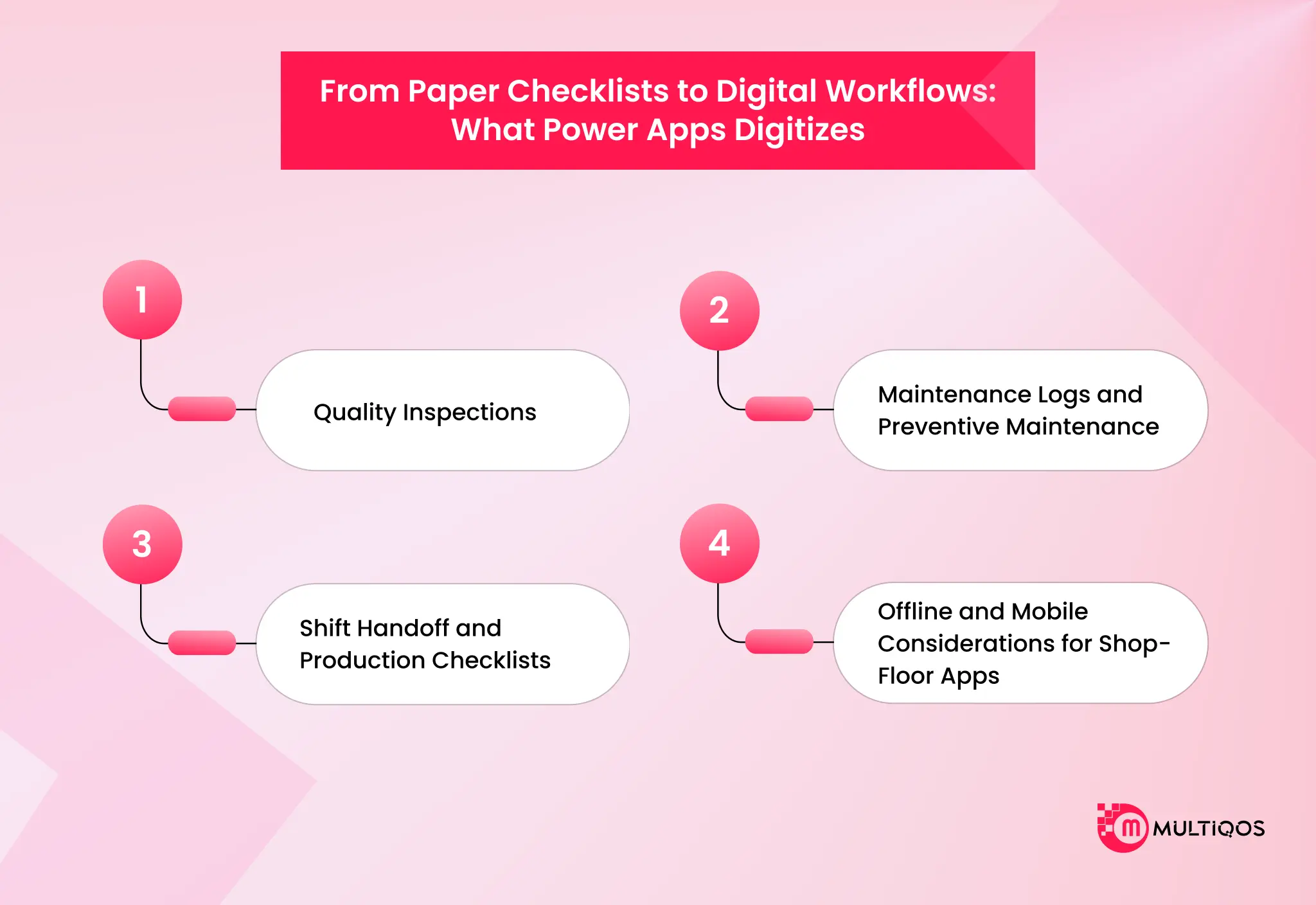
Reliance on physical paperwork for daily operations in conventional manufacturing environments adds operational friction, errors, and a state of phantom inventory. Using Microsoft Power Apps for manufacturing helps you leverage a flexible and accessible frontend to replace your fragmented workflows, enabling digitization of several core operations.
Some of these are,
Quality Inspections
Conventional quality control is often reactive, and this leads to inefficient systems that miss out on inspecting key defects. What this means for a manufacturing unit is higher scrap volumes and wastage of productive hours.
Digitizing the quality inspections and using Microsoft Power Apps for the manufacturing process enables a proactive, real-time approach on the shop floor. This includes,
- Mobile Audits and Photo Evidence: Microsoft Power Apps enable organizations to use tablets and smartphones for quality inspections. Inspectors can use standardized audit templates, document physical dimensions, and record real-time evidence for defects.
- Real-Time Data Validation: It comes with built-in form validation, which means inspectors record accurate and mathematically efficient measurements.
- Automated Escalation Workflows: After recording key data, inspectors submit the report, and Microsoft Power Automate evaluates how severe the recorded issues or defects are. Minor issues are logged silently to create a long-term analysis. At the same time, critical defects trigger automated instant push notifications to the shop floor or area managers, and halt assembly lines.
Maintenance Logs and Preventive Maintenance
Unplanned downtime of machines is a key reason manufacturing units face operational losses. Using Microsoft Power Apps for manufacturing allows organizations to implement proactive maintenance, ensuring reduced downtime.
- Technician Mobile Experience: Mobile alerts for technicians on site helps the get automated alerts, view assigned work orders, and update repair status.
- QR-Enabled Machinery Logs: Placing physical QR codes on the machines allows technicians to scan assets on-site. Once done, Microsoft Power Apps can immediately pull machine-specific data like asset ID, location, maintenance history, and pending tasks.
Shift Handoff and Production Checklists
In continuous manufacturing operations, shift handoffs represent a critical point of failure. Verbal reports or disjointed spreadsheets often result in missed information, and this leads to unaddressed machine anomalies and communication errors between crews.
Microsoft Power Apps replaces the physical handoff with a structured, centralized record. This includes,
- Centralized Transition Logs: Outgoing crews log active issues in a structured shift-handoff application, and incoming crews immediately view a centralized record of open workarounds, pending machine faults, and active safety concerns.
- Narrative Handoff Interfaces: Aligned with industrial standards, these apps offer a clear narrative handoff view of live alarms, setpoint changes, anomalies, and active workarounds.
- Automated Labor and Time Tracking: Handheld checklists allow frontline workers to clock in and out, track time spent on specific assembly lines, and log key equipment utilization metrics. Power Automate consolidates these attendance logs automatically into digital timesheets and sends them directly to HR, eliminating manual compilation.
Offline and Mobile Considerations for Shop-Floor Apps
Industrial plants frequently have areas with poor Wi-Fi coverage. An app that fails at the far end of the plant is an app that operators stop trusting, and the paper backup returns within a week.
Applications deployed to shop floors must therefore support offline data storage and seamless synchronization. The Microsoft Power Platform provides two distinct offline architectures,
Method A: Model-Driven Apps with Mobile Offline (Offline-First)
In this built-in approach, data is stored locally in a physical database on the mobile device, and the app reads and writes directly against these local tables.
- Configuration: Administrators configure an Offline Profile that defines which Dataverse tables sync to the device, the synchronization intervals (ranging from 5 minutes to 1 day), and the targeted user groups.
- Data Limit: Devices can sync up to 3,000,000 total rows, including system and hidden tracking tables.
Method B: Canvas Apps using LoadData and SaveData
For canvas applications with standard non-Dataverse connectors such as SharePoint, developers must manually script the offline sync logic using local collections.
- Configuration: When the device’s connection signal drops, detected via the “Connection.Connected” signal, the app writes data directly to in-memory collections and uses the SaveData function to save the JSON payload to the device’s secure local storage. Upon reconnection, the app uses “LoadData” to load the cached JSON and pushes the records back to the database via sequential Patch operations.
Connecting Shop-Floor Apps to Existing Systems
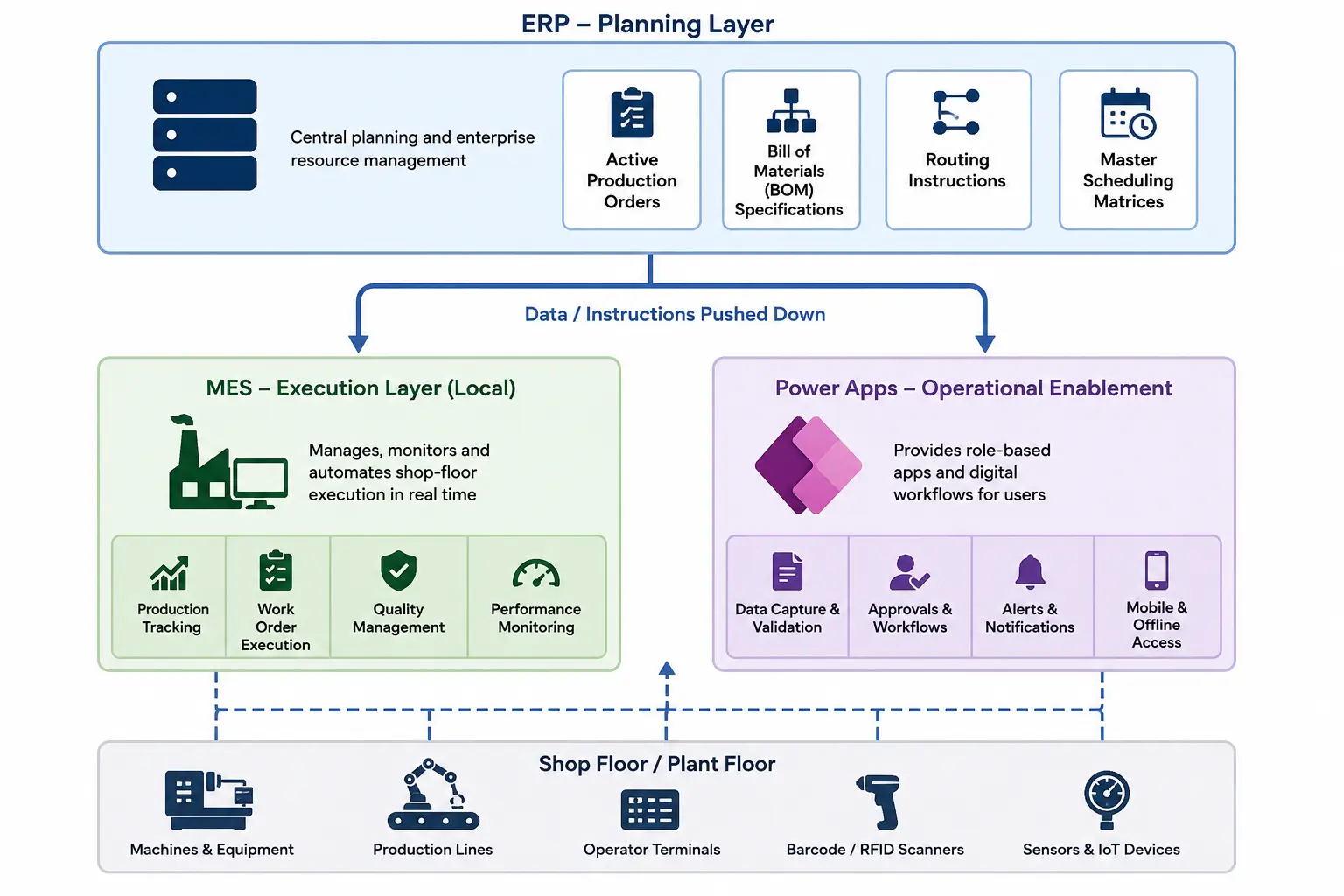
An app that captures excellent data and keeps it to itself is a digital silo, and it recreates the same fragmentation that the paper process caused. To avoid this, shop-floor apps must be integrated into a unified enterprise data architecture. It bridges the historical Information Technology (IT) and Operational Technology (OT) divide.
Here is how you can connect.
Downstream Alignment
The ERP acts as the planning layer, pushing active production orders, Bill of Materials (BOM) specifications, routing instructions, and master scheduling matrices to the localized MES and to Power Apps.
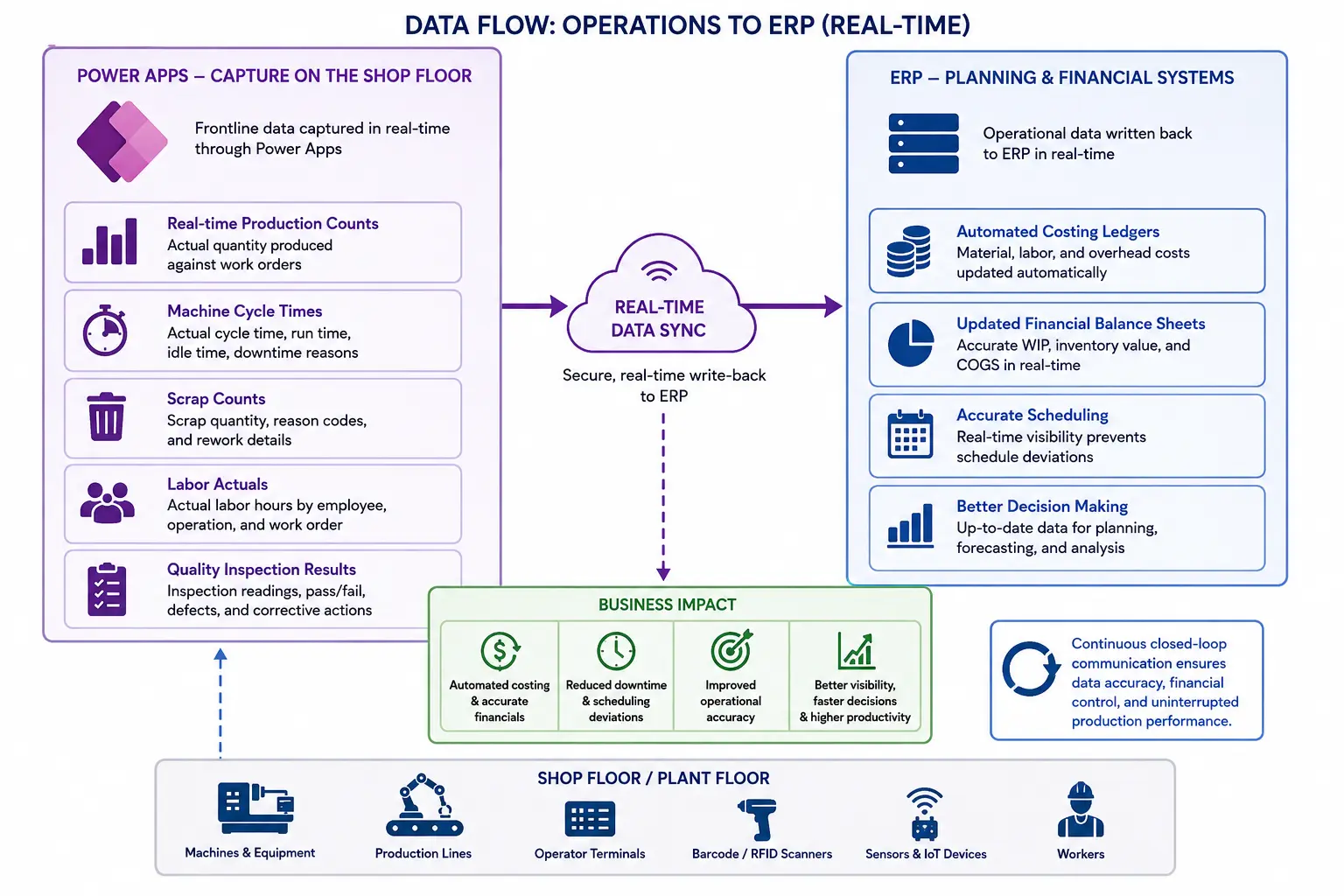
Upstream Synchronization
Real-time production counts, machine cycle times, scrap counts, labor actuals, and quality inspection results captured in the Microsoft Power App are written back to the ERP in real-time. This automates costing ledgers, updates financial balance sheets, and prevents scheduling deviations caused by unexpected machine downtime.
Where Does Microsoft Power Apps Fit in Your Manufacturing Setup?
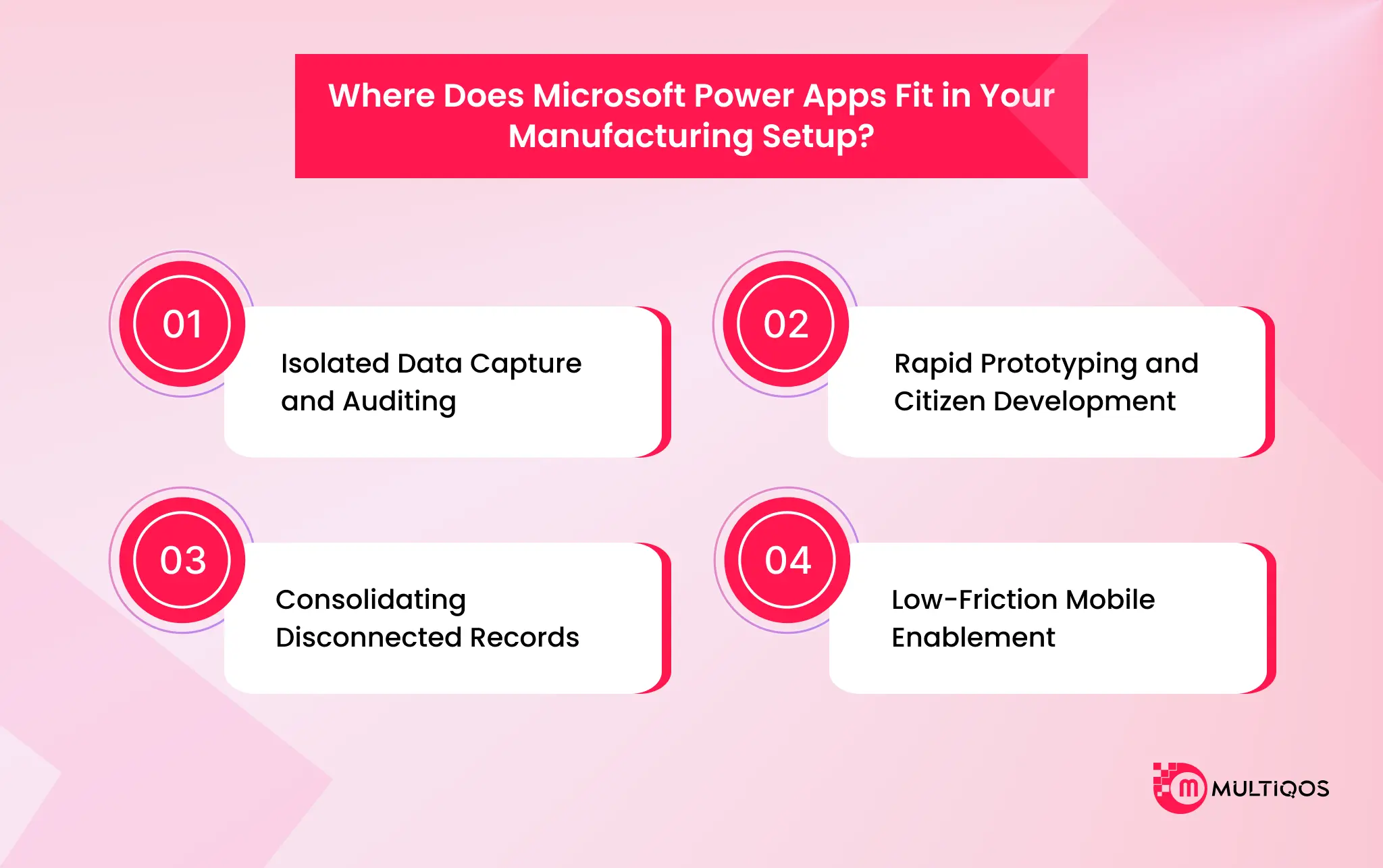
Microsoft Power Apps is a highly effective low-code development framework. It is best if you are looking to digitize paper forms and manual processes. For manufacturers looking beyond individual workflows toward broader digital transformation, manufacturing app development solutions can help connect shop-floor applications with production, inventory, maintenance, and operational systems.
- Isolated Data Capture and Auditing: Power Apps is ideal for creating screens with extensive customization that are mobile accessible and are the perfect replacement for clipboard checklists.
- Rapid Prototyping and Citizen Development: The low barrier to entry allows for citizen developers (non-IT business operators or personnel) to create purpose-built tools to address specific, local issues and constraints.
- Consolidating Disconnected Records: The platform serves as a contemporary, streamlined front-end interface that takes the place of users having to work with raw databases or SharePoint lists directly. It pulls and updates assets, states, and shipping information in real-time, providing frontline teams with immediate transactional data.
- Low-Friction Mobile Enablement: It uses mobile-device features (integrated barcode/QR code scanners and high-resolution cameras for capturing on-site damage) to standardize the field-service quotation process and on-site inspection with customers.

Step-by-Step Process to Implement Power Apps for Manufacturing Units
Most teams launch Microsoft Power Apps as one big build. However, shop floor digitization breaks the moment it leaves the pilot line. So, work through five steps.
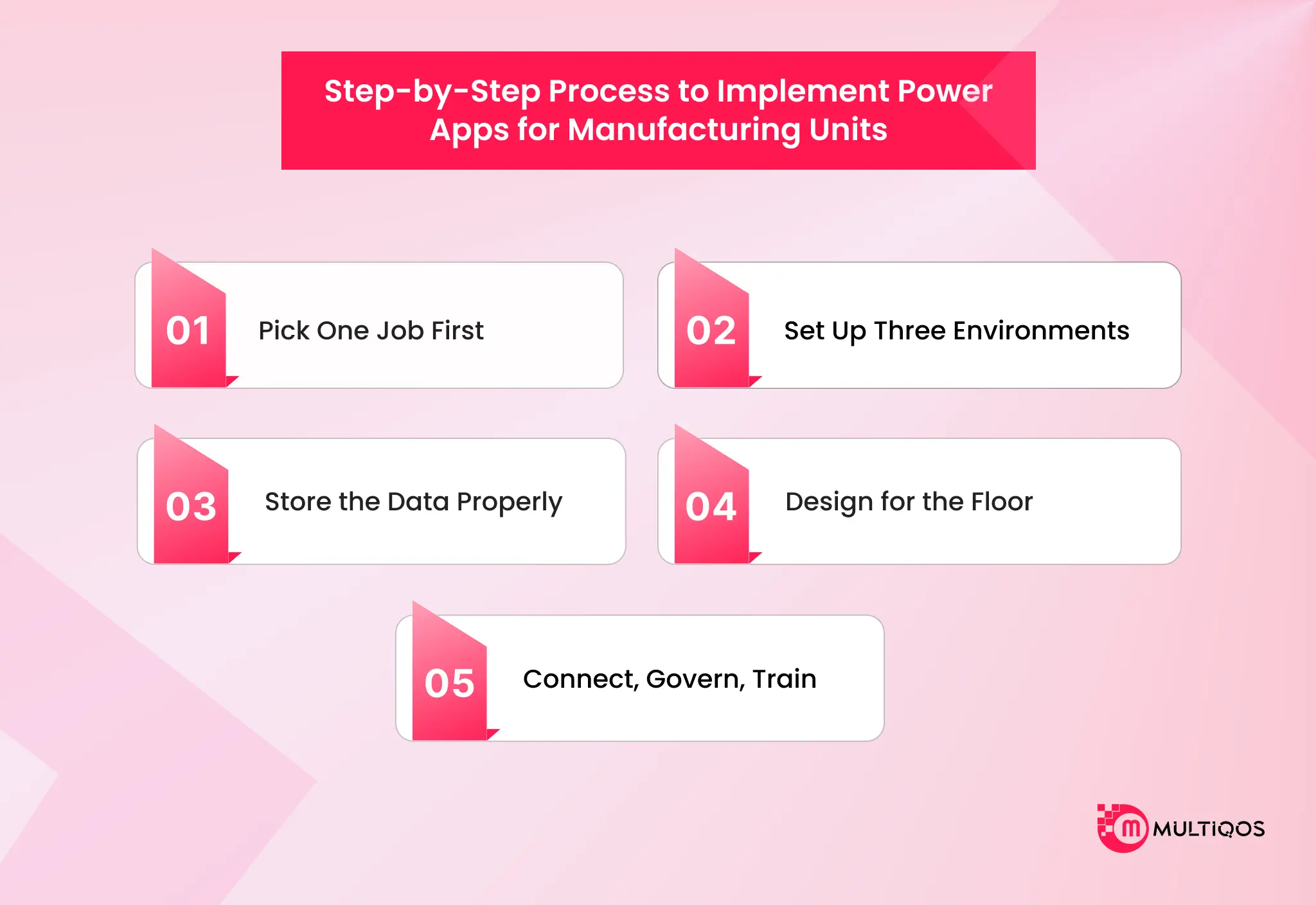
1. Pick One Job First
Start with a single form your floor already fills on paper: a manufacturing checklist app, a digital quality inspection app, or maintenance log software for manufacturing. Skip full Digital manufacturing workflows until that one form works. Bring IT, operations, and compliance into the room on day one.
2. Set Up Three Environments
Never build inside your live tenant. Create a sandbox for building, a test environment for approvals, and a separate production environment. Give each its own gateway so testing never touches live production data.
3. Store the Data Properly
List the tables you need: products, suppliers, warehouses, inventory movements, and work orders. Build them in Dataverse for manufacturing when you need security roles and offline sync. Use SharePoint for smaller tracking jobs.
4. Design for the Floor
Operators wear gloves. So, use large, high-contrast buttons and drop every hover effect. Turn on offline mode so the app keeps working when Wi-Fi drops, then syncs on reconnect. Add barcode scanning so nobody types a serial number by hand.
5. Connect, Govern, Train
Link the app to your ERP and machine data once step one is stable. Set Power Platform manufacturing security rules. Show output and downtime in Power BI. Train operators early, or your low-code manufacturing app loses to the clipboard and paperless manufacturing stalls.
Conclusion
Paper lists do not fail because your operators are careless. It fails because the record never reaches the person who can act on it in time.
Microsoft Power Apps for Manufacturing closes that gap by capturing the check, the defect photo, and the machine log once, at the source, and storing it in Dataverse for manufacturing where every shift can see it.
So, start with one form. Prove shop floor digitization on a single line, then widen into full Digital manufacturing workflows once the floor trusts the app.
FAQs
Yes. Microsoft Power Apps eliminates the need for a clipboard form and the need for validation while data is captured, timestamps each submission, and includes defect photos as part of the submission. Inspections, shift handoffs, and maintenance log software for manufacturing are all on the same app layer, and there are no sheets waiting to be scanned.
Dataverse is the database engine for Power Apps, and it contains related tables such as assets, work orders, inspection results, and more, with built-in offline sync and role-based security. It’s important because a SharePoint list begins to slow down at about 2,000 items, and documents are exposed to users via public URL structures in SharePoint, while Dataverse for manufacturing filters on the server and restricts access to documents based on who is accessing which plant.
Not for data capture, approvals, and audit trails, which a low-code manufacturing app can accomplish quicker and at a lower maintenance cost than custom code. When you need millisecond machine control, heavy real-time computation, or interfaces that Power Platform manufacturing connectors don’t reach, then custom development is the answer.
Microsoft Power Apps are secure enough for shop-floor operations and data compliance if set up right. However, the risks sit in the configuration and not in the platform. So, if you can configure it right, security is not an issue. Microsoft Power Apps are built on Dataverse, which inherits Microsoft Entra ID authentication, role-based access security at the environment, and row-level security. Plus, data loss prevention policies in the Microsoft Power Platform admin center block risky connections, and encryption at rest and in transit is backed by compliance certifications like ISO 27001, SOC2, and GDPR.
Not difficult if you sequence it right; hard if you try it on day one. Power Apps pulls planning data like BOMs, routing instructions, and production orders downstream from the ERP, and pushes real-time counts, scrap, and labor actuals back upstream, so both systems stay in sync without manual re-entry. The catch is timing: connect the ERP and MES only after step one, the single pilot form, is already stable and trusted on the floor, or the integration work becomes the reason the whole rollout stalls.

Get In Touch

Get Stories in Your Inbox Thrice a Month.

Microsoft IQ Explained: The Role of Fabric IQ, Foundry IQ, Work IQ, and Web IQ
Building Automated Approval Workflows with Microsoft Power Automate

Microsoft Fabric vs Power BI: 8 Differences That Decide Your Platform Spend