
Why Modern Mobile Apps Are Moving AI to the Edge
Need quick insights? Summarize with AI & save time
 ChatGPT
 Perplexity
 Claude
 Google AI Mode
Table of Content
- What Edge AI Means for Modern Mobile Apps
- The Four Pressures Moving AI Workloads to the Edge
- Performance: How Edge AI Makes Mobile Apps Feel Instant?
- Privacy and Compliance: Keeping Sensitive Data Closer to the User
- Edge AI for Mobile Apps: Real-Time Analytics
- What Edge AI for Mobile Apps Actually Costs You?
- Edge AI for Mobile Apps in Robots and Connected Field Systems
- The Business Case: Speed, Cost, Trust, and Experience
- What Edge AI for Mobile App Features Can You Build Today?
- A Practical Roadmap for Moving Mobile AI to the Edge
- Conclusion
- FAQs
Summary:
Edge AI runs model inference on the device instead of a cloud server. That single placement choice changes latency, privacy exposure, per-query cost, and how your app behaves offline. This guide breaks down edge vs cloud vs hybrid architecture, the NPU and framework stack behind on-device inference, what edge AI actually costs your team, and where the cloud still earns its place.
Google runs Gemini Nano directly on Pixel hardware through Android AICore, a system service that executes model inference without a single network call. AICore applies restricted package binding and indirect internet access, so the service never stores or logs prompt inputs.
Their engineering teams were, however, confronted with constraints such as,
- Model size against limited device memory
- Battery and thermal budgets during sustained inference
- Fragmentation across NPU hardware generations
They answered those constraints with,
- Quantization to 8-bit and 4-bit integer formats
- NPU-targeted execution on the device SoC
- Cloud fallback for prompts exceeding local model capacity
Google’s lesson to the enterprise mobile app development teams is that edge AI is a workload placement decision, not migration. Each AI capability of your app is on a continuum between local silicon and a remote GPU cluster, and it’s a decision you either make or fall into.
This decision is becoming increasingly important. GenAI capability is now an installed base that you can design for, rather than an experiment by early adopters, as IDC projects on-device capability to become a standard smartphone feature by 2028 on a 78.4% CAGR, reaching 912 million units.
This post breaks down what edge AI changes for mobile app architecture: performance, privacy, real-time analytics, what it costs you, and where the cloud still earns its place.
What Edge AI Means for Modern Mobile Apps
Edge AI performs inference directly on the consumer silicon smartphone, tablet, smart camera, and IoT devices, instead of sending inputs to centralized data centers. Cloud AI deems the application to be the shell over a network hop.
At the edge, generic edge computing comes to an end with regional edge servers. Local silicon is always on-device AI. Placement is not a framework choice. It’s an architecture decision that gets locked in early, which is why AI integration services engagements now start with a workload inventory rather than a model selection.
Edge AI vs. Cloud AI vs. Hybrid Edge-Cloud AI
There are three deployment paradigms that trade off along five axes.
| Differentiators | Centralized Cloud AI | Edge / On-Device AI | Hybrid Edge-Cloud |
|---|---|---|---|
| Latency | Network round trip on every call; variable with signal | Deterministic, no network variance | Deterministic locally, escalates only when needed |
| Cost model | Variable per-query API and GPU spend | Fixed runs on hardware the user already owns | Variable spend capped to escalated calls only |
| Privacy exposure | A data transit event per call | No transit layer for local work | Device controls what the cloud is permitted to see |
| Capability ceiling | Frontier-scale reasoning, full multimodal | Pruned, quantized models; narrower context | Local floor, cloud ceiling |
| Failure mode | Feature dies with connectivity | Degrades only with device thermal limits | Falls back to local model, not an error state |
Centralized cloud AI buys open-ended reasoning at the cost of network latency, idle server spend, and a data exposure event per call. Edge-optimized local AI runs pruned, quantized models on the handset.
Apple Machine Learning Research reports its 3-billion-parameter on-device model prefilling prompts at roughly 0.6 milliseconds per prompt token and generating at 30 tokens per second on iPhone 15 Pro, with location and biometric data never crossing the network.
Hybrid architecture keeps high-frequency per-frame work local and delegates heavyweight reasoning upstream. Hybrid is the correct production default.
On-Device Inference, NPUs, and Mobile AI Frameworks
NPUs pack Multiply-Accumulate units into systolic arrays, run natively in INT8, FP16, and INT4, and place SRAM beside compute arrays to defeat the memory wall. IDC sets the GenAI smartphone bar at an NPU delivering 30 TOPS or more on INT8.
TensorFlow Lite (now LiteRT), ONNX Runtime, and MediaPipe compile models onto that silicon, with ONNX Runtime targeting Apple CoreML or Qualcomm QNN Execution Providers.
Where the Cloud Still Earns Its Place
Four workloads stay centralized: training on high-precision GPU clusters, open-ended reasoning across cloud-scale parameters, heavy multimodal pipelines like SAM 2 that thermally throttle handsets, and drift correction.
The cloud is not the fallback layer. It is the training and correction layer. That layer needs a pipeline underneath it. Aggregated device telemetry, held-out evaluation sets, and retraining triggers are data engineering work, not inference work, and teams that skip it ship a model they can never correct.
The Four Pressures Moving AI Workloads to the Edge
Mobile AI is moving from remote data centers onto local silicon in smartphones, tablets, and edge sensors. Four pressures drive it, and they compound rather than act independently.
| Pressure | What breaks under cloud-first | The on-device answer |
|---|---|---|
| Latency | Real-time video fixes the budget at 16 ms per frame at 60 fps and 33 ms at 30 fps, leaving inference an 8–10 ms window. A network round trip does not fit. | Deterministic local execution inside the frame budget |
| Network dependency | The feature disappears the moment the signal does on a commute, in flight, in an oil field | Google ML Kit runs fully offline across 58 translation languages |
| Privacy and regulation | Every interaction becomes a data transit and retention event | Data minimization by architecture, not by policy document |
| Cost and capacity | Per-query API spend scales linearly with engagement | Compute runs on hardware the user already owns |
The rest of this post takes each of these apart in turn and then, honestly, what the trade costs you.
Performance: How Edge AI Makes Mobile Apps Feel Instant?
Local execution removes the round trip a cloud-shell app pays on every interaction: package the input, transmit, wait, download the result. Responsiveness then stops depending on signal strength.
Real-time camera, speech, and text features
Interactive features run on feedback loops cloud infrastructure cannot sustain, including,
- Hand gesture detection converted to device commands
- AR virtual try-ons for cosmetics and apparel
- Portrait Mode bokeh and Night Mode exposure fusion
Glass-to-glass video fixes 16 milliseconds per frame at 60 fps across capture, decode, pre-processing, and encode. Researchers benchmark MediaPipe HandLandmarker at 12.27 milliseconds on GPU and 17.12 on CPU inside the budget, with the whole budget consumed if you add a network hop. Snapchat runs the same shape in production, executing ONNX models per frame through SnapML for Lens effects.
Offline and low-connectivity experiences
Network loss breaks cloud-only intelligence, stranding work such as,
- CRM note transcription on a subway commute
- OCR and semantic redaction mid-flight
- Machine vision inspection on offshore rigs
The whisper.cpp runtime offloads its encoder pass to the Apple Neural Engine for a 2x to 3x speedup, with no network in the path. Signal strength should not decide whether a feature exists. Same constraint shows up outside the handset. Field sensors, wearables, and industrial gateways in IoT deployments run on links that drop by design, not by accident.
Faster personalization loops
Local models adapt to context without a server round trip, which changes three things,
- Recommendations and layouts tuned to immediate context
- Background optimization that never blocks the main thread
- Biometric and health telemetry personalized without third-party upload
Google trains Gboard language models through federated learning, so raw typing never leaves the handset. Personalization and privacy by design stop competing once the loop closes on-device.
Privacy and Compliance: Keeping Sensitive Data Closer to the User
Cloud-first AI turns every interaction into a data governance event. Edge inference removes the transit layer, which changes the threat surface and the filing burden at the same time.
Why local processing reduces data exposure
Data in flight creates exposure at three separate points, namely,
- Interception across the network path
- Retention inside vendor storage
- Administrative access on the server side
Apple keeps Face ID templates inside the Secure Enclave, where the mathematical representation never reaches Apple servers and never enters an iCloud backup. Deleting the transit layer deletes the entire breach class.
The filing burden differs by vertical. In healthcare app development, an on-device processing boundary changes what a HIPAA risk assessment has to cover, because PHI that never leaves the device is not a transmission event.
Hybrid privacy patterns for complex AI tasks
Hybrid pipelines make the device the gatekeeper ahead of any upload, using patterns such as,
- Metadata-only transmission object counts and timestamps instead of source media.
- Local PII redaction preceding the cloud API call.
- Region-of-interest cropping and 1 fps sampling instead of full 30 fps streams
Apple pairs on-device models with Private Cloud Compute for requests exceeding local capacity. The device decides what the cloud is permitted to see.
Edge AI for Mobile Apps: Real-Time Analytics
Some decisions can’t wait. IBM points out that sending data to a distant server and waiting for an answer takes too long when the decision has to happen right now while the customer is still at the counter, while the machine is still running.
A fraud alert that arrives after the payment goes through is useless. So is a safety warning that shows up after the accident, or a “shelf is empty” notice that comes hours late.
Edge AI fixes this by doing the thinking on the spot on the device itself, not in a faraway data center. It also sorts and filters the data as it comes in, so you keep what matters and drop the noise. Better decisions, made in time to matter.
Event detection at the source
The classification and filtering process with edge AI for real-time analytics belongs where the data originates, covering signals such as,
- Ambient audio and speech events
- Transaction anomalies at swipe time
- Shelf and stock recognition in retail appsGoogle’s Now Playing matches ambient music against an on-device fingerprint database, needing no connection and sending no raw audio to Google. Detection that waits for a server is not detection. Retail runs the same pattern at shelf level, where eCommerce and retail apps classify stock locally and push counts, not camera frames.
Local anomaly detection and alerts
The Apple Heart Study ran the irregular rhythm algorithm on the watch across 419,297 participants. It notified 2,161 people, 0.52% of the cohort, and reached a positive predictive value of 0.84 against a simultaneous ECG patch reading. The alert fired on the wrist.
Apple’s study applies to fraud signals in payment apps and crash detection in mobility apps as well. A device that detects anomalies locally keeps protecting the user during an outage, which is frequently when risk is highest.
Personalization without constant data upload
Behavioral tuning runs locally against signals such as,
- Session history and interaction sequence
- Location and time-of-day context
- Activity and biometric telemetry
Continuous event upload is expensive across bandwidth, battery, and storage cost per active user, and local ranking removes most of it.
Local decision, aggregated upload: what still belongs in the cloud
The pattern that works is not “keep everything local.” It is: decide locally, aggregate upward. Aggregated, consented, low-sensitivity, and delayed data belongs upstream.
Product metrics that require joining across users, model quality telemetry that is invisible from a single device, business intelligence, and consented training data all stay centralized. What changes is the payload you ship: a conclusion, a count, or an encrypted contribution rather than the raw stream that produced it.
What Edge AI for Mobile Apps Actually Costs You?
Every edge AI post you have read sells the upside. Here is the bill, because it lands on your team either way, and it is easier to budget for than to discover in a sprint review.
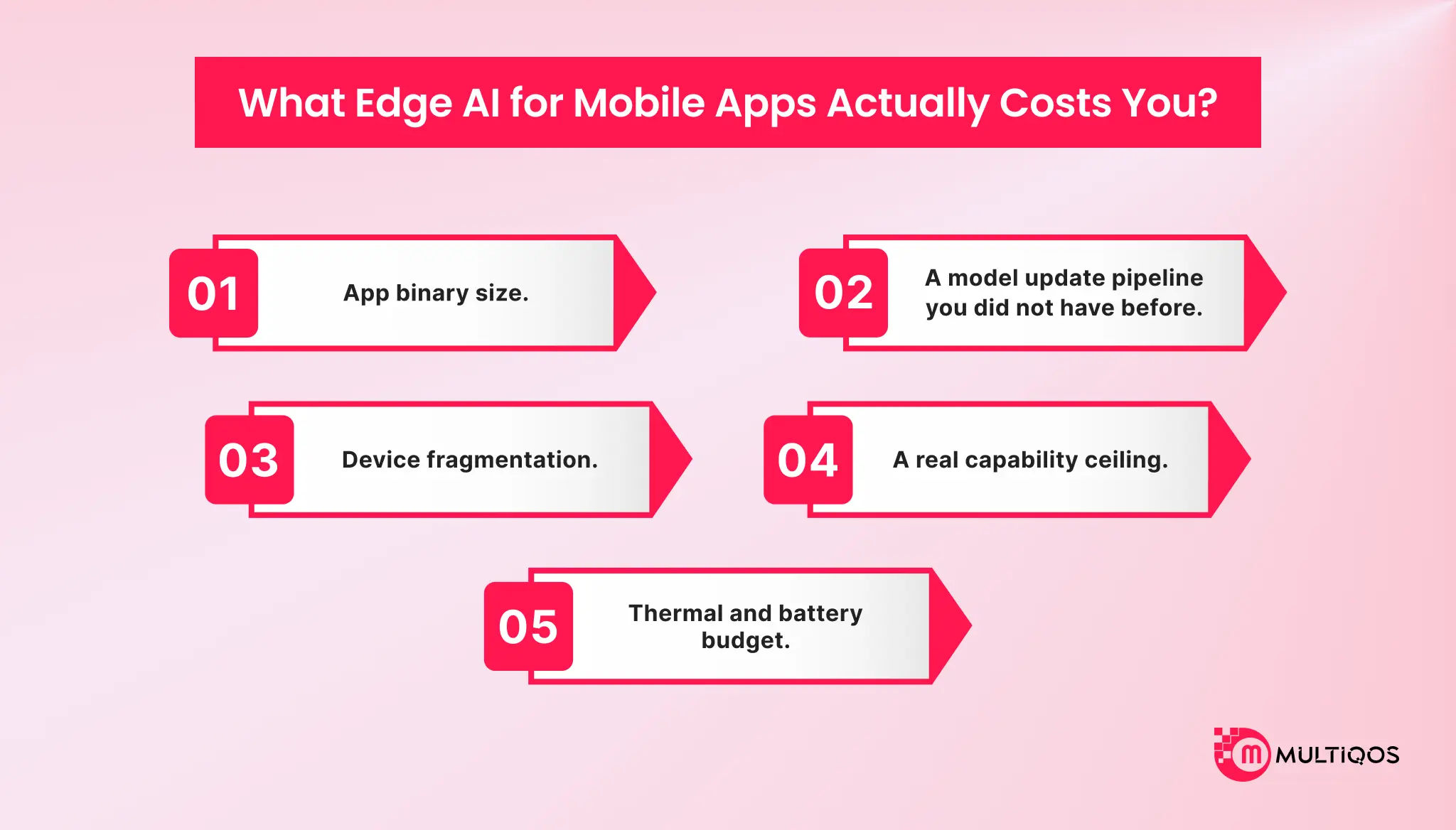
1. App binary size.
A quantized vision model runs in the tens of megabytes. A useful on-device language model runs in the hundreds. Either you ship it in the bundle and watch install conversion drop, or you build a download-on-first-use flow with its own failure states, storage permissions, and retry logic. Most teams underestimate this one because it does not appear until the first store submission.
2. A model update pipeline you did not have before.
Cloud models update when you deploy. On-device models update when the user updates or when you build versioning, staged rollout, rollback, and compatibility checks across model and app versions. You now operate two release trains.
3. Device fragmentation.
The 30 TOPS NPU bar describes flagship silicon. Your Android install base includes devices three and four generations behind it, and a model that runs at 12 ms on current hardware may run at 90 ms or fail to allocate on older hardware. You need a capability check and a graceful degradation path, and you need it before launch rather than after the crash reports.
4. A real capability ceiling.
A 3-billion-parameter model is not a frontier model. It handles summarization, classification, extraction, and rewriting well. It handles open-ended reasoning, long context, and complex multi-step tool use poorly. Shipping a local model into a use case that needed the cloud one is a quality regression your users will describe as “the AI got worse.”
5. Thermal and battery budget.
Sustained inference heats the device, and a hot device throttles, which means your carefully benchmarked 12 ms becomes 40 ms in minute three of a session. Benchmark under sustained load, not in a cold-start loop.
None of this argues against edge AI. It argues for the hybrid default and for scoping the placement decision per feature rather than per platform.
Edge AI for Mobile Apps in Robots and Connected Field Systems
Physical-world systems face the same placement decision as handsets, with a harsher failure mode. A warehouse robot that pauses for a server response has already hit the pallet, and the architectural rules that fall out of that constraint transfer directly back to mobile app teams.
Rules that transfer to mobile app architecture
- The local model owns safety-critical and time-critical paths. The cloud owns improvement, not operation. Tesla runs lane positioning, speed adjustment, and hazard recognition on the vehicle’s onboard computer for exactly this reason. A dropped packet in a mobile app costs a retry. A dropped packet in a robotic arm costs the workcell.
- Power budget is a first-class design constraint. Measured before launch, not after. Field robotics teams have always treated it this way. Mobile teams adopting sustained on-device inference are arriving at the same conclusion from the other direction.
The Business Case: Speed, Cost, Trust, and Experience
Four arguments carry an edge AI for mobile apps proposal through an executive review, and each maps to a number a product or finance leader already tracks.
UX lift from lower latency.
Latency improvements surface as engagement rather than as a dashboard metric. Google’s Recorder app on Pixel saw a 24% increase in overall saved recordings after shipping Gemini Nano-powered summarization, with users hitting the feature two to five times daily. That is a usage outcome, not a performance one, and the team built it in four months with four developers.
Cloud cost and server capacity relief
Moving high-frequency inference off the server converts a variable cost into a fixed one. Qualcomm’s research puts the reduction in energy per query at roughly 90% when compute shifts from cloud to handset, reaching 94% power efficiency gains on a Llama-2-7B coding query in one modeled case.
Run that against your own unit economics before the review. If a feature fires 40 times per active user per month at $0.002 per call, that is $0.08 per user per month, or $80,000 monthly at a million active users a line item that goes to roughly zero when the inference runs on the handset.
The capacity argument matters as much as the cost one, since inference demand that never reaches your servers never competes for GPU allocation during a launch.
Privacy as a product differentiator
Apple has demonstrated that a privacy architecture can be marketed rather than merely disclosed. For regulated categories, a documented on-device processing boundary shortens enterprise security reviews and procurement cycles, which is a revenue effect rather than a compliance one.
What Edge AI for Mobile App Features Can You Build Today?
Four clusters are shippable now with production frameworks rather than research code.
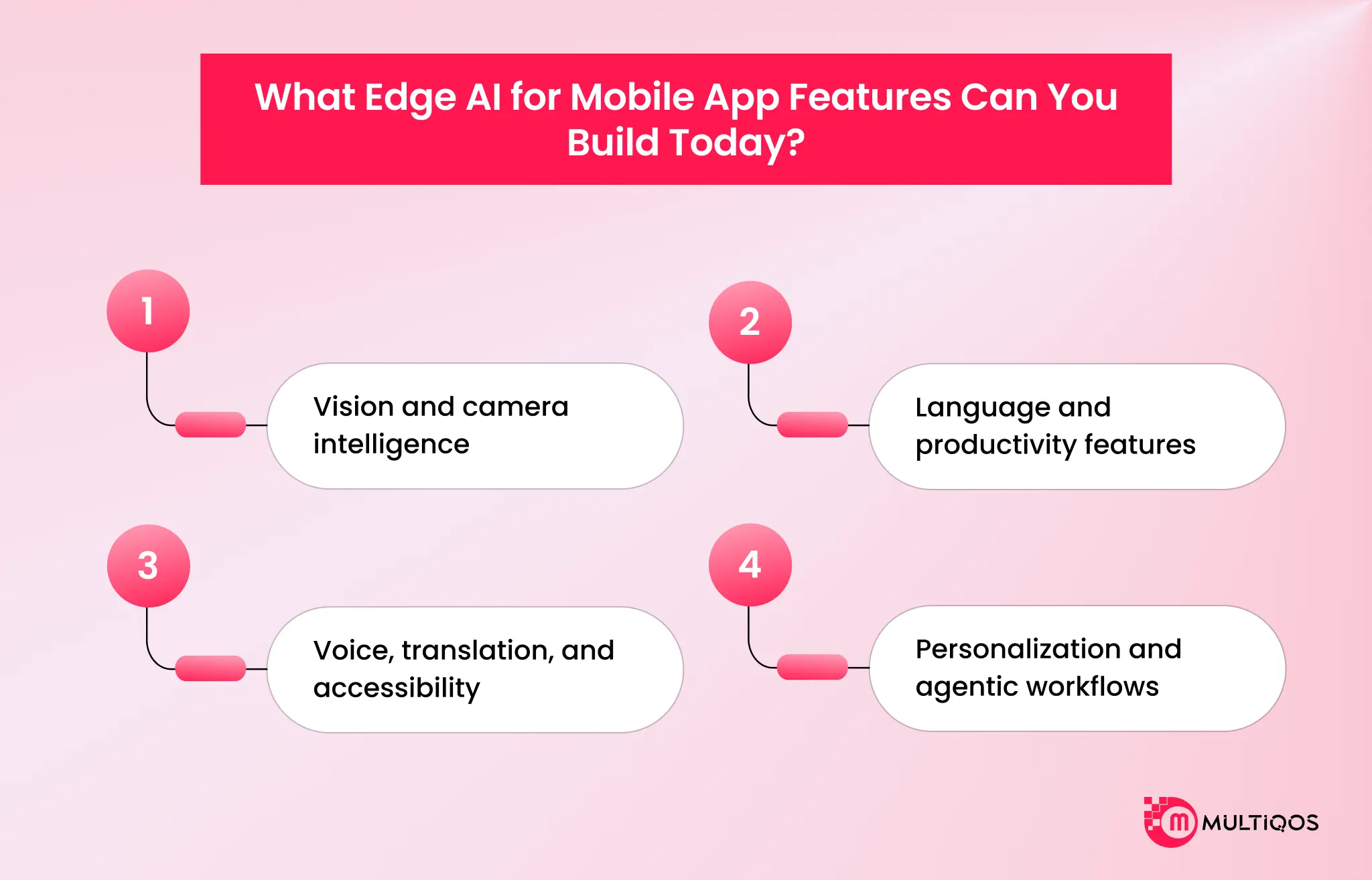
Vision and camera intelligence
ML Kit provides on-device text recognition, face and pose detection, barcode scanning, image labeling, and selfie segmentation. Production applications include document capture and KYC scanning in fintech, shelf and inventory recognition in retail, damage assessment in insurance, and AR try-on in commerce. MediaPipe covers custom pipelines at the 12 to 17 millisecond range measured above.
Language and productivity features
On-device language models handle summarization, rewriting, classification, and structured extraction. Apple’s Foundation Models framework exposes its roughly 3-billion-parameter model to any iOS app, and Gemini Nano through Android AICore covers the Android side. Typical builds include meeting summarization, smart reply, inbox triage, and offline document question answering.
Voice, translation, and accessibility
Transcription, live captioning, and translation are the strongest offline candidates, since users need them exactly where connectivity fails. Accessibility is the underrated case, since local captioning and screen description work in the environments where assistive features matter most.
Personalization and agentic workflows
On-device ranking, notification selection, and intent classification personalize the experience without a constant event pipeline. Agentic workflows are the emerging case, where a local model interprets intent and routes to tools, escalating to cloud models only for steps that need scale.
A Practical Roadmap for Moving Mobile AI to the Edge
Treat this as a portfolio decision across existing AI features rather than a platform migration.
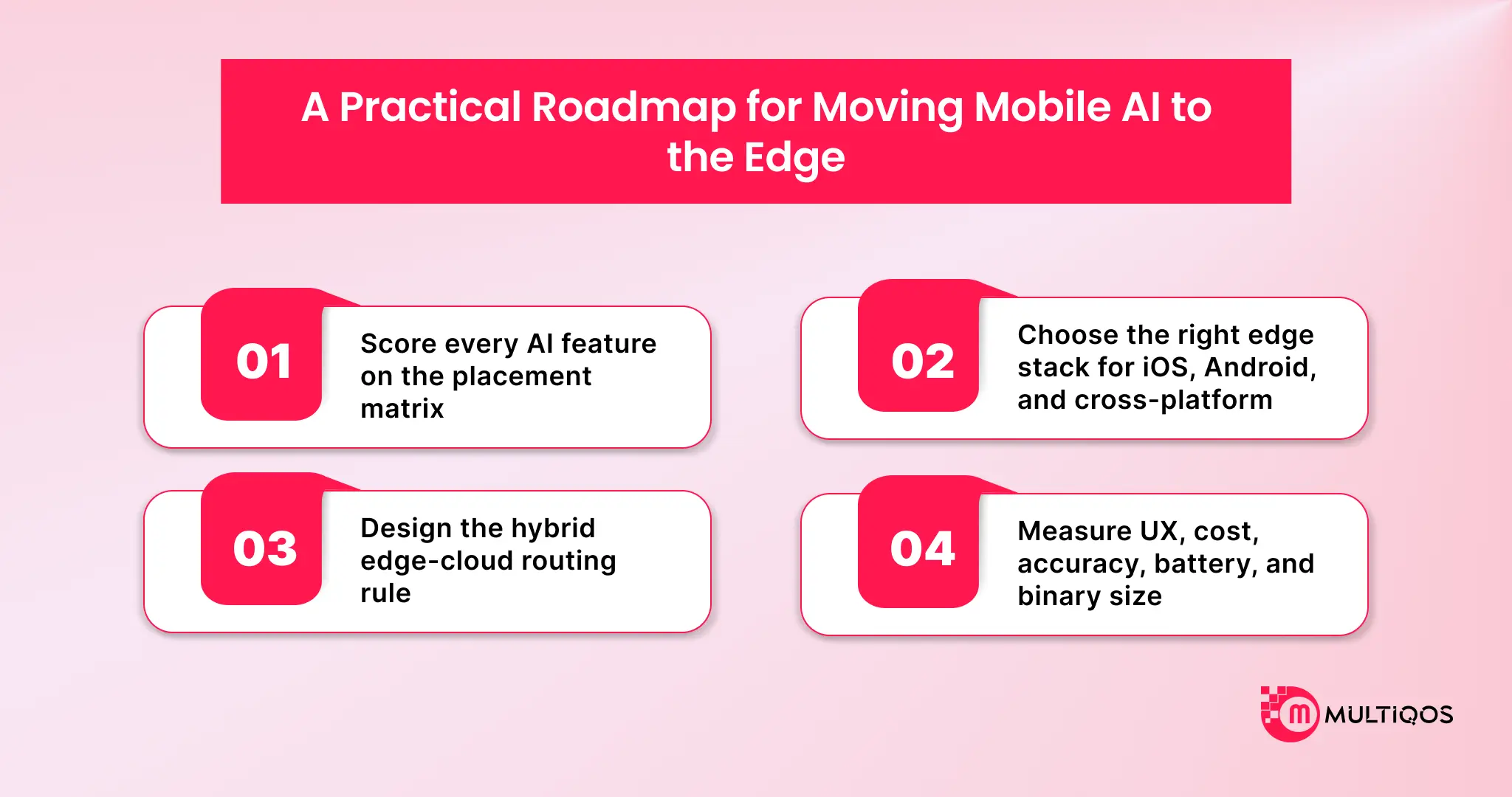
1. Score every AI feature on the placement matrix
Rate each current and planned AI feature 1–5 on three axes, then place it.
| Score pattern | Placement | Example |
|---|---|---|
| High latency + high data sensitivity + high volume | Move to edge first | Live camera classification on user documents |
| High on any two axes | Edge candidate | Offline transcription, on-device ranking |
| High on one axis only | Hybrid, local pre-filter | Photo search with cloud semantic fallback |
| Low across all three | Leave in cloud | Monthly report generation, batch enrichment |
| Any score + needs frontier reasoning | Cloud, no exceptions | Open-ended agent planning, long-context analysis |
Legacy AI features usually predate the placement question entirely, so score them alongside a broader application modernization strategy rather than in isolation.
2. Choose the right edge stack for iOS, Android, and cross-platform
On iOS, Core ML and the Foundation Models framework cover most cases. On Android, ML Kit covers ready-made vision and language APIs, while LiteRT and Android AICore cover custom models and Gemini Nano access.
Cross-platform teams standardize on ONNX Runtime or LiteRT to avoid maintaining two model pipelines, accepting some loss of platform-specific acceleration. Target the NPU explicitly through CoreML or Qualcomm QNN execution providers, since NPU access is where the latency and power advantage is realized.
Teams already shipping on Flutter or React Native route inference through a platform channel to CoreML or LiteRT rather than looking for a pure-Dart or pure-JS runtime, since neither bridge gets NPU access on its own.
3. Design the hybrid edge-cloud routing rule
Define the routing rule explicitly and enforce it in code review. Local handles classification, transcription, ranking, extraction, and anomaly detection. Cloud handles retraining, open-ended generation, multi-user orchestration, and business intelligence.
Escalation triggers on defined conditions such as model confidence below threshold, input exceeding local context, or an explicit user action. Design the degradation path in the same pass, so network failure falls back to the local model rather than an error state.
4. Measure UX, cost, accuracy, battery, and binary size
Instrument five metrics after launch: user-perceived latency at p50 and p95; cloud inference spend per active user; model accuracy against the previous cloud baseline on a held-out set; battery drain and thermal behavior under sustained use; and install conversion against the pre-model binary size.
Using Edge AI for mobile apps reduces latency by half while doubling battery consumption is a regression, and only instrumentation will tell you which one shipped.
Conclusion
It is no longer an issue of whether mobile applications should utilize AI. This decision has been taken. The question now is which workloads should run instantly, which should be uploaded to the cloud, and which should not be worth adding to the binary size.
The move to the edge is driven by the need for immediate, private, and “always-on” features that are expected from modern mobile apps. That doesn’t imply giving up the cloud. It requires using the cloud at its best: heavy compute, orchestration, retraining, and aggregated intelligence, while transferring the appropriate inference workloads back to the user with a clear understanding of the costs associated with each move.
The benefit will go to the teams that manage to get this split right soon, and not to the ones that still need to send each AI call down to the server in 2027.
MultiQoS develops mobile hybrid applications for enterprises in the areas of fintech, healthcare, retail, and logistics. Discuss your project with our engineering team.
FAQs
Edge AI for mobile apps refers to local (or near-device) AI inference, which is performed on a nearby edge device or infrastructure, rather than a cloud server, via mobile apps. It continues to process on the device near where the data comes from, to reduce latency and to minimize the amount of sensitive data leaving the device.
Simple on-device model object detection, keyword spotting, basic classification run $15K–$50K. Custom model plus training data, optimization, and multi-device testing push $75K–$250K+. Real driver is model complexity and hardware fragmentation, not app size. Inference itself costs nothing after shipping; no cloud bill per call.
In an effort to minimize latency, reduce cloud reliance, and enhance privacy and reliability in the absence of an internet connection, Apps are bringing AI to the edge. It also reduces the recurring cost (since the user already owns the computer) in the case of high-frequency inference workloads.
In the per-frame vision world, it’s a win for on-device, because a round trip to the network does not fit into a 16ms frame budget. That’s where a cloud model on a strong connection can beat that, and that’s why, on a weak connection, it can’t. The ‘on device advantage’ is not speed, it’s predictability.
Edge AI minimizes data exposure as images, video, and text do not go to a server. Developers continue to require consent flows, disclosure, and governance of any data or metric that does leave the device, such as under the EU AI Act, GDPR Article 35, and Illinois BIPA.
They are used in production on Snapchat to run ONNX models on every frame of a video with SnapML; Google Recorder to summarize audio with Gemini Nano; Google Translate to run offline in 58 languages; Now Playing to match ambient music against an on-device fingerprint database; and Gboard to enhance predictions with federated learning.

Get In Touch

Get Stories in Your Inbox Thrice a Month.
Mobile App Development Cost in 2026: What to Budget and Why
iPhone Duo App Development: The Hidden Cost of Not Adapting Your Enterprise App
Why Upgrading Your iOS Architecture for Foldables Protects Your Brand Impression