
How to Successfully Implement Microsoft Power Platform in Your Organization
Need quick insights? Summarize with AI & save time
 ChatGPT
 Perplexity
 Claude
 Google AI Mode
Table of Content
- Why do Most Power Platform Implementations Fail Before They Scale?
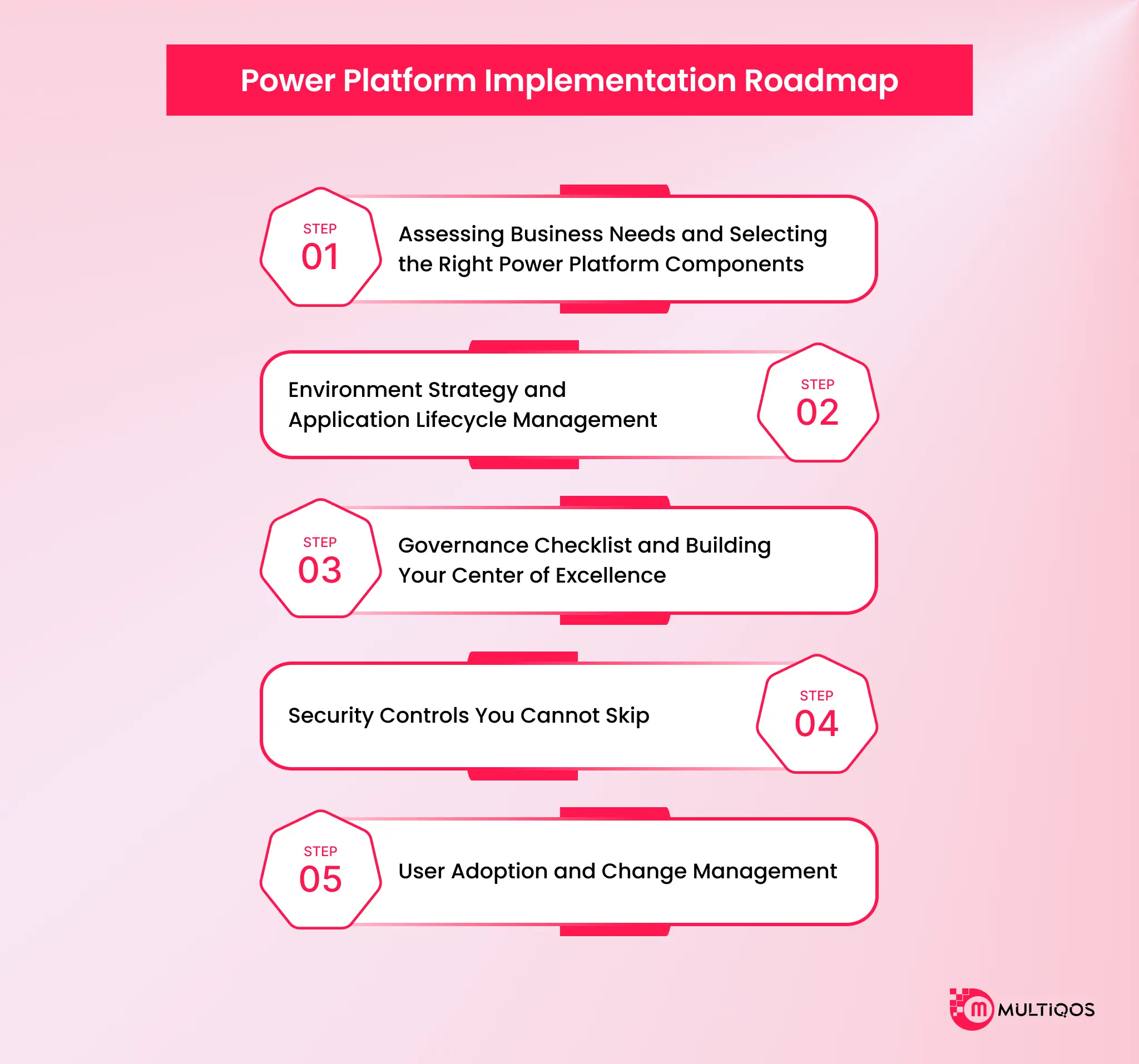
- Step 1: Assessing Business Needs and Selecting the Right Power Platform Components
- Step 2: Environment Strategy and Application Lifecycle Management
- Step 3: Governance Checklist and Building Your Center of Excellence
- Step 4: Security Controls You Cannot Skip
- Step 5: User Adoption and Change Management
- Risk Matrix: What Can Go Wrong and How to Mitigate It
- Pricing and Effort Bands: SMB vs Enterprise Implementation
- Conclusion
- FAQs
Summary:
This piece offers a comprehensive, step-by-step strategic guide for IT leaders on rolling out Microsoft Power Platform securely and at scale. It covers overcoming shadow IT, establishing a Center of Excellence (CoE) via the 2026 Admin Center, navigating licensing shifts, implementing strict DLP controls, and fostering citizen developer adoption without compromising enterprise governance.
Enterprises often struggle with Microsoft Power Platform implementation due to a lack of a proper business case. Especially, there is a lot of mismatch between rapid user enablement and robust structural governance. If the pilot is not checked more often, it quickly turns into unmanaged shadow IT, complex security risks, and higher licensing costs.
Microsoft Power Platform implementation is the structured rollout of Power Apps, Power Automate, Power BI, Power Pages, Copilot Studio, and Dataverse across an organization. It needs a defined governance model. This is especially important because Gartner expects low-code tooling to account for 75% of new application development by 2026.
So, getting the Microsoft Power Platform implementation right becomes crucial.
This guide gives you the five-step sequence that separates a rollout that scales from one that quietly turns into shadow IT: assess, structure, govern, secure, and adopt.
Why do Most Power Platform Implementations Fail Before They Scale?
Microsoft ties this pattern to a recurring cause. Power Platform rollouts do not fail from infrastructure collapse. They fail from unowned, unmonitored, unbudgeted assets piling up quietly until someone in leadership asks who owns what.
Three failure modes drive that decay. Each has a fix rooted in the platform’s own mechanics.
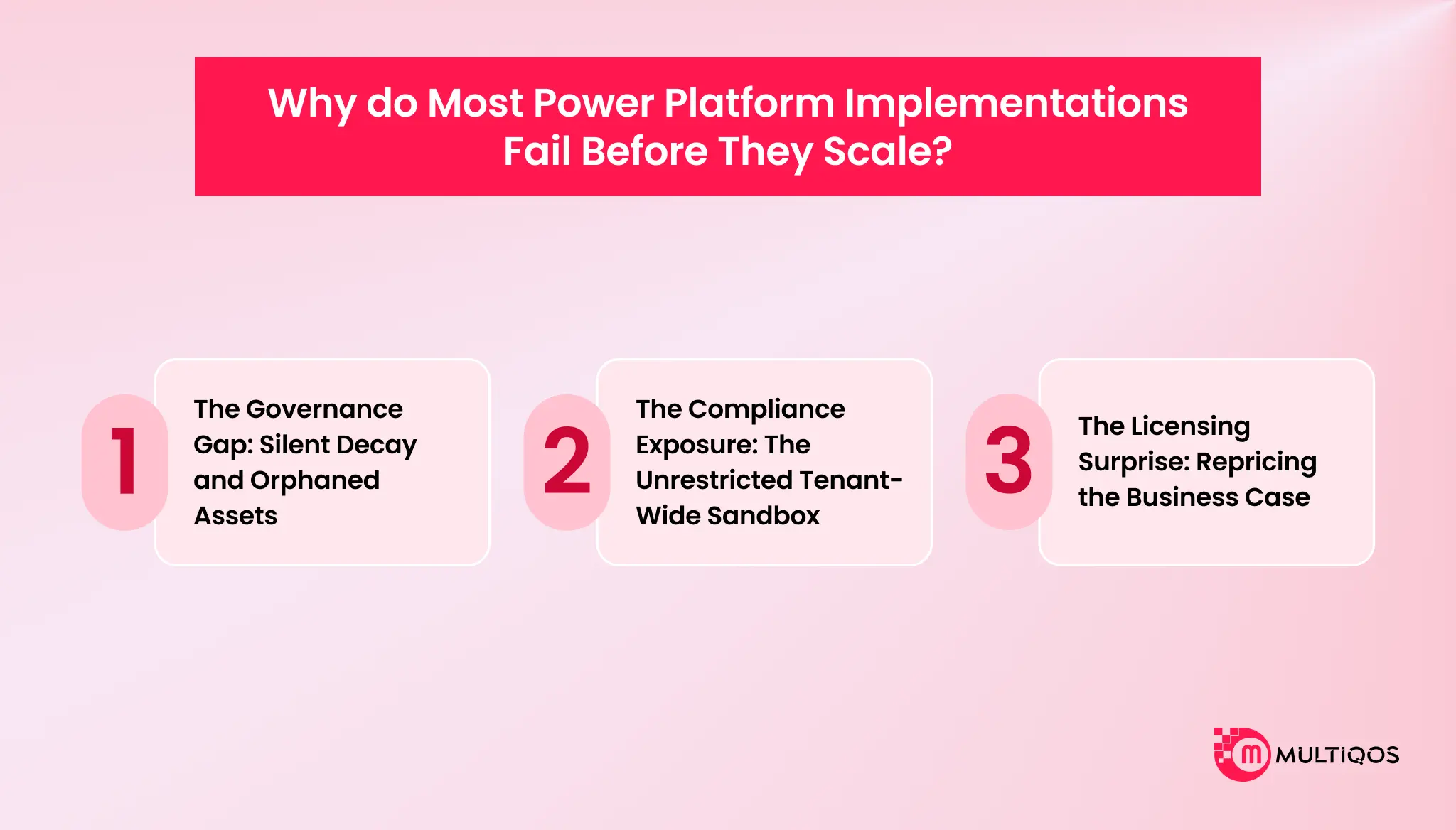
1. The Governance Gap: Silent Decay and Orphaned Assets
When a business unit builds a tool, and IT adopts it after the fact, the handoff goes undocumented. That gap becomes an accountability vacuum, and the vacuum produces silent failures.
Makers building critical workflows under personal credentials create the exposure. When that employee leaves, or changes roles and their Entra ID account deactivates, the connection references lose authorization. The automated flow keeps running until it does not, and nobody gets notified.
Mature organizations close this gap with a Center of Excellence, sometimes called an “IT Lite” model. The CoE’s job is not to police makers. It shifts IT from restrictive gatekeeper to enabler, drawing a clear line between personal productivity tools and enterprise-critical systems.
2. The Compliance Exposure: The Unrestricted Tenant-Wide Sandbox
Every citizen-built flow moves data. Without boundaries set early, that movement goes unmonitored.
Every tenant ships with a pre-provisioned Default environment where every licensed user gets Maker rights automatically. It cannot be deleted, and does not support standard backup or restore.
Left alone, it turns into a tenant-wide sandbox holding production data without anyone deciding that should happen. Admins should rename it immediately, something like “Personal Productivity,” so makers understand its actual boundary.
Data Loss Prevention policies are the seatbelt. They sort connectors into Business (SharePoint, Dataverse, SQL Server), Non-Business (social media, personal tools), and Blocked, and they stop those categories from exchanging data inside the same flow. Without DLP, a maker can build a flow that pulls sensitive data from SharePoint and drops it into a personal Dropbox or Gmail account without anyone noticing until it’s a problem.
The “Everyone” option under sharing looks like it means “my team.” In Entra ID, it means every user account, every service account, and every external B2B guest currently in the tenant. Admins should disable the disableShareWithEveryone flag tenant-wide so makers are forced to share with audited security groups instead.
3. The Licensing Surprise: Repricing the Business Case
The commercial model underneath Power Platform has shifted, and business cases built on the old per-app pricing no longer hold.
Microsoft retired the Power Apps Per App subscription for net-new buyers. Teams that built their original ROI model on that flat per-user rate now have to rebuild it against the standard Premium plan, and the jump in run rate for identical functionality can be steep enough to threaten the business case entirely.
Two paths protect that business case going forward.
- Volume commitment- Organizations able to commit to a minimum license floor unlock a discounted Premium rate, which matters most for large-scale rollouts where per-seat cost compounds fast.
- Pay-as-you-go metering- For apps with low-frequency or seasonal usage, an expense tool a user opens once a month is the classic case linking the environment to an Azure subscription, and billing only for unique active users each month keeps cost proportional to actual use instead of provisioned seats.
A business case priced against a retired SKU is not a business case. It is a number leadership will eventually catch.
Core Takeaways:
- Sprawl is not inevitable. It is what happens when ownership, governance, and pricing get decided after the rollout instead of before it.
- Assign a named platform owner and an environment-level business owner before provisioning anything. Set a default-restrictive DLP policy; new connectors are blocked until reviewed before makers start building. Rebuild financial models against current licensing before presenting them to leadership.
Now that you know the reasons why most Microsoft Power Platform implementations fail, it’s time to discuss how to make them successful in a step-by-step process.
Step 1: Assessing Business Needs and Selecting the Right Power Platform Components
Start with the process, not the product. The most common scoping error is picking Power Apps because it is the component everyone has heard of, then bending a workflow problem into an interface problem.
Ask one question per process: does a human need to make a decision inside this workflow?
If yes, you need an app or an agent; you need to understand how teams frame this tradeoff in low-code development for internal apps. If no, you need automation. That single filter resolves most component selection debates before they start.
Mapping Business Processes to Components
Run a process inventory before a technology evaluation. For each candidate process, capture the trigger, the decision points, the systems touched, the volume, and the current cycle time. Processes with high volume and low decision complexity are your automation candidates. At the same time, processes with rich data entry and approval logic are app candidates, and this is why knowing top Power Apps use cases matters, as it helps you understand common patterns.
Toyota built its travel approval workflow on Power Automate and Microsoft Forms rather than a custom app, because the process was a routing problem, not an interface problem. Correct component choice, roughly a tenth of the build effort.
Choosing the Right Power Platform Component: Decision Matrix
| Power Apps | Users need structured data entry, offline capture, or a guided task interface | The process runs end to end without human input |
|---|---|---|
| Power Automate | Work is routed, approved, or synced between systems on a defined trigger | The workflow needs conditional human judgment at each step |
| Power BI | Decisions are made from aggregated data, not from records | Users need to write back to the source system |
| Power Pages | External users (customers, suppliers, applicants) need to submit or view data | The audience is entirely internal |
| Copilot Studio | Users ask varied, natural-language questions against a known knowledge base | The task is deterministic and better served by a form |
| Dataverse | Multiple apps and flows share the same entities and need relational integrity and row-level security | A single app reads a single SharePoint list |
| Power Automate Process | Unattended RPA against a legacy system with no API | An API or connector exists |
One rule to protect the estate: if two or more solutions will read the same business entity, that entity belongs in Dataverse. Standing up Dataverse later means migrating live data and rewriting connection references across every dependent solution.
Scoping the wrong component is the most expensive mistake in the sequence, because it is the only one you cannot fix with governance. Working through this decision with a partner who has run it before is faster than learning it in production. Power Platform consulting services start with the process inventory, not the tool.
Step 2: Environment Strategy and Application Lifecycle Management
Almost every failed rollout skipped this step. It is unglamorous, it delivers nothing visible to the business, and it is the reason your platform survives its second year. Environments are your security and lifecycle boundary.
Minimum Viable Environment Structure
You need four environment types at minimum as per Microsoft’s environment strategy guidance:
- Default, restricted immediately. Rename it, restrict maker access, and treat it as a personal productivity space only. Never run a business-critical solution here.
- Development, one per solution or per team, with Dataverse enabled and a documented naming convention.
- Test or UAT, mirroring production configuration, where business owners sign off before release.
- Production, locked down. No direct authoring. Changes arrive only through a deployment pipeline.
Solutions move development to testing to production through managed solution deployment, using Power Platform Pipelines or Azure DevOps. Unmanaged solutions never touch production. That is the whole rule.
Individual Developer Environments for Makers
Give each maker a personal developer environment. It sounds like it increases sprawl. It does the opposite.
Makers experiment somewhere. If you do not give them a sanctioned space, they experiment in the default environment against production data. Individual developer environments are free with a Power Apps Developer Plan, isolated by design, and visible in your inventory with the same connector-level visibility that Power Automate integration offers with Power Apps and Power BI.
Access Control via Microsoft Entra Security Groups
Assign environment access through Entra security groups, never through individual user assignment. Direct assignment does not survive an org chart change, and it makes offboarding a manual audit.
Three groups per environment cover most cases which are makers, admins, and users. When someone changes roles, HR removes them from one group, and their platform access resolves itself. That is the difference between access control and access housekeeping.
Step 3: Governance Checklist and Building Your Center of Excellence
A Center of Excellence is not a team you hire. It is a set of decisions you write down and enforce. Here is the checklist. Screenshot it and take it to your platform steering committee.
Ownership and structure
- Named platform owner in IT, with budget authority
- Named business owner per environment
- CoE model selected and documented (centralized or federated)
- Escalation path defined for citizen-built apps that become business-critical
Inventory and standards
- Naming convention published for environments, solutions, apps, and flows
- Full estate inventory running on a scheduled refresh
- Orphaned app and flow report reviewed monthly
- Connection reference audit, with personal-account connections flagged
Lifecycle
- Solution promotion path documented and enforced through pipelines
- Managed solutions only in production
- Deprecation policy with a defined dormancy threshold, typically 90 days of zero runs
Security (covered in depth in Step 4)
- DLP policies applied to every environment, including default
- Tenant isolation configured
- Conditional access policies mapped to MS Power Platform apps
CoE Model Options: Centralized vs Federated
Centralized means one team owns build, governance, and support. It gives you consistency and a bottleneck. It suits organizations under roughly 500 employees, or any org in its first year.
Federated means the CoE sets standards and each business unit builds within them. It scales, and it only works if the standards are enforced technically rather than socially. Choose federated when you have more than 20 active makers and at least one full-time platform admin.
Most enterprises start centralized and federate at around month nine. Plan for the transition rather than discovering it.
The 2026 Shift: CoE Starter Kit to Microsoft Power Platform Admin Center
This changes how you build the CoE, so get it right the first time. Microsoft stopped shipping monthly updates to the CoE Starter Kit in February 2026 and confirmed in May 2026 that it is no longer actively maintained. Its core capabilities now live natively in the MS Power Platform admin center through Inventory, Usage, Monitor, and Actions.
If you are starting fresh in 2026, build on the admin center and managed environments, ideally with a Microsoft consulting services partner who has already run the Starter Kit migration once. Do not deploy the Starter Kit as your governance foundation, because it will receive no new features and no issue fixes.
Step 4: Security Controls You Cannot Skip
This is the section your CISO will read. Make it survivable.
Data Loss Prevention Policies
DLP policies classify every connector into one of three groups: Business, Non-Business, and Blocked. Connectors in different groups cannot be used in the same app or flow. That is the entire enforcement mechanism, and it is powerful precisely because it is blunt.
A workable three-tier baseline, aligned with Microsoft’s DLP strategy guidance:
| Tier | Connector group | Examples | Applied to |
|---|---|---|---|
| Tier 1: Business | Sanctioned enterprise data sources | Dataverse, SharePoint, SQL Server, Outlook 365, Teams | All environments |
| Tier 2: Non-Business | Low-risk external services | Weather, RSS, public APIs, Microsoft Forms | Dev and personal productivity only |
| Tier 3: Blocked | Unsanctioned data egress paths | Personal Dropbox, Twitter, Gmail, FTP, custom connectors pending review | Tenant-wide |
Apply the tenant-wide policy first, then loosen per environment where a documented business case exists. Starting permissive and tightening later means breaking apps people already depend on, which is where governance programs lose political capital.
Custom connectors deserve their own gate. Every custom connector is an unreviewed API surface until someone reviews it
Conditional Access and Tenant Isolation
Conditional access applies your existing Entra policies to Power Platform. Require compliant devices for maker access. Enforce MFA on admin roles. Block legacy authentication. If you have already done this work for Microsoft 365 Copilot, extending it to MS Power Platform is configuration, not a project.
Tenant isolation stops data flowing between your tenant and external tenants through Power Platform connectors, off by default. Turn it on, then allowlist the partner tenants you actually work with. Without it, a maker can authenticate a connector against a customer or vendor tenant and move data across an organizational boundary with no record in your DLP logs.
Mapping Controls to ISO 27001, SOC 2, and NIST
Auditors do not accept “we use Managed Environments.” They want control mapping.
| Control requirement | Power Platform capability | Maps to |
|---|---|---|
| Access control and least privilege | Entra security groups, environment roles, Dataverse row-level security | ISO 27001 A.5.15, SOC 2 CC6.1, NIST AC-3 |
| Data classification and egress control | DLP policies, tenant isolation, sensitivity labels | ISO 27001 A.8.12, SOC 2 CC6.7, NIST SC-7 |
| Audit logging and monitoring | Purview audit logs, MS Power Platform admin center Monitor | ISO 27001 A.8.15, SOC 2 CC7.2, NIST AU-2 |
| Change management | Managed solutions, deployment pipelines, approval gates | ISO 27001 A.8.32, SOC 2 CC8.1, NIST CM-3 |
| Data retention and disposal | Environment lifecycle policy, Dataverse retention settings | ISO 27001 A.8.10, SOC 2 CC6.5, NIST SI-12 |
Build this table for your own control framework during implementation, not during the audit. The capabilities exist either way. The evidence is what takes time.
Teams extending MS Power Platform into AI workloads should map the same controls across their model and connector layer. That is the pattern behind Microsoft Power Platform and OpenAI integration, where the data governance question gets harder, not easier.
Step 5: User Adoption and Change Management
Technical success and business success are different measurements. Your platform can be perfectly governed, fully compliant, and used by 40 people out of 3,000. That is a failed implementation with a clean audit report.
Adoption rate is the variable. Not platform capability.
Building a Champions Network
Champions are not trainers. They are the people other people already ask for help. Find them by looking at who answers questions in Teams channels, not by asking managers to nominate. Target one champion per 50 to 75 potential makers. Give them early access to new capabilities, a direct line to the platform team, and visible credit when their solutions ship.
T-Mobile’s Power Platform program scaled on exactly this model, with professional developers running one-to-one sessions and workshops to build citizen-developer skill rather than gatekeeping the build queue. The reported outcome: 11x more requests processed in real time, 12x faster processing, and error rates cut from 7% to zero.
Training Cadence for Citizen Developers
One-time training does not produce makers. It produces attendees. Design a cadence that works. Ensure two hours of foundations per month, for new makers, with one hour of office hours per week, for active makers. And a quarterly showcase for teams to demo what they shipped. The showcase is more important than the training, as it is a tangible peer example of capability.
The QA Gate Between Citizen Development and Production
Here is the honest caveat most partners skip: citizen developers will build things that should never reach production. That is not a criticism of citizen development; it is the expected output of a program that lowers the build barrier.
You need one gate, and it should be lightweight. Before a solution moves to production, require four things: a named business owner, a data classification check against your DLP tiers, a documented failure path, and a peer review by a platform team member.
Risk Matrix: What Can Go Wrong and How to Mitigate It
| Risk | Owner | Likelihood | Impact | Mitigation |
|---|---|---|---|---|
| App and flow sprawl with no ownership record | Platform owner (IT) | High | High | Enforce naming conventions, run scheduled inventory in the admin center, review orphaned assets monthly |
| DLP violation moving regulated data to an unsanctioned connector | Security lead | Medium | Critical | Apply tenant-wide DLP before onboarding makers, gate custom connectors through review |
| Key maker leaves, solution has no maintainer | Business owner | High | Medium | Require named business owner per solution, forbid personal-account connection references |
| Licensing cost overrun after Per App retirement | Finance and platform owner | High | High | Rebuild the model on current SKUs, review capacity quarterly, consolidate apps per user where possible |
| Production change breaks a business-critical flow | Platform owner | Medium | High | Managed solutions only in production, deploy through pipelines, no direct authoring in Prod |
| Low adoption after launch | Business sponsor | Medium | High | Champions network, quarterly showcase, track weekly active makers as the primary KPI |
| Dataverse capacity overrun | Platform admin | Medium | Medium | Set capacity alerts at 70%, define retention policy per table, archive completed records |
| Audit failure on access controls | Security lead | Low | Critical | Entra group-based access only, control mapping documented during implementation |
Print this. Assign the owner column to real names. A risk register without names is a document, not a control.
Pricing and Effort Bands: SMB vs Enterprise Implementation
Numbers below reflect 2026 licensing. Treat effort bands as planning ranges, not quotes.
| Dimension | SMB (50 to 300 employees) | Enterprise (500 to 5,000+ employees) |
|---|---|---|
| Typical scope | 2 to 4 solutions replacing spreadsheets and email approvals | 15 to 40+ solutions across multiple business units |
| Licensing | Power Apps Premium $20/user/month, Power Automate Premium $15/user/month for a targeted user group | Volume pricing from $12/user/month at 2,000+ licenses, plus Dataverse and Power BI capacity |
| Environment count | 3 to 4 (Default restricted, Dev, Test, Prod) | 12 to 30+ (per business unit or per solution, plus individual maker environments) |
| Implementation timeline | 6 to 12 weeks to first production solution | 12 to 20 weeks for foundation, then rolling delivery |
| Team composition | 1 external consultant, 1 internal process owner, 2 to 3 citizen developers | Platform owner, 2 to 3 platform engineers, security lead, CoE lead, 10 to 40 distributed makers |
| Governance model | Centralized, lightweight | Federated, with enforced standards and Managed Environments |
| Realistic first-year investment | $30,000 to $90,000 including licensing and implementation | $250,000 to $1M+ depending on estate size and integration depth |
| Primary cost risk | License model changed. Budgets built pre-2026 are understated | Dataverse and capacity consumption scaling faster than headcount |
Conclusion
Microsoft Power Platform implementation is not a tooling decision. It is a sequencing decision. Every organization that stalled had the same platform capabilities as the ones that scaled.
What they did differently was the order of operations: they built before they governed, they onboarded makers before they wrote DLP policies, and they budgeted on a licensing model that has since changed. The technology worked exactly as documented. The rollout did not.
Assess the process, structure the environments, govern the estate, secure the data, then drive adoption in that order. Each step makes the next one cheaper.
The decision in front of you is not whether to standardize on Power Platform. Your pilot already made that decision. The decision is whether your phase 2 gets funded on a governance plan or gets frozen on an audit finding.
FAQs
Start with a free trial. Test Microsoft Power Platform against a real workflow before committing budget to it. Run one-day workshops for your customers. Skill transfer sticks faster in a room than in a help doc.
Apply to the Microsoft Power Up Program. It’s a direct path into new career opportunities, not a certificate for a shelf. Subscribe for Microsoft Power Platform updates. Licensing and governance change fast enough that missing a cycle costs you.
A first production solution can be delivered within 6-12 weeks (SMB) and 12-20 weeks ( enterprise foundation). It’s not a build time variable, but it’s a governance setup variable: environment strategy, DLP policies, access control; these take the first 3-6 weeks before the solution ships.
Yes, and the security controls on the platform align directly to ISO 27001, SOC 2, and NIST requirements via Entra-based access controls, DLP policies, tenant isolation, and Purview audit logging. The security risk in real-world scenarios isn’t the platform.
It is replaced with the Microsoft Power Platform admin center. In 2026, Microsoft ended support for the CoE Starter Kit, and its core features are now delivered natively in the admin center using Inventory, Usage, Monitor, and Actions in combination with Managed Environments. New implementations are to be developed on the basis of governance in the admin center.

Get In Touch

Get Stories in Your Inbox Thrice a Month.
Microsoft IQ Explained: The Role of Fabric IQ, Foundry IQ, Work IQ, and Web IQ
Building Automated Approval Workflows with Microsoft Power Automate
Paper Checklists to Power Apps for Manufacturing: Digitizing Shop-Floor Workflows