
Microsoft 365 Copilot: The Complete Guide for Business Leaders
Need quick insights? Summarize with AI & save time
 ChatGPT
 Perplexity
 Claude
 Google AI Mode
Table of Content
- What Is Microsoft 365 Copilot And How Does It Actually Work?
- Microsoft 365 Copilot Features: What It Can Do Across Every App
- Build Intelligent AI Agents with Copilot Studio
- Why Microsoft Copilot Consulting Services Make the Difference?
- Conclusion
- FAQs
Summary
A comprehensive guide covering Microsoft 365 Copilot’s three-layer architecture (Azure OpenAI LLMs, Microsoft Graph, Work IQ), app-by-app productivity features across Word, Excel, PowerPoint, Outlook, and Teams, Copilot Studio’s agentic capabilities with 1,400+ connectors and multi-agent orchestration, and a proven 5-step consulting deployment framework. Targeted at IT Directors, CIOs, and Operations Managers evaluating enterprise AI adoption.
Modern enterprises operate in an ecosystem where the volume of digital communication and collaboration tools has increased exponentially. At the same time, there is a constraint on the execution of high-value cognitive work. Take an example of the modern knowledge workers who now spend more time managing information than acting on it.
Microsoft’s own Work Trend Index puts the average employee at 57% of their week in communication apps and only 43% on actual creation. Most of the communication time is spent searching, summarizing, or replying. The tools designed to help have quietly become the thing eating the day.
Microsoft 365 Copilot is the response. Not another app to learn. An AI layer in Word, Excel, PowerPoint, Outlook, and Teams that reads your organizational data through Microsoft Graph and answers your questions in the context of the work you’re already doing.
Microsoft’s new AI assistant is called Microsoft 365 Copilot, but what does that mean? How does it turn a passive software stack into an active agentic ecosystem?
This guide covers the basics of Microsoft 365 Copilot, what it can do within each of the Microsoft products, changes at the platform level with Copilot and AI agents, and how to deploy Copilot.
What Is Microsoft 365 Copilot And How Does It Actually Work?
Copilot for Microsoft 365 is an AI-powered productivity overlay, integrated into Microsoft 365 business apps that organizations are already using. It’s built to be dynamic, smart, and intelligent, and it is dependent on data from your organization via the Microsoft Graph, then acting as a large language model (LLM) to give context to your needs.
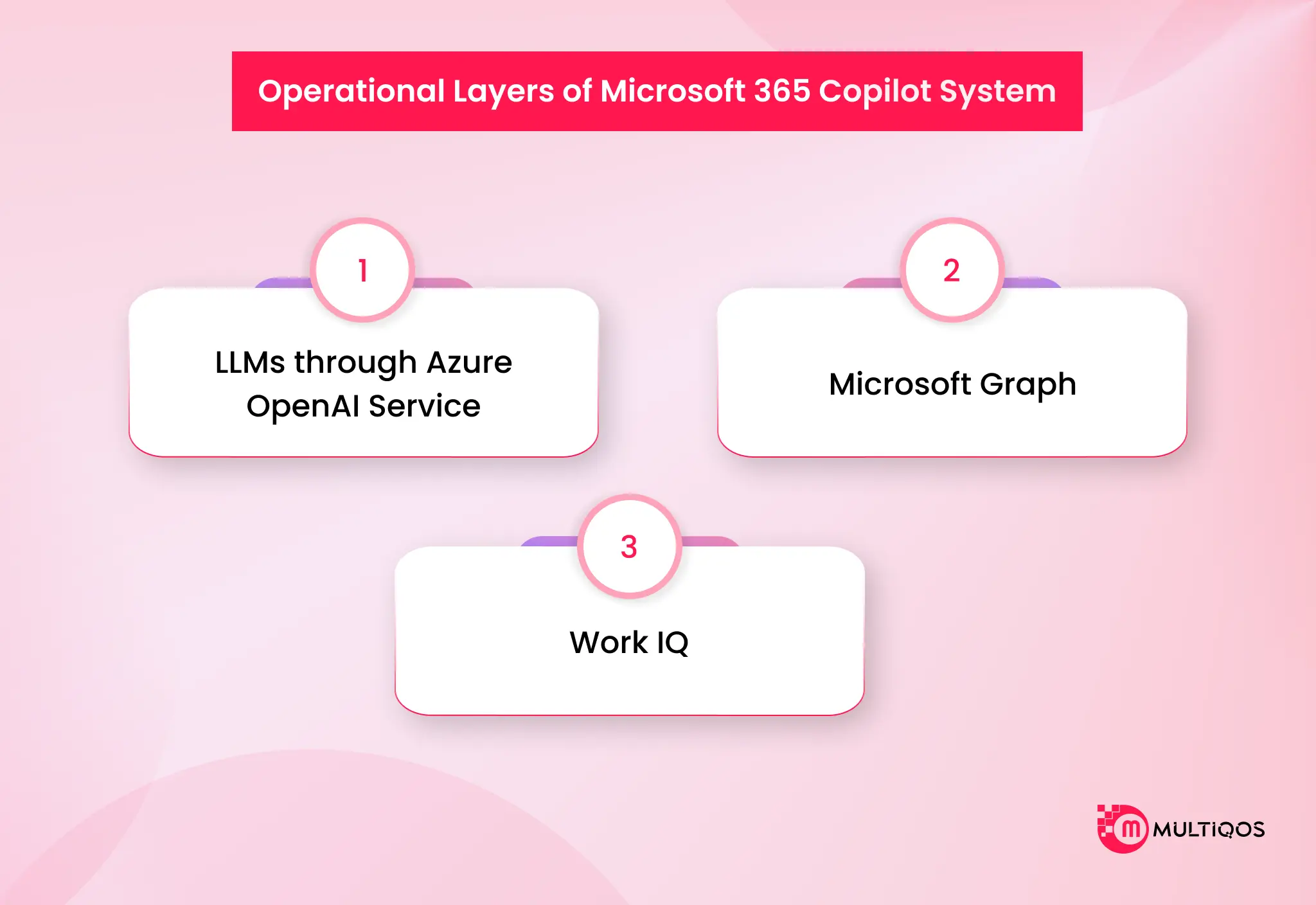
The system can be split into three layers to understand its operation without getting bogged down in technical detail:
LLMs through Azure OpenAI Service
The base generative engine is built on Azure OpenAI models. The ecosystem, however, is evolving to provide flexibility: For instance, in Excel, the new Agent Mode offers the ability to choose the models, such as Anthropic models, depending on the specific analysis task.
Microsoft Graph
The Microsoft Graph includes everything in Microsoft 365, including email, Teams chat, files, calendar events, contacts, and feeds. When the user asks a question, the context of the Graph is tailored to that question, and the AI is given the organization-specific, relevant “just in time” data for that question.
Work IQ
Work IQ is the personalization layer, which will be released at the end of 2025. It goes beyond standard answers and takes your unique data, tools, and your company. As time goes on, it comes to understand a user’s style of communication, context of their roles, and typical workflows, making AI-generated results more relevant to how it is used in your business.
Security and Permissions Adherence.
One important aspect of this model is that Copilot is only given access to data that a user already has access to. Does not circumvent current security systems. Rather, it automatically inherits all the existing Microsoft 365 permissions, sensitivity labels, and Data Loss Prevention (DLP) policies.
If, for instance, an employee isn’t able to access a particular financial document within SharePoint, Copilot will never retrieve or reference the document in the response.
Copilot Chat vs. Full Microsoft 365 Copilot
Copilot chat is a web-based AI assistant perfect for research and content drafting. But when you compare it to the Microsoft 365 Copilot, the latter has much more comprehensive features. Microsoft 365 Copilot is a premium and deeply integrated add-on that can access your organization’s internal data and deliver highly contextual, workflow-specific automation.
|
Feature |
Copilot Chat |
Microsoft 365 Copilot |
| Primary Function | General AI assistant for web-based research, brainstorming, and basic content creation. | An advanced AI assistant is integrated into daily workflows to automate complex business tasks. |
| Data Access & Grounding | Web + Uploaded files | Web + Microsoft Graph |
| App Integration | Standalone web experience, Edge browser, and basic sidebar access in Office apps. | Embedded within Word, Excel, PowerPoint, Teams, Outlook, and Loop. |
| Security & Compliance | Commercial data protection | Comprehensive enterprise-grade security and data loss prevention policies. |
| Key Capabilities | Web summarization, answering general questions, drafting standalone text, and image generation. | Drafting emails based on past threads, turning Word documents into PowerPoint slides, and summarizing 30 days of Teams chats. |
Microsoft 365 Copilot Features: What It Can Do Across Every App
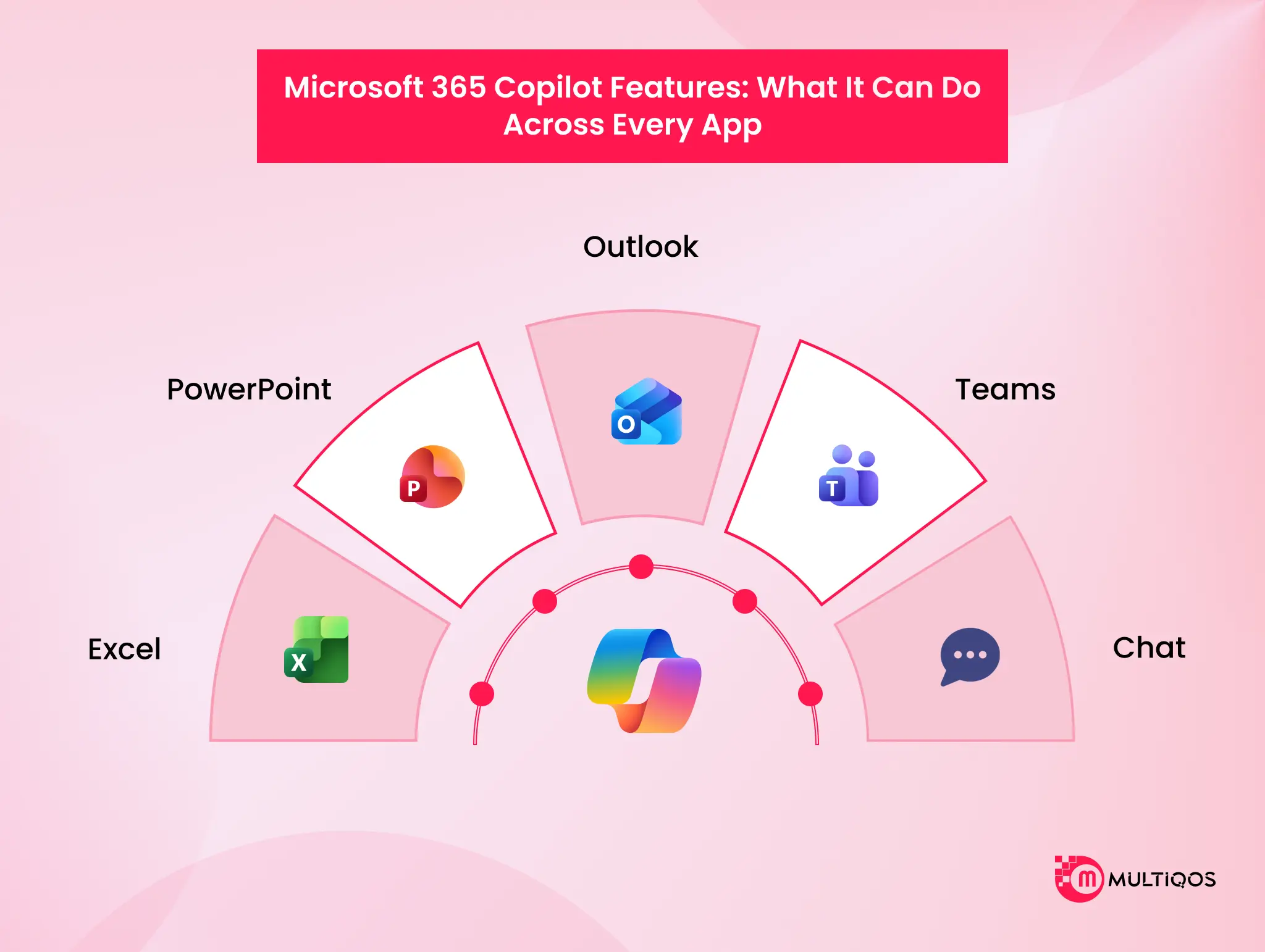
The Microsoft Copilot Solution’s real goal is to make your typical software a thinking companion. Consider the Graph as the secure index of your emails, chats, and files: it turns into the intelligence backbone of Microsoft 365, providing context in real time to the AI when you ask a question.
This is further enhanced by the Work IQ personalization layer that is learned over time by Microsoft Copilot to understand your specific style of communication, role context, and workflows.
Create a preliminary draft of a proposal, brief, or policy based on a few bullet points. Rearrange an existing section of text for a different audience without writing it from the beginning. Comprehend and abridge a 40-page contract or RFP into the five points that are important for review.
Establish a multi-level job description with responsibilities and skills requirements from a one-line description of the job you’re seeking to fill. Writers get into a fight with the blank page. The reviewer doesn’t bother to read the entire document to locate the change.
Copilot in Excel
Identify trends in a data set that you have not seen before. Highlight overdue invoices on a 6,000-line ledger. Organize clients by revenue rank and show the top clients that you haven’t engaged with in 30 days. Use the in-grid Copilot icon to suggest formulas; eliminate the need for analysts to break out of their flow to check out the syntax for VLOOKUP.
Create charts and PivotTables from a natural language question, such as: “Show me quarterly revenue by region, comparing last year’s data. For finance and operations, it’s the change that takes the leisurely hours from the week”.
Copilot in PowerPoint
Transform a strategy into a structured deck in minutes. Propose pictures to complement the story, NOT the typical stock library image. Create a logical slide flow from an outline so that the flow of slides shows the argument, rather than the order in which you thought of things.
The saving of time here isn’t the big news. The other is that more people in the organization can create a good-looking deck without having to go to a designer.
Copilot in Outlook
Before replying to lengthy email exchanges, summarize them. Write context-rich responses that include specific information about the relevant files or meetings. Sort through the inbox by the importance and timeliness of the message, and not the order in which it was received. No four messages back and forth for meetings. Access and use relevant M365 content directly within the email using Copilot Search.
Copilot in Teams
Participate in live meetings and record what was decided, actioned, and the main points of meetings. Late joiners will receive a summary of the recorded video in real time without having to watch the video again. It is not the next morning that the meeting recap draft is sent after the call has ended, but rather within minutes of the call.
For organizations where senior leaders sit in seven meetings a day, that compression is the difference between strategic time and survival mode.
Copilot Chat
Understanding the difference between Copilot Chat and Microsoft 365 Copilot is straightforward: Copilot Chat is a secure, web- and app-based chat interface available at no additional license cost for eligible M365 subscribers. It connects to your work and web data to answer quick queries, and Copilot Agents are available directly in this chat interface.
Customizing with Copilot Studio
If you need to connect AI to third-party tools outside of Microsoft, you can Build Intelligent AI Agents with Copilot Studio. Using the Copilot Studio low-code agent builder enterprise platform, business analysts can create customized AI assistants without deep software engineering skills.
Powerful Microsoft Copilot Studio features allow for the Multi-agent orchestration Copilot Studio uses to query external data warehouses or CRM systems, transforming the AI from a simple search tool into an active operational workflow engine.
Build Intelligent AI Agents with Copilot Studio
Copilot Studio is a SaaS agent-building platform. It runs low-code for business users and pro-code for developers, and it covers the full lifecycle of an agent: design, deployment, governance, and monitoring. For licensed M365 Copilot users, it is included at no extra cost for internal agent use.
Copilot Agents are not the same as Copilot prompts. A prompt asks Copilot to do one thing right now. An agent executes tasks autonomously. It observes a condition, decides, and acts on the basis of rules you’ve programmed it with, and performs in an automated fashion without you needing to press a button across the connected systems.
An agent monitors a SharePoint folder for new vendor contracts, performs a clause-check workflow on them, raises risks to the legal queue, and assigns the vendor requester to the relevant teams without having to manually initiate the process.
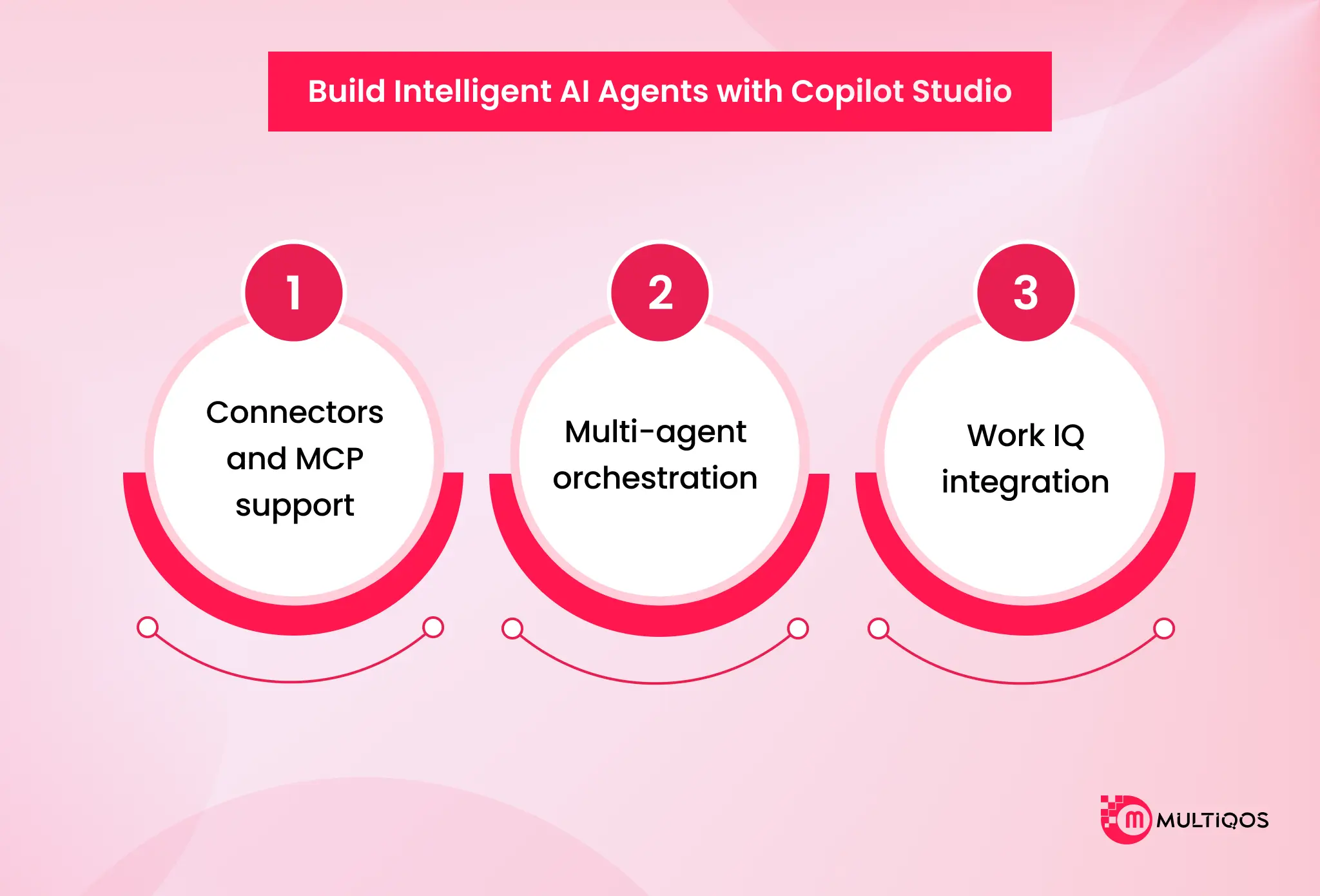
Three capabilities sit at the center of what Copilot Studio makes possible in 2026:
Connectors and MCP support.
Copilot Studio now ships with 1,400+ external connectors plus Model Context Protocol support for real-time data access. Agents are no longer trapped inside the M365 fence. They talk to your ERP, your CRM, your ticketing system, your data warehouse, and your custom internal APIs.
Multi-agent orchestration.
A single agent can delegate tasks to specialized sub-agents. A procurement agent hands off to a contract-review agent, which hands off to a finance-approval agent, which writes back to the procurement record. Complex cross-system workflows that used to need a six-figure RPA implementation now sit inside the Microsoft stack.
Work IQ integration.
Agents inherit the same organizational context as Copilot. They learn the workflows of the role they are serving; a sales agent behaves differently from a finance agent because the underlying Work IQ context is different.
The strategic implication: organizations that treat Copilot as an assistant alone are getting the productivity bump. Organizations that treat Copilot Studio as a platform are rebuilding how their work actually moves. Those are two different ROI curves.
Why Microsoft Copilot Consulting Services Make the Difference?
The ROI numbers on Microsoft 365 Copilot are well-documented. The gap between buying the licenses and realizing that ROI is where most deployments stall. Low adoption licenses sit unused after the first month. Ungoverned data sensitivity labels were never deployed at scale, so Copilot starts surfacing things it technically can but probably shouldn’t.
No prioritization of use cases, everyone in every department wants everything, and nothing gets done well. There is no change management plan; the email goes out, the licenses are assigned, and that’s the end of the rollout.
That’s where Microsoft Copilot Consultants come in. How that work actually looks:
Step 1: AI readiness assessment
Step 1: Evaluate your organization’s AI readiness with the AI Readiness Assessment. Assess your CRM and data governance for baseline, baseline sensitivity, regulatory compliance, and license configurations. The idea is to know what is missing before the users use Copilot, not after.
Step 2: Identify and Verify Your Use Case
Identify 5-7 use cases with measurable targets and the highest impact. Focus on “time to value,” not technical difficulty. You can have a team that saves 4 hours per person a week in meeting recaps. That’s a better first win than that 9-month cross-system agent.
Step 3: Deployment Plan.
Prior to the first roll-out to the user, governance frameworks, phased roll-out timings, security hardening, and success metrics need to be defined. This is where you need a Microsoft Copilot consulting service ensuring every important deployment parameter is defined properly before the execution begins.
Step 4: Change Management and Adoption.
Identify 20-50 power users across different departments, including business process owners and technical champions. Create Copilot Academy. Conduct timely Master classes and Virtual trainings. The purpose of this stage is NOT training. It is developing “in-house experts” to respond to inquiries when the consultant is unavailable.
Step 5: Ongoing optimization.
Copilot Analytics monitoring, usage intensity reporting, Copilot Dashboard to measure ROI, and continuing expansion of use cases as organizations’ maturity. Copilot is not a project, but rather a tool. It requires an owner to have this ability.
Conclusion
Microsoft 365 Copilot has moved from an experimental feature into a documented enterprise investment with a measurable ROI, an agentic capability layer, and a widening gap between organizations that deploy it strategically and those that wait.
Copilot is not replacing knowledge workers. It is collapsing the distance between the information they have and the decisions they need to make. Organizations that combine a full M365 Copilot deployment with Copilot Studio agent automation are no longer just working faster. They are designing workflows that execute without waiting for human input. That shift is accelerating in 2026.

FAQs
Copilot chat is free and web and app-based, whereas Copilot for Microsoft 365 is more of an add-on that’s baked into other MS tools. Copilot for Microsoft 365 is integrated in Word, Excel, Outlook, and Teams. Copilot chat can also upload files and can use web context Copilot for Microsoft 365; on the other hand, it taps Microsoft Graph data from across email, files, chats, and meetings.
The way to fix this is that Microsoft Copilot Consultants need to begin with the use cases that are the best fit for their roles, run the necessary enablement sessions, and set up structured meetings with AI meeting summaries, the easiest credibility-building tool in the stack to introduce to hesitant users.
Microsoft Copilot Consultants perform the readiness assessment, define the highest-impact use cases, design the governance framework, train and enable internal champions, and put the analytics in place to measure value over time.
Technically, both Copilot and tools like ChatGPT run on similar large language models, but Copilot is embedded in Microsoft 365 with a system prompt and function calls that let it create and edit Office content and query your tenant’s Semantic Index over Microsoft Graph.

Get In Touch

Get Stories in Your Inbox Thrice a Month.
Microsoft IQ Explained: The Role of Fabric IQ, Foundry IQ, Work IQ, and Web IQ
Building Automated Approval Workflows with Microsoft Power Automate
Paper Checklists to Power Apps for Manufacturing: Digitizing Shop-Floor Workflows