
How to Accelerate Low-Code Application Development for Internal Apps?
Need quick insights? Summarize with AI & save time
 ChatGPT
 Perplexity
 Claude
 Google AI Mode

Table of Content
- What Does Low-Code Application Development Solve for Internal Apps?
- Reduced Time-to-Delivery And Total Cost of Ownership
- Common Internal Apps Enterprises Build with Low-Code
- How to Build Internal Apps with Low-Code: 5-Step Implementation
- Governance, Security, and the Risks Nobody Puts in the Demo
- Build vs Buy vs Blend: Choosing Your Path
- Conclusion
- FAQs
Summary:
Low-code development accelerates delivery of internal tools from months to weeks by utilizing visual, model-driven components. While this approach effectively empowers teams to ship faster and reduces development overhead, it necessitates a robust governance framework to manage security, access control, and AI-driven risks, ensuring that businesses can leverage low-code speed without compromising compliance or creating new technical vulnerabilities.
IT backlogs across enterprises are rising. And it’s not due to the introduction of AI or even due to lower engineering headcount. They increase due to the overlapping of the admin panels, approvals, operational dashboards, and moderation queues for developers’ time.
The low-code development approach eliminates the need for manual coding and programming, using visual, model-driven parts, prebuilt workflows, and logic to be configured. The backlog goes from a months-long queue to a two-week sprint!
Gartner predicts the overall low-code development technologies market will grow to $44.5 billion by 2026, while at the same time, agentic AI technologies are now capable of generating scaffolding. It is here at the intersection of the two that most teams are incurring costly errors.
So, the question isn’t if, it’s when low code is going to work. It’s where governance needs to step in to prevent that overlap from creating risk that no one is pricing in now that AI agents are able to write code as well.
This playbook outlines what low-code application development is replacing, the cost that your CFO will expect and will be willing to pay, and a build process that you can complete within one sprint, as well as the layer of governance that is not mentioned on any vendor demo.
What Does Low-Code Application Development Solve for Internal Apps?
Low-code application development is a model-driven approach that replaces hand-written boilerplate UI and CRUD wiring with pre-built components. It offers drag-and-drop layouts and ready-made data connectors.
Low-code platforms reduce the time to delivery of internal tools from months to weeks. However, the architecture and data-model decisions are still made by engineers. It removes the undifferentiated heavy lifting so they spend time on the most crucial aspects of the app.
Why Are Internal Tools the Ideal Low-Code Use Case?
Low-code platforms are best for your internal tools development as they solve the core issue of balancing between the high business demand and limited engineering resources. But beyond the engineering staff limitations, it helps in rapidly testing your internal tools and deploying quickly, ensuring a fail-fast approach is applied.
Developing apps for approval flows, reporting dashboards, and admin panels can become challenging when you already have core product roadmaps to cover. And low-code application development with Microsoft Power Apps helps by,
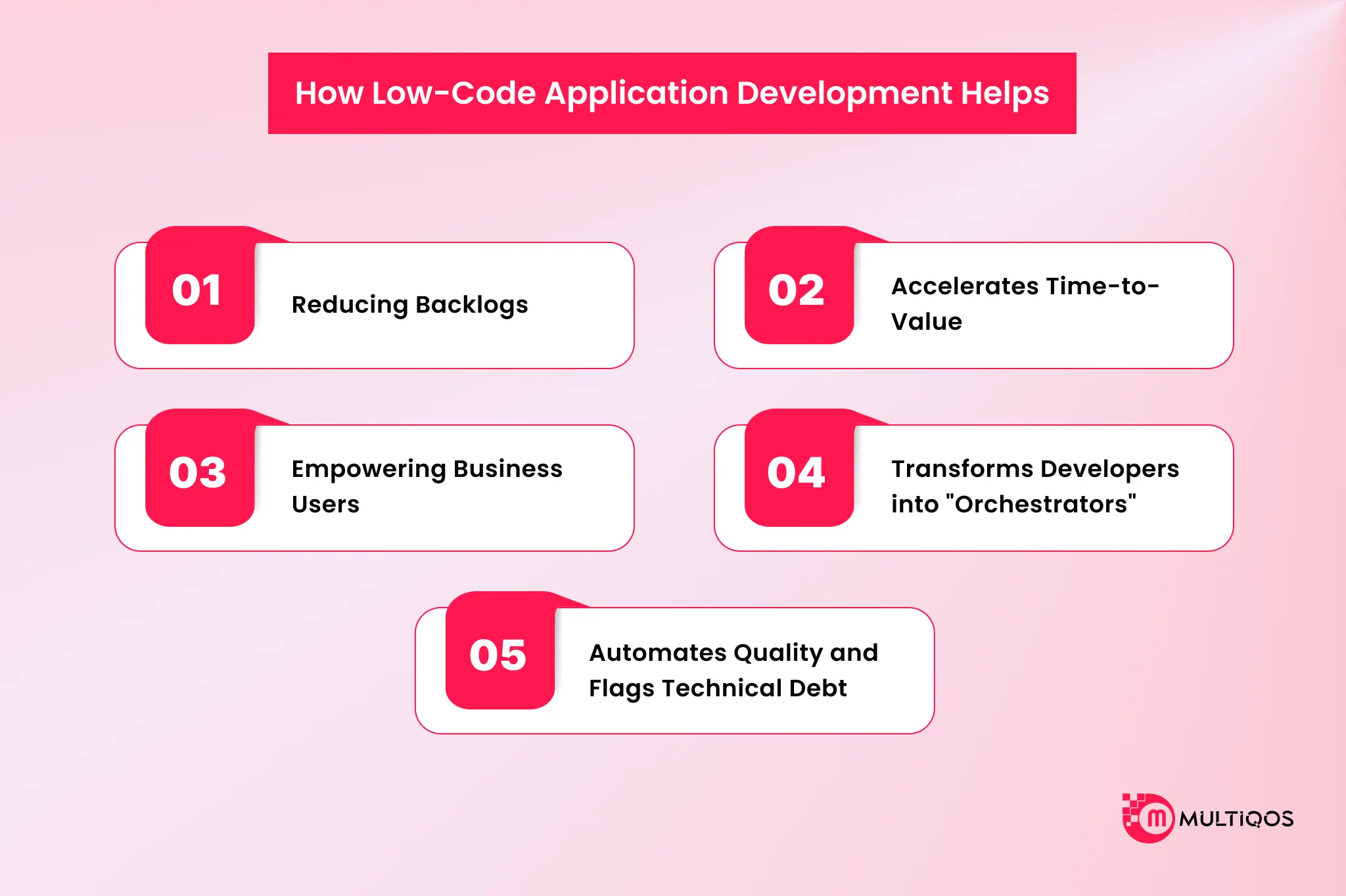
- Reducing Backlogs- Low-code tools don’t need higher expertise, and so your senior developers can easily focus on the core product while junior developers can build internal tools rapidly.
- Accelerates Time-to-Value- Using low-code platforms reduces the time needed for traditional development. Teams can ship internal apps faster than conventional approaches, ensuring ideas are implemented in hours rather than days.
- Empowering Business Users- If you are building internal tools, a visual builder can be beneficial compared to a conventional development approach because it does not require business users to have technical knowledge.
- Transforms Developers into “Orchestrators”- Leveraging AI-driven low-code application development, all the repetitive tasks of producing code and UI scaffolding are handled automatically. This means your engineering team becomes orchestrators rather than doers. Developers can easily use AI-orchestrated workflows to ensure low-code development output meets enterprise-grade app requirements.
- Automates Quality and Flags Technical Debt – Low-code app development does not stop at deployment, and enterprises need to maintain the internal tools they build. With AI, engineering teams can ensure continuous testing, error detection, and runtime optimization.
Now you know internal tools and low-code development are a match made in the AI era. But, as a business, you can’t just invest in an approach or technology without knowing the ROI.
Reduced Time-to-Delivery And Total Cost of Ownership
Low-code platforms don’t just shave a few weeks off your roadmap. They reduce development timelines against traditional methods, and in select cases, teams ship applications faster than a hand-coded build. Numbers like that sound aspirational until you see real-world enterprise software development examples.
- Orange, a multi-billion-euro telecom operator, deployed a customer onboarding AI agent across European markets in 4 weeks. The first version went live in 4 hours. A business team built it with zero IT dependency. The result was a 50% lift in conversion, more than $6 million in annual customer lifetime value from a single agent, and a 10-point rise in customer satisfaction.
- Virgin Voyages shipped 8 production applications in 30 days, including a senior analyst replacing 15 spreadsheets with one app in two days, no SQL experience required.
- LeadGenius shipped 3 internal apps, a User Profile Editor, a Community Costs tracker, and a Project Manager Dashboard, which saved the company more than $1 million over four years.
So what turns these wins into a repeatable financial model rather than a collection of anecdotes?
TCO Break-Even Model: Low-Code vs. Custom Build
Total cost of ownership is what finance actually asks about. Two frameworks make the math of low-code software development cost concrete.
| Model | Traditional Custom Build | Low-Code/No-Code (LCNC) Build |
|---|---|---|
| Capital vs. Operational Expenditure | $250,000 or more in upfront capital expenditure | $50,000 to $150,000- lower entry cost and compressed time-to-market for rapid payback |
| Hourly Developer Math | $44/hour ($92,000/year); 480-hour build and 10 hours/week maintenance costs $26,400 annually in labor | Build window shrinks to a fraction of the software development cost by eliminating UI library wrestling and hand-coded access controls |

Common Internal Apps Enterprises Build with Low-Code
The use-case map is wider than most procurement decks admit.
- Admin panels and CRUD frontends sit directly on production databases.
- Real-time KPI dashboards pull from PostgreSQL, Snowflake, or a REST layer.
- Workflow automation across expense approvals, content moderation queues, and vendor onboarding.
- Customer-360 and support tools stitch together three systems of record into one screen.
- Inventory tracking across warehouses that still run on a shared spreadsheet somebody’s afraid to touch.
- AI/LLM orchestration across support-ticket triage, natural-language-to-SQL panels, and AI agents that read a ticket queue and route it before a human ever opens it.
That last category isn’t a future-state pitch. It’s shipping in production today. An ops lead types a question in plain English. The low-code layer routes it to an LLM that writes the query. The answer comes back as a chart, not a support ticket.
How to Build Internal Apps with Low-Code: 5-Step Implementation
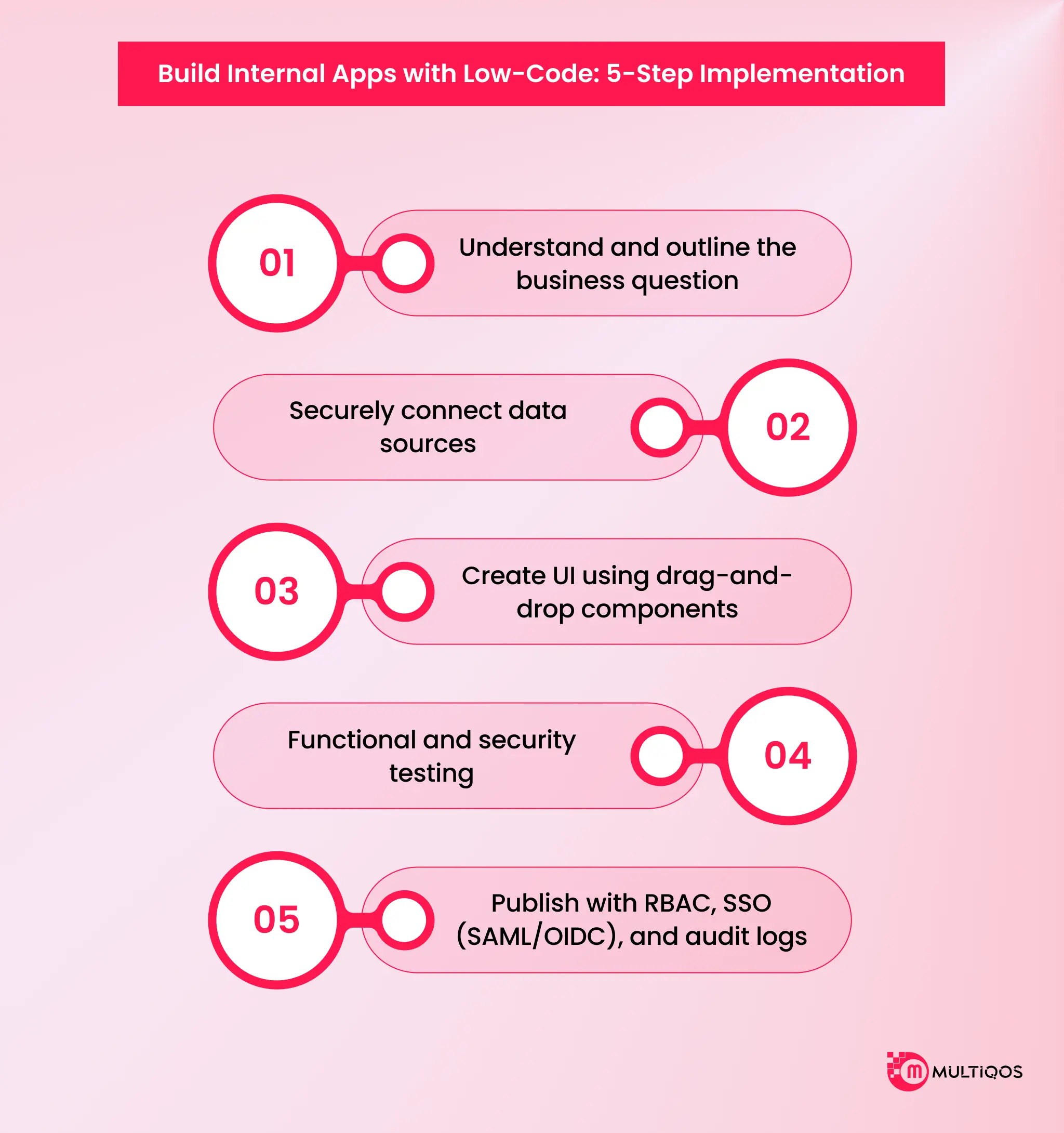
Here is a step-by-step process to build internal apps with low-code application development,
- Understand and outline the business question- Identify who is sitting with the team today that owns the process and precisely identify where the manual handoffs are occurring. More and more, this discovery step is supported by AI, as existing process documents or support tickets are fed into an LLM that can identify workflow gaps that are missed in a first pass.
- Securely connect data sources – Use environment variables, not hard-coded credentials, and a service account that has just enough privileges as needed for the app. This is the crucial step that most citizen developers miss, and the beginning step of every security review.
- Create UI using drag-and-drop components. That’s where low-code gets its quick reputation. The user interface that is obvious to users takes weeks to compress into days. This is taken one step further with AI-based low-code development. Generative UI assistants can now generate full screens based on a natural language request and give the builder a draft to build and tweak, instead of a blank slate.
- Functional and security testing- Test the workflow as the end user is likely to use it; test what happens when someone who should not have access to the workflow attempts to access it. AI test generation is beginning to get a foot in the door here as well, generating edge case test scripts quicker than a hand-typer might be able to, but still needing to be read by a human.
- Publish with RBAC, SSO (SAML/OIDC), and audit logs- This isn’t something that can be done at the last minute for anything that involves production data, nor is it something that a citizen-developer could do an experiment with and then publish for compliance to sign off on.
Governance, Security, and the Risks Nobody Puts in the Demo
Every low-code demo shows the drag-and-drop builder. None of them show the access-control audit that happens six months later when a citizen developer’s finance dashboard turns out to expose customer PII to the entire sales team. That gap is where every organization needs to figure out web application security and governance frameworks.
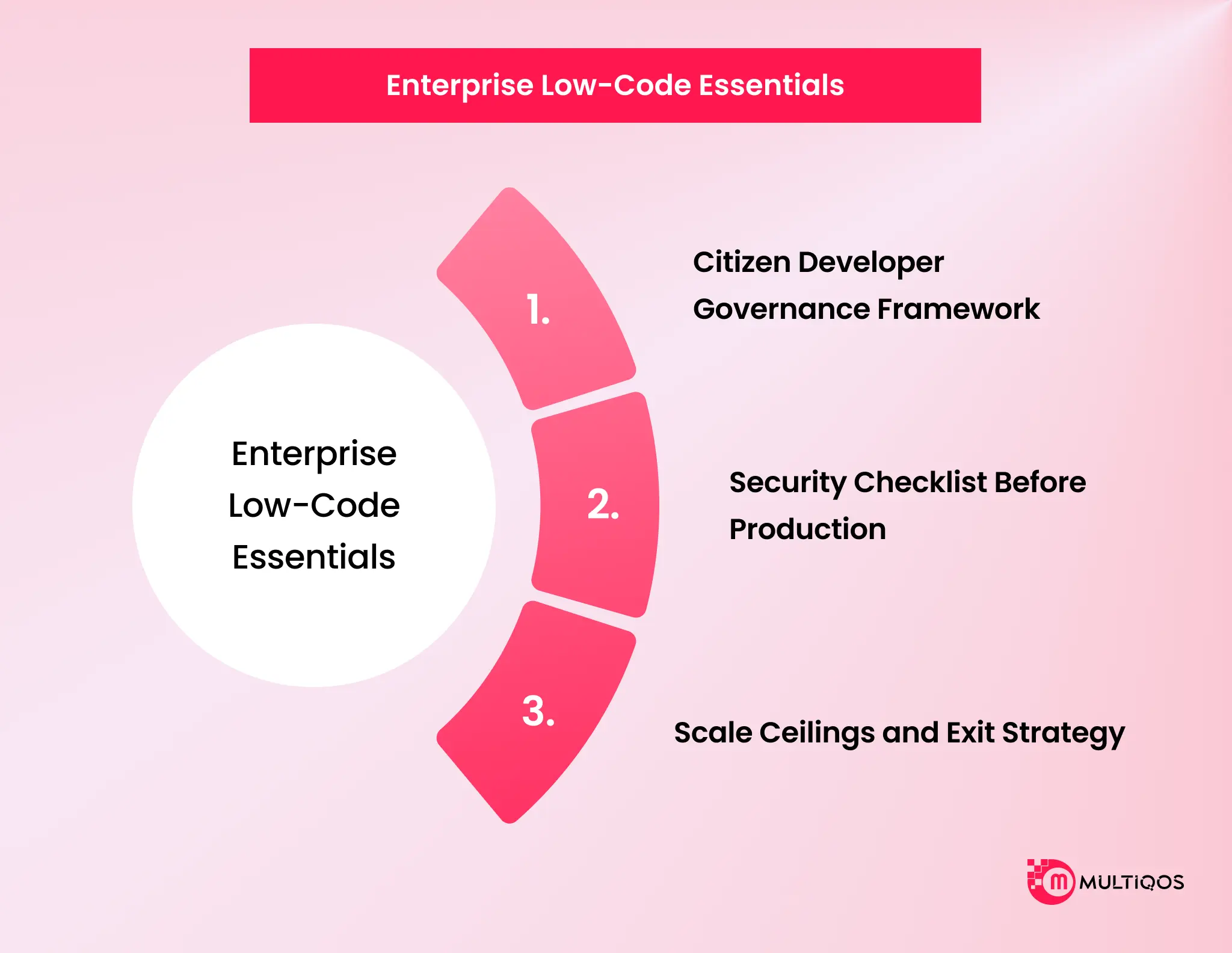
Citizen Developer Governance Framework
Shadow IT didn’t appear because business teams are reckless. It appeared because IT couldn’t move fast enough, so business teams found their own tools. Industry SaaS-management research puts the scale of the problem in plain numbers: roughly half of purchased SaaS licenses across the average enterprise sit unused, bought by teams solving the same problem IT was too slow to solve.
A governed low-code platform fixes the root cause. It gives business teams a sanctioned lane, with IT-defined guardrails, instead of a credit card and a SaaS marketplace. The framework itself isn’t complicated.
A central low-code center of excellence sets the guardrails: data-source allowlists, RBAC templates, review gates before production. Citizen developers build inside those guardrails. IT reviews before publishing, not after a security incident.
Plus, AI-powered low-code development is not a game-changer, but an addition to this framework. However, governance also needs to be expanded to the model layer since an AI agent within the low-code platform can write its own queries or invoke its own workflow steps.
Security Checklist Before Production
Run this before anything touches production data, not after.
- Access control- Every app enforces role-based permissions, not “everyone with the link.”
- Authentication and identity- SSO via SAML or OIDC, no local username/password pairs living outside your identity provider.
- Data source connections- Environment-variable credentials, scoped service accounts, never hardcoded secrets in a visual workflow step.
- Injection risk – Low-code connectors connected to a backend query that pass unsanitized input to the query are still vulnerable to injection attack as handwritten code. The visual layer does not make the vulnerability go away, and an AI-powered query, no different from any other natural language query, is not a more secure surface for injection.
- Audit logging- All read, write, and permission changes are logged, queryable, and stored within your compliance window. If using AI to orchestrate workflows, record the prompt, the action generated, and the outcome.
- Third-party integration review – Each connector that is added to an app is an additional attack surface.
Scale Ceilings and Exit Strategy
Low-code platforms have a ceiling. It shows up as slow builder performance past a certain app complexity, per-seat pricing that outgrows its own value, or a workflow that needs true custom logic the visual layer, AI-assisted or not, can’t express. None of that is a reason to avoid low-code. It’s a reason to plan the exit before you need it.
Ask your vendor two questions before signing: can you export your data model and logic in a portable format, and what does migrating a mature app to custom code actually involve?
If the answer to either is vague, that’s your vendor lock-in risk, quantified.
Build vs Buy vs Blend: Choosing Your Path
| Signal | Choose Low-Code | Choose Custom Build | Choose Blend |
|---|---|---|---|
| Team size | Under 100 users | 100+ users, growing fast | Mixed portfolio, varies by app |
| Data sensitivity | Internal, standard controls | Regulated, high-sensitivity | Segment by app risk tier |
| Expected app lifespan | Under 16 months | Multi-year, core to ops | Start low-code, graduate later |
| Scale trajectory | Flat or slow growth | Steep, unpredictable growth | Unknown at launch |
There’s no universal winner here, and any vendor telling you otherwise is selling, not advising. Low-code wins on speed for bounded, internal, governed use cases, including the AI-orchestration apps enterprises are shipping fastest right now.
When your design needs to scale to the nth dimension, custom engineering has the answer, as true architectural complexity, infinite scale, or logic simply can’t be conveyed visually or by AI. Both are needed by most businesses and should be used concurrently, and there should be a clear route between the two.
What MultiQoS delivers is not just governed by low-code, but a path towards graduation towards product-grade custom engineering, when an app reaches its ceiling.
Conclusion
The backlog isn’t a resourcing problem you solve by hiring two more engineers. It’s a delivery-model problem, and low-code application development solves the specific slice of it that’s bounded, internal, and governed. Custom engineering still owns everything else.
Internal tools fly much faster in low-code than in a hand-coded build. The AI Governance layer has become a fundamental use case instead of a gimmick, and platforms that scale are ones that treat governance, including AI governance, as a lane, not an afterthought. Choose the platform that your compliance team will sign off on.
FAQs
No, low-code is not about removing or replacing architecture decisions, data-model design, or the judgment calls made as to whether an app scales. It just eliminates undifferentiated heavy lifting, boilerplate UI, CRUD wiring, and deployment. When low-code is seen as a developer replacement, enterprises end up with a lack of governance instead of a delivery accelerator.
Yes, if it’s the right use case. Deliveries for internal (bounded, governed) tools with a known user base are significantly accelerated as compared to a custom delivery. Mathematically, it becomes a bit more complicated when the product or app is customer-facing, and the number of seats to be supported is more than a couple hundred, and the cost of a single seat can exceed the cost of a one-off customer build.
A single workflow internal tool, or workflow approval or admin panel, etc., usually ships in a couple of weeks from a governed low-code platform, compared to a similar custom-built one, which will likely take a few months. However, speed benefits are more pronounced with most internal-app classes that enterprises say they will be shipping in 2026, as the tools are more complex and multi-system.
It brings a reasoning layer above the visual builder: natural language to SQL panels, AI-driven support ticket triage and routing, and generative scaffolding, which creates a UI from a prompt rather than a blank canvas.
The trick is, just as with any integration, data-source scoping, audit logging, and a human review gate are essential to the integrity of the query that’s created by AI.

Get In Touch

Get Stories in Your Inbox Thrice a Month.
Microsoft IQ Explained: The Role of Fabric IQ, Foundry IQ, Work IQ, and Web IQ
Building Automated Approval Workflows with Microsoft Power Automate
Paper Checklists to Power Apps for Manufacturing: Digitizing Shop-Floor Workflows