
Microsoft Fabric Overview: Features, Benefits, and Business Use Cases
Need quick insights? Summarize with AI & save time
 ChatGPT
 Perplexity
 Claude
 Google AI Mode
Table of Content
- What is Microsoft Fabric (A Microsoft Fabric Overview)
- Components of Microsoft Fabric That Power Unified Analytics
- Key Microsoft Fabric Features You Need to Look Out For
- Microsoft Fabric Business Benefits
- Business Use Cases of Microsoft Fabric Across Industries
- Why Are Enterprises Adopting Microsoft Fabric Now?
- How to Get Started with Microsoft Fabric?
- Conclusion
- FAQs
Summary:
This overview breaks down its nine workloads, its AI-first features (Copilot, Microsoft Fabric Data Agents, AI Functions, Direct Lake), and the business benefits enterprises see: lower total cost of ownership, faster time-to-insight, and stronger governance. It closes with named use cases across financial services, retail, and manufacturing, plus a phased path to adoption.
Microsoft Fabric stopped being just a data platform a while ago. What it offers now is a definitive architecture, and for AI-first enterprises, that’s the whole point. It takes on data fragmentation head-on, pulling ingestion, storage, and analytics into one place.
OneLake unifies the data. Agentic analytics keep the environment current. And Copilot inside Microsoft Fabric automates the grind through plain language, writing the code and the reports so your people don’t have to.
The bigger shift is where attention goes. Instead of babysitting complex physical infrastructure, teams get to spend their time actually producing insight. For any enterprise wrestling with siloed information, sluggish data, slow time-to-market, and operational overhead, Microsoft Fabric shows up as the all-in-one answer.
That said, getting the result you want means understanding the features, the benefits, and whether your use cases line up. In an era where 95% of AI pilots fail, putting money into a platform with agentic capabilities deserves a hard look at the business cases first. That’s what this piece is for. It offers a Microsoft Fabric overview, along with what it does, where it wins, and how enterprises are putting it to work.
What is Microsoft Fabric (A Microsoft Fabric Overview)
Microsoft Fabric is an end-to-end SaaS analytics platform. It unifies data engineering, warehousing, data science, real-time analytics, and business intelligence on a single foundation.
It pulls together the capabilities of Azure Data Factory, Synapse, and Power BI, keeps everything in one lake called OneLake, and governs the lot through Microsoft Purview.
Before Microsoft Fabric, a typical enterprise stitched all this together by hand. One team on Synapse. Another one on some legacy warehouse.
Power BI got bolted on top, dragging copies of data through a maze of connectors. And every seam was somewhere for cost, latency, and governance gaps to hide.
The engineering, the warehouse, the science notebooks, the BI dashboards, all of it reads and writes to the same storage layer, under the same security model, billed as one capacity. Your team stops shuttling data between systems and starts working on it.
Consolidating a fragmented data estate is a project, not a switch you flip.
Components of Microsoft Fabric That Power Unified Analytics
Microsoft Fabric isn’t one product. It’s nine workloads sitting on top of OneLake for storage and Purview for governance. Each one targets a different job. All of them share the same data.
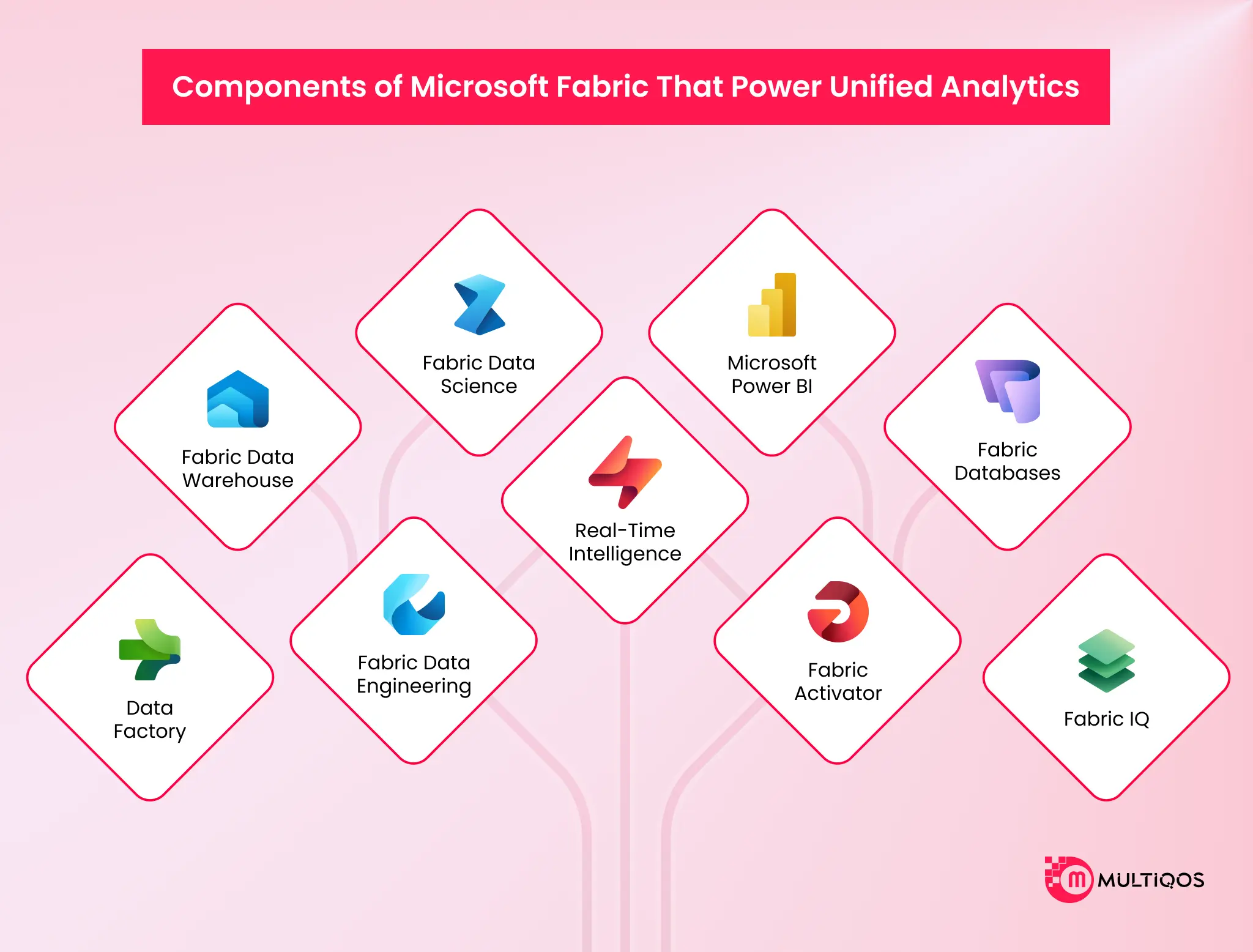
| Workload | Primary User | What it does |
|---|---|---|
| Power BI | Business analyst/exec | Build dashboards, viz, share insights org-wide |
| Databases | App dev / DBA | Spin up operational SQL DB (Azure SQL), mirror data into OneLake |
| Data Factory | Data engineer/integrator | Ingest, prep, transform data 200+ connectors, low-code |
| Industry Solutions | Industry biz user | Prebuilt data models/apps for specific verticals (retail, healthcare, etc) |
| Real-Time Intelligence | Ops / IoT analyst | Ingest + analyze streaming data live, trigger actions on events |
| Data Engineering | Data engineer | Spark-based ETL, notebooks, big-data pipeline build |
| Data Science | Data scientist | Train/deploy ML models, integrate Azure ML |
| Data Warehouse | Analytics engineer | SQL warehouse, compute/storage separate, Delta Lake native |
| Microsoft Fabric IQ (preview) | Enterprise architect/agent builder | Unify biz semantics, ontology, metrics, agents across data/systems |
Data Factory
The ingestion and transformation engine. It reaches through 200-plus connectors, runs pipelines and dataflows, and drops raw data into OneLake. This is where your ETL lives, and where Microsoft tucked in the old Azure Data Factory experience.
Microsoft Fabric Data Warehouse
A full T-SQL warehouse, compute, and storage kept separate. Analysts query it the way they always have. The catch is what’s underneath: open Delta format, not some proprietary store you can never get back out of.
Microsoft Fabric Data Engineering
Spark notebooks and lakehouses for the engineers who live in Python and Scala. Big transformations, feature pipelines, the heavy lifting. And it runs on the same OneLake the warehouse reads from.
Microsoft Fabric Data Science
Where models get built, tracked, and managed. MLflow comes baked in. Data scientists train on the lakehouse data directly. No export step. No second copy to keep in sync.
Real-Time Intelligence
For streaming and event data, the clickstreams and IoT telemetry, and log feeds. It swallows high-volume events and lets you query them in near real time, which is exactly the thing most legacy warehouses can’t do.
Microsoft Power BI
The reporting layer is what walks a lot of enterprises through the door in the first place. Power BI is now a native Microsoft Fabric workload with 30 million monthly active users. It reads straight from OneLake through Direct Lake mode, so dashboards land on warehouse-grade data without a copy in between.
Microsoft Fabric Activator
The action layer. It watches your data and does something the moment a condition trips, whether that’s an alert, a Teams message, or a Power Automate flow. Dashboards just sit there and report. Activator acts on what the dashboard sees.
Microsoft Fabric Databases
Operational databases, starting with SQL database, that live inside Microsoft Fabric and auto-replicate into OneLake. Transactional and analytical data under one roof, no separate sync job holding the whole thing together with tape.
Microsoft Fabric IQ
The semantic and AI layer. It lets agents and Copilot reason over your data using business context instead of raw tables. This is the piece that turns Microsoft Fabric from a storage-and-query platform into something an AI agent can genuinely work against.
Key Microsoft Fabric Features You Need to Look Out For
Microsoft Fabric gives enterprises a unified, AI-first SaaS platform, one place to consolidate data ingestion, storage, and analytics. That covers single-copy storage, workload automation through Copilot, and agentic analytics.
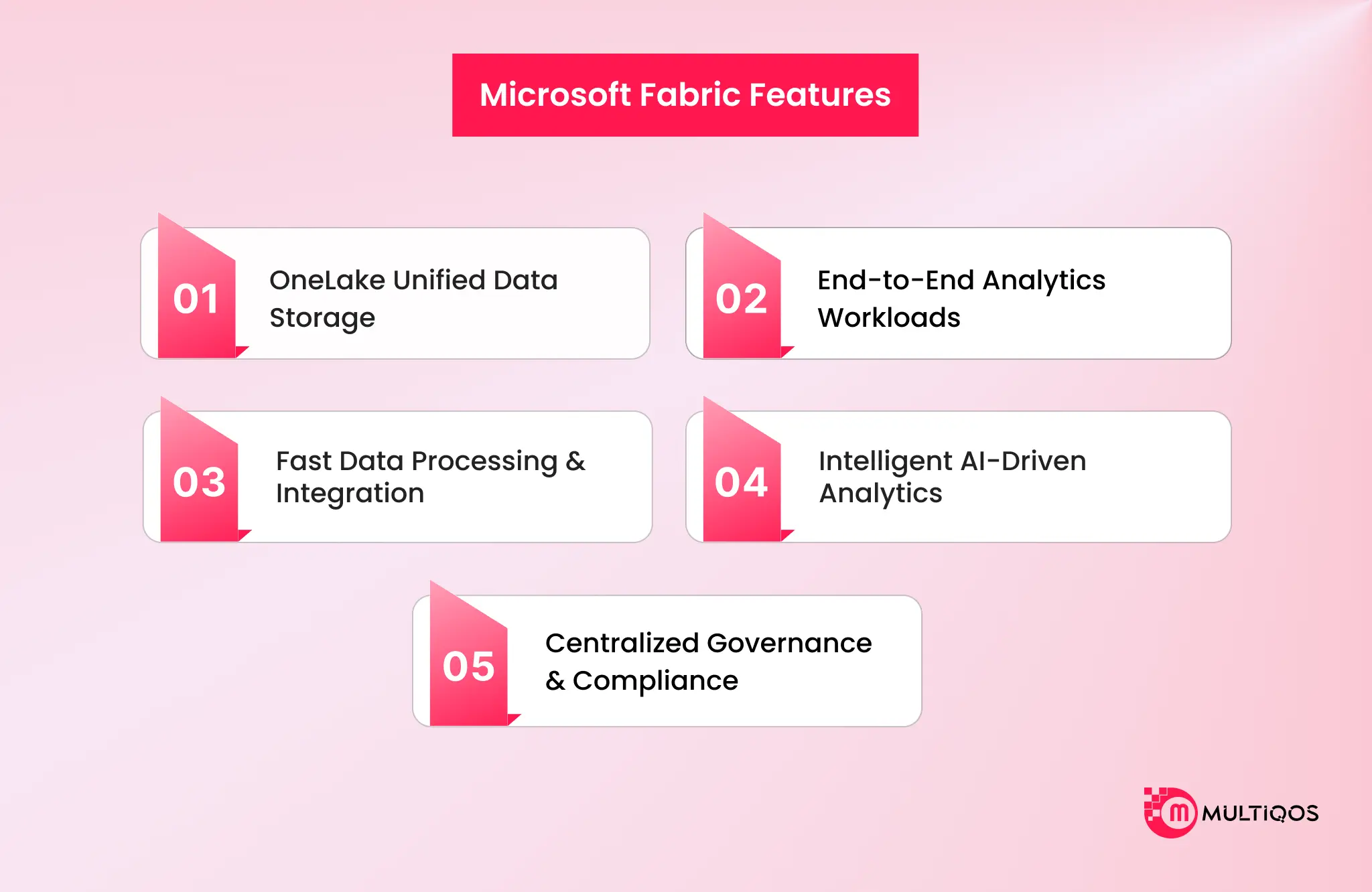
Unified “Single-Copy” Storage: OneLake
OneLake is the foundation of Microsoft Fabric. It’s a single-copy logical data lake that gets provisioned automatically for every tenant. No physical infrastructure to stand up, no cluster configuration to fuss over. It acts as a central repository sitting across all your workspaces.
Every workload uses the open-source Delta Parquet format, which is what lets different engines like Spark and SQL query the same data at once without ever duplicating it. OneLake also supports shortcuts. These behave like symbolic links to external data parked in AWS S3, Google Cloud, or Azure, so Microsoft Fabric can query multi-cloud data without physically hauling it anywhere.
The Five Core Workloads
Microsoft Fabric splits its capabilities into specialized workload experiences, each built for a different data role.
- Data Engineering brings scalable Apache Spark runtimes and notebooks for large-scale transformations. Data Factory hands you over 200 connectors and Dataflow Gen2 for low-code ETL/ELT orchestration.
- Data Science packs in the tools for building, training, and deploying machine learning models. Data Warehouse delivers a high-performance SQL engine with full T-SQL support, scaling compute and storage independently of each other.
- Real-Time Intelligence ingests and analyzes high-volume streaming data, firing automated alerts through Activator. Power BI runs the interactive business intelligence side, leaning on Direct Lake mode for speeds that sit close to in-memory.
- Databases cover the operational SQL side, Microsoft Fabric SQL DB and Cosmos DB, with native OneLake integration. Microsoft Fabric IQ works as a global semantic layer and ontology, unifying business logic and metadata across every workload.
- Industry Solutions closes it out with pre-built data models and templates cut for specific sectors like healthcare or retail.
Direct Lake Mode lets Power BI load data straight from OneLake files into memory. No report refreshes, and it holds the speed of Import Mode. Microsoft Fabric Mirroring pulls off near real-time, zero-ETL replication of outside databases like Snowflake or SQL Server, landing them directly in OneLake.
Agentic Analytics
By 2026, nobody bolts AI onto Microsoft Fabric after the fact. It’s in the walls. Microsoft Copilot sits in every layer. Ask it, in ordinary language, and it writes the Spark for your engineers, the T-SQL for your warehouse, the Power BI report you were dreading. That’s the embedded piece.
Then there are Microsoft Fabric Data Agents. Think of them as someone at the desk who actually knows where everything is. You ask a hard question about company data, phrased however it comes out of your head, and a governed answer comes back.
AI Functions go straight into the Data Warehouse. Sentiment analysis, translation, entity extraction, all of it callable from plain SQL, no separate service to wire up.
And the Operations Agents just run quietly. They keep an eye on data flowing through Real-Time Intelligence, and the moment a condition trips, they act on their own: refresh an environment here, fire off a workflow there. You don’t push the button. They do.
Governance and Operational Excellence
Unified Governance runs on native Microsoft Purview integration, giving you automated data lineage, sensitivity labeling, and access control across every Microsoft Fabric item. Capacity-Based Licensing draws on a single shared pool of compute called Capacity Units, so billing stays predictable across every analytical and AI experience.
Native CI/CD rounds it off. Git integration, deployment pipelines, and environment management mean the software development lifecycle your teams already know carries over into data projects without a fight.
Microsoft Fabric Business Benefits
Here are some of the key Microsoft Fabric benefits for your enterprise
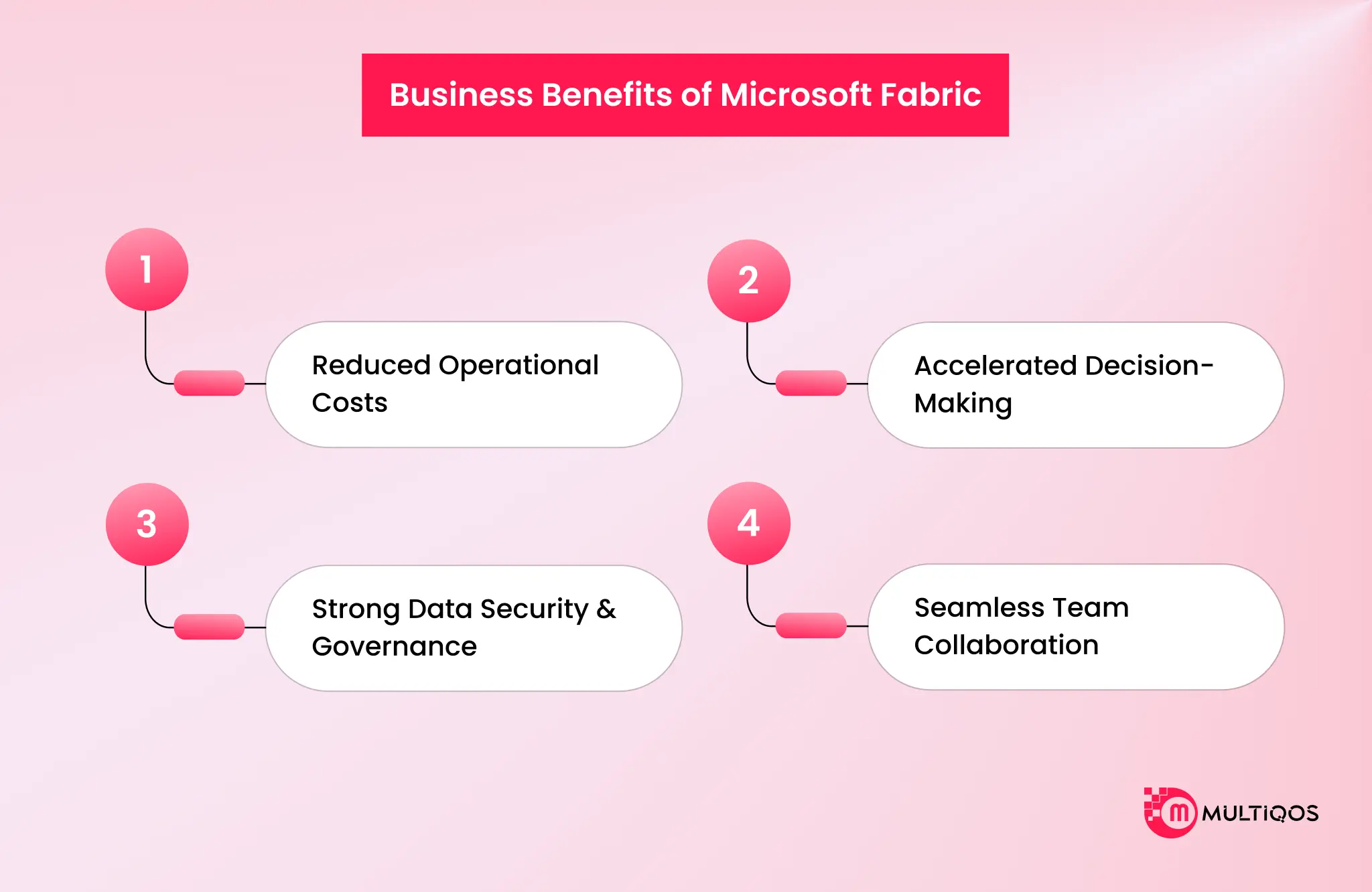
Lower Total Cost of Ownership
Pull your engineering, warehousing, and BI systems onto one capacity, and the redundant infrastructure spend just falls away. Five bills become one. Bank CenterCredit got there from a different door. It prepaid for capacity rather than paying month to month, and rolling its licenses together took a real bite out of costs over the following years.
Faster Time-to-Insight
Here’s where Microsoft Fabric earns its keep. Analyst output climbs, and the sharper insights feed straight into better calls on the business. Reports that used to take days come back in hours. That gap is not a rounding error on a decision cycle.
Stronger Governance and Compliance
One governance model over every workload gives you one audit trail. Not five, reconciled by hand at quarter close. Bank CenterCredit cut its reporting errors hard after the move to Microsoft Fabric and Power BI. In a regulated shop, fewer errors aren’t a nicety. It’s exposure you stop carrying.
Higher Data Engineering and Analyst Productivity
Consolidation gave engineering productivity a real lift, mostly by killing the hours people burn hunting down data, wiring it together, and debugging it. Once everything’s unified and governed, the busywork evaporates. Engineers build. They stop foraging.
Improved Cross-Team Collaboration
Every team reads the same OneLake data through its own front door, so handoffs quit being export-it-and-email-it rituals. Even the drop in data-team attrition turned out to be worth real money on its own. People stick around when the tooling stops picking fights with them.
Add it all up, and the three-year return was substantial: strong net present value, and the whole thing paying for itself in under six months.

Business Use Cases of Microsoft Fabric Across Industries
The benefits are general. The proof is specific. Three named deployments for three different problems that you can solve choosing Microsoft Fabric for business operations.
Financial Services
The problem is speed. Banks sit on mountains of transactions and then grind through weekly reporting, and by the time the report lands, the decision window has already slid past. Bank CenterCredit unified its data in Microsoft Fabric and put Power BI on top. Work that once ran for weeks now wraps in hours. Analytics time dropped, decisions sped up, and automated reporting handed back a mountain of staff hours every month while error rates fell. Same data. An order of magnitude faster.
Retail
The problem is freshness. Run hundreds of stores, and you need today’s sales to plan tomorrow’s shelves, but overnight batch jobs only ever hand you yesterday. MultiCedi moves a huge volume of point-of-sale transactions across a wide store network.
After the switch to Microsoft Fabric, its ETL runtime shrank far enough that it sits close to real time, which is enough for merchandising and logistics to act the same day. Then the interesting part.
The company dropped its small central data team in favor of a hub-and-spoke setup, where “citizen data practitioners” out in the business build their own models in Microsoft Fabric notebooks. Demand forecasting and basket analysis, run by the people who actually stand next to the shelf.
Manufacturing
The problem is the silence between the factory floor and the analytics team. Machine telemetry lives in one system and quality data in another, and by the time anyone links a defect to a sensor reading, the batch has already shipped.
Microsoft Fabric’s Real-Time Intelligence pulls IoT streams off the line while Data Science trains predictive-maintenance models on that same OneLake. The signal and the analysis finally share an address. Fewer breakdowns nobody saw coming, less scrap, tighter yield.
Why Are Enterprises Adopting Microsoft Fabric Now?
Two forces are shoving this decision to the top of the roadmap.
Market Growth Context
The data analytics market is expanding fast, and stitched-together stacks don’t scale alongside it. Bolt on one more source, and you’ve bought yourself one more seam to babysit. Consolidation is how you climb off that treadmill.
AI and Copilot Convergence
AI is the real accelerant. Cloud and AI workloads are growing across the whole industry, and AI is only ever as good as the data feeding it. Point Microsoft Copilot or an agent at five disconnected systems, and a trustworthy answer isn’t coming back.
Microsoft Fabric hands AI a single governed lake to reason over. That’s a big part of why Microsoft keeps landing as a leader among analytics and BI platforms, called out for both vision and the ability to actually execute.
How to Get Started with Microsoft Fabric?
You don’t move a data estate over a weekend. You phase it. Four steps that keep the lights on while you go.
- Assess your current data estate. Inventory every source, pipeline, warehouse, and report. Hunt down the duplicated infrastructure and the zombie pipelines nobody will admit to owning. Most teams sprint past this step, and it’s the exact one that decides whether consolidation saves money or just relocates the mess.
- Choose the right capacity and licensing tier. Microsoft Fabric capacities scale across a wide range. Size to the workload you actually run, not to whatever a vendor waves at you. Prepaying reserved capacity can meaningfully cut the bill, the way it did for Bank CenterCredit. Guess wrong in either direction, and it costs you.
- Plan a phased migration. One workload at a time. Start somewhere the value shows up fast, usually a tightly scoped BI or reporting use case, prove it, then push into engineering and science. Phasing hands you a visible win to wave at leadership before the heavy lift.
- Partner with a certified Microsoft Fabric consultant. The platform’s unified, sure, but the migration still has sharp edges around capacity modeling, security mapping, and cutover. Microsoft Fabric slots in naturally beside Power Platform and Copilot rollouts, so plan those as one thing, not three separate projects. This is where a certified Microsoft Fabric consultant can help you ensure planned deployments for improved ROI.
Conclusion
Microsoft Fabric isn’t a nicer BI tool. It’s the decision to stop running engineering, warehousing, science, and reporting as four separate businesses with four separate bills and four versions of the truth. One lake. One governance model. One capacity. Copilot is sitting on all of it.
The short version worth remembering: nine workloads on OneLake, governed by Purview, backed by independent economic analysis and already running in production at banks and retailers who traded weekly reports for hourly ones. Adopt it for the data foundation, not the license savings, and the AI story more or less writes itself.
Pick the consolidation your team can actually pull off this year. Not the one that looks tidiest on a slide.
FAQs
Microsoft Fabric runs an organization’s whole analytics workflow on one platform, from ingestion and engineering through warehousing, data science, real-time analytics, and Power BI reporting. Rather than lashing separate tools together, teams work on shared data in OneLake under a single governance model. It’s built for enterprises trying to consolidate a fragmented stack.
No, though there’s a free trial. Microsoft Fabric runs on capacity units you buy in tiers, and you can go pay-as-you-go or reserve capacity for a discount. Prepaying reserved capacity saved Bank CenterCredit a meaningful amount over monthly billing. And if you already hold Power BI Premium, part of that entitlement carries across.
Synapse is a set of analytics services you wire up and configure yourself. Microsoft Fabric is a fully managed SaaS platform where those same capabilities arrive pre-integrated on shared OneLake storage. Microsoft Fabric folds in the Synapse engineering and warehousing experiences, adds Power BI, Real-Time Intelligence, and Copilot, then applies governance across everything automatically. Less assembly, one bill, open Delta format underneath.
Data Factory, Data Warehouse, Data Engineering, Data Science, Real-Time Intelligence, Power BI, Microsoft Fabric Activator, Microsoft Fabric Databases, and Microsoft Fabric IQ sit on OneLake for storage and Microsoft Purview for governance. Each plays a different role, and everyone reads and writes the same unified data.
Enterprises running a fragmented stack across Synapse, legacy warehouses, and a pile of BI tools get the most out of Microsoft Fabric, especially where slow reporting cycles are quietly holding decisions hostage. CIOs and heads of data reach for it to cut infrastructure duplication and consolidation costs. Finance and operations leaders reach for it to trade stale reports for something close to real-time.

Get In Touch

Get Stories in Your Inbox Thrice a Month.
Microsoft IQ Explained: The Role of Fabric IQ, Foundry IQ, Work IQ, and Web IQ
Building Automated Approval Workflows with Microsoft Power Automate
Paper Checklists to Power Apps for Manufacturing: Digitizing Shop-Floor Workflows