
Microsoft Copilot Use Cases: How Enterprises Are Driving ROI Across Industries
Need quick insights? Summarize with AI & save time
 ChatGPT
 Perplexity
 Claude
 Google AI Mode
Table of Content
- What Is Microsoft Copilot and How Does It Work Across the Enterprise?
- What are the top Microsoft Copilot applications for each industry?
- What Is the ROI of Microsoft Copilot by Role?
- How Does MultiQoS Help Organizations Implement Microsoft Copilot Solutions?
- FAQs
Summary:
Breaks down Microsoft Copilot use cases by industry, healthcare, financial services, manufacturing, supply chain, education, and maps deployment strategy to measurable ROI. Includes role-based time-savings table, and a breakdown of how MultiQoS deploys Copilot end-to-end data governance audit, role-mapped licensing, custom Copilot Studio agents, Power Platform integration, and change management.
Microsoft Copilot has evolved from an experimental AI tool to an enterprise-grade AI assistant, going beyond the regular automation needs. In fact, 74% of the organizations are now using Microsoft 365 Copilot, saving an average of 28-35 minutes per day per employee. Such an increase in productivity means enterprises can improve their ROI rapidly without compromising on the quality.
But what sets apart enterprises that are gaining higher productivity from Microsoft Copilot deployments from others is the alignment. These enterprises have cracked the Microsoft Copilot use cases and made sure deployment aligns with their business goals.
For example, a healthcare system deploying Microsoft Copilot for clinical documentation and automation operates on a different level compared to simple thread summarization. Similarly, mapping the Microsoft use case with specific roles, functions, and industries becomes crucial to optimizing your ROI.
This article does the same by providing an insight into different Microsoft Copilot use cases across industries. It helps you understand what ROI to expect if you deploy Microsoft Copilot specific to roles, business functions, and automate key workflows.
What Is Microsoft Copilot and How Does It Work Across the Enterprise?
Microsoft Copilot doesn’t sit on top of your existing stack but is directly integrated into Word, Excel, PowerPoint, Teams, and Outlook. The LLMs it uses are trained against your organization’s own data. This provides a more secure and yet accurate capability of turning raw data into key insights. The ones that your teams can leverage to improve operational capabilities.
Copilot operates entirely within your Microsoft 365 security boundary and inherits whatever permissions each user already has. This, compared to other LLMs and AI-based platforms, becomes efficient in providing operationally specific answers relevant to your existing systems.
Microsoft Copilot is a product family, and each one of them serves different parts of the enterprise.
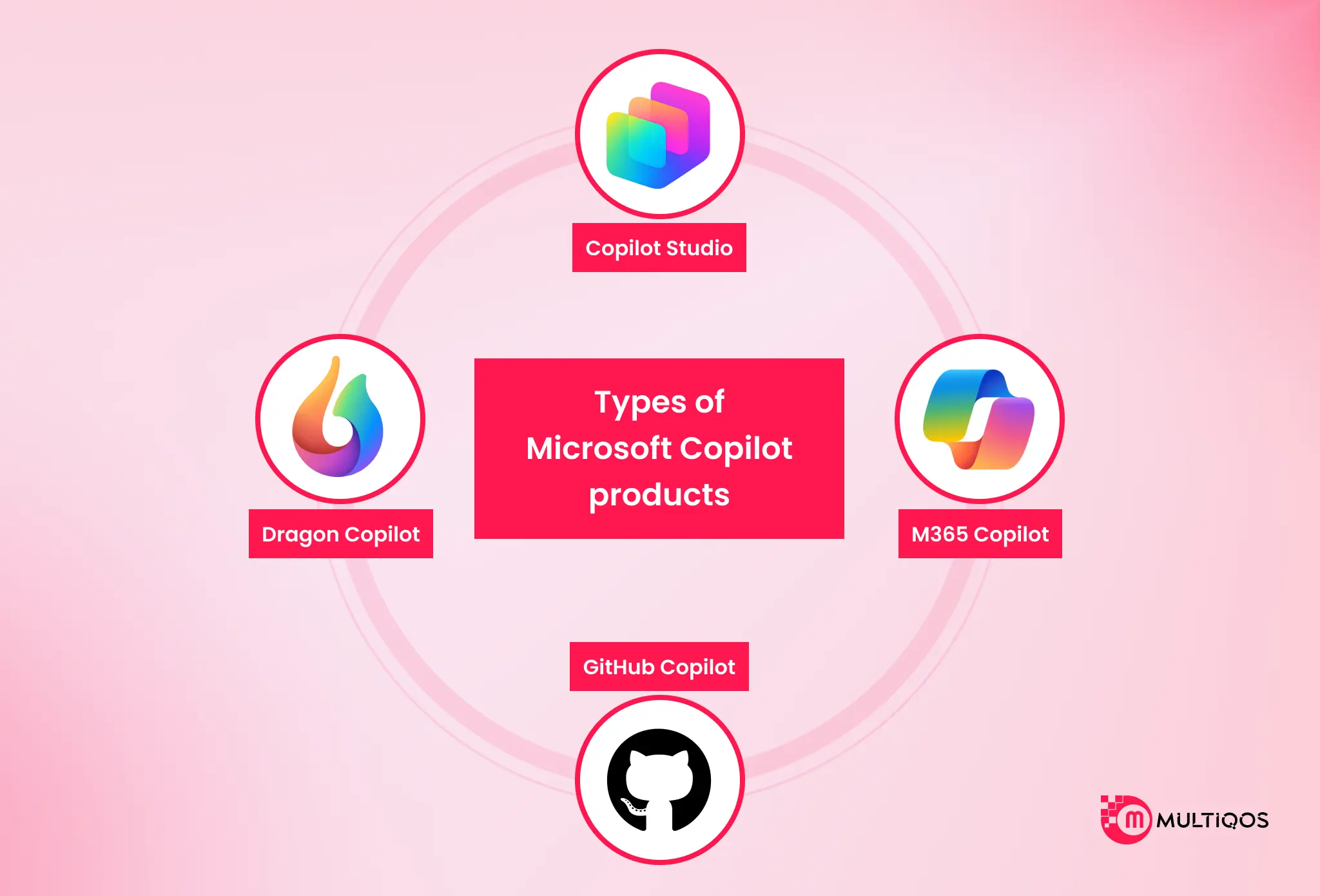
Here’s the breakdown of the Microsoft Copilot product family:
- M365 Copilot sits inside Word, Excel, PowerPoint, Teams, Outlook, and SharePoint. Drafting, summarizing, analyzing, and automating it handles the daily cognitive load of knowledge work at scale.
- Copilot Studio is the low-code layer for custom agents. Claims processing bots. Compliance checkers. Customer support automation built around your specific workflows, not a generic use case.
- GitHub Copilot acts as an AI pair programmer, helping developer teams move faster through code generation, documentation, and review.
- Dragon Copilot is purpose-built for healthcare. Ambient note capture, EHR integration, compliance documentation, all without pulling clinicians away from actual care delivery.
Copilot connects natively to ERP systems like SAP and Microsoft Dynamics 365, CRM platforms including Salesforce and D365 Sales, Manufacturing Execution Systems, Quality Management Systems, and CMMS platforms.
Your existing infrastructure stays intact. Copilot adds the intelligence layer on top, which is exactly why enterprise deployment timelines are compressing from quarters to weeks.
What are the top Microsoft Copilot applications for each industry?
Best-in-class Microsoft Copilot use cases are industry-driven, focused on identified operational challenges, and not on production tasks.
This is where there is evidence.
What are the top Microsoft Copilot use cases in healthcare?
Two immediate areas of value in the healthcare sector for deployments of Healthcare Copilot are clinical documentation and diagnostic workflow automation. This working environment calls for
- Zero-trust architecture for protection
- HIPAA-compliant data management
- High speed for high volumes of unstructured medical data.
The time clinicians spend on administrative documentation is much higher with the conventional documentation approach. Microsoft Dragon Copilot is an AI tool that listens to patient interactions and automatically creates real-time structured clinical notes.
In addition to documentation, the advanced implementations of healthcare use Copilot along with Azure OpenAI and computer vision models to enable automation of the diagnostic workflow.
The integration layer is provided by Microsoft Power Platform and Dataverse, which enable Copilot agents to integrate with the existing EHR environments.
What are the top Microsoft Copilot Use Cases in Financial Services?
Two challenges in financial services operations are costly,
- Document-centric compliance workflows
- Real-time fraud detection.
These are both places where manual processing is not acceptable due to unacceptable latency or risk of errors. For compliance, financial institutions that take in loan applications, KYC packs, and contract renewals are leveraging Copilot Studio agents to convert unstructured data to structured data.
It can pull out relevant data fields, mark missing fields, and pass them to the correct analyst, categorizing the documents, avoiding manual data entry.
Fraud Detection Capabilities
Fraud detection integrations go beyond that. Custom AI finance bots created with Copilot Studio conduct real-time behavioral cross-checks on transaction information and identify anomalies beyond the capability of rule-based systems.
If a digital wallet transaction pattern deviates from previously seen behavior, the system raises an alert and provides a summary of pertinent history for the customer’s account in one Teams message without having to switch systems. Power Automate orchestrates, Copilot provides intelligence.
What are the best Microsoft Copilot use cases in Manufacturing?
When manufacturing Copilot deployments, they put a high priority on uptime and quality. Manufacturers lose money every hour of unplanned downtime.
When moving at high speeds, the surface defects will not be revealed by manual visual inspection. The solutions to both problems are well known in the Copilot field. Predictive maintenance applications tie the IoT sensors of production assets together to Copilot alerts.
If there are vibrations, temperature, or acoustic signatures that differ from baseline.
Copilot generates,
- A maintenance work order in the CMMS
- Alerts the appropriate technician via Teams
- Displays the asset’s maintenance history
- Recommends intervention protocol.
Quality control deployments involve using AI vision inspection systems connected to AI models, which use camera feeds to identify packaging defects, surface blemishes, and dimensional conformance or non-conformance at line speed.
Power Automate integration links these manufacturing processes and automates them end-to-end, from sensor alerts to work order generation to parts ordering in the ERP system.
What are the best use cases for Microsoft Copilot in Supply Chain and Logistics?
The number one issue in the supply chain is data fragmentation, which is where supply chain Copilot comes in. Purchase orders are not made based on inventory information. SITUATION: Warehouse systems that don’t communicate with transportation management systems.
Copy to Copilot Studio to centralize inventory and dispatch. A procurement agent keeps track of stock levels and reorders when stock falls to reorder levels, and/or presents availability alternatives when primary suppliers pose a lead-time risk.
A logistics agent offers real-time visibility of lanes, flags potentially delayed lanes, and offers rerouting suggestions. Custom Dataverse workflows connect them, automating what was previously cumbersome and time-consuming, requiring logging into 3-4 different systems.
What are the best use cases of Microsoft Copilot for education and EdTech?
An Education Copilot deployment saves faculty time by providing on-demand support for students and increasing student engagement. Any deployment in this sector must comply with FERPA and ensure the secure handling of academic records.
The highest-volume use case is curriculum generation.
- The faculty spend hours per week on planning their lessons, developing rubrics, and updating course materials.
- With Copilot in Word, that time is slashed in half.
- It generates first-draft lesson plans from learning objectives, assessment rubrics aligned with standards, and course announcements and student communications.
This is where custom LMS integrations using Power Pages bring Copilot-generated content into students’ learning spaces.
High volume, repeated student inquiries such as clarifying assignments, reminding students of deadlines, and navigating a course are dealt with by 24/7 AI tutor agents constructed on Copilot Studio.
What Is the ROI of Microsoft Copilot by Role?
Microsoft Copilot delivers 132% to 353% three-year ROI for SMBs and 116% three-year ROI for enterprise deployments. The variance between scenarios is the adoption rate, not the technology capability. Organizations achieving 70%+ weekly active usage land in the 250-400% range. Those stuck at 30% adoption stay in the 80-150% range.
| Role | Time Saved Per Week | Annual Value (at $50/hr loaded cost) | Primary Copilot Use Cases |
|---|---|---|---|
| C-Suite / Executives | 4+ hours | $9,600+ | Meeting summaries, email triage, document review |
| Sales Representatives | 5+ hours | $12,000+ | Proposal drafting, CRM summarization, customer research |
| Finance / Accounting | 2-3 hours | $5,200-$7,800 | Excel analysis, report generation, data consolidation |
| HR Professionals | 3+ hours | $7,800+ | Policy documents, onboarding materials, communications |
| Engineering / Development | 3-4 hours | $7,800-$10,400 | Code review, documentation, PR summaries (GitHub Copilot) |
| Manufacturing Operations | 2-3 hours | $5,200-$7,800 | Shift reports, maintenance documentation, defect logging |
| Knowledge Workers | 2-3 hours | $5,200-$7,800 | Document drafting, data analysis, and information retrieval |
How Does MultiQoS Help Organizations Implement Microsoft Copilot Solutions?
MultiQoS treats Copilot deployments as an investment to ensure the smooth operation of the business, rather than a license purchase.
The difference, however, between solutions with high ROI and others lies in how they’re deployed, who’s responsible for data governance preparation, and the change management program they undergo.
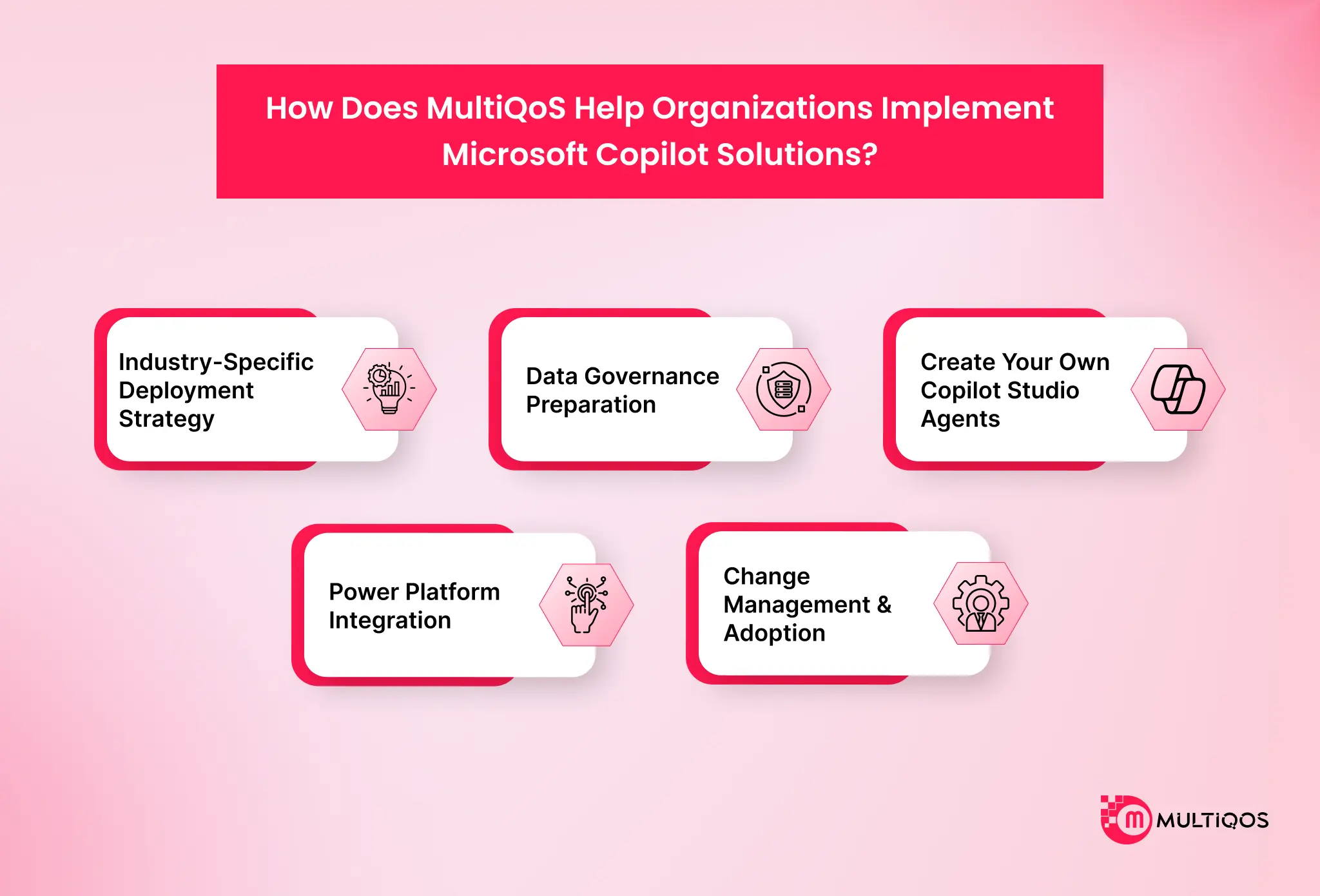
Industry-Specific Deployment Strategy
MultiQoS is not a proponent of blanket licensing. Each Copilot deployment is initiated with a role-mapped deployment plan. The first wave of users is sales, finance, clinical, and knowledge-intensive operations. Results are measured. The business case is proven correct before increasing the number of licenses.
Data Governance Preparation
The user permissions are carried over to Copilot. In the absence of oversharing of SharePoint sites or the absence of sensitivity labels, Copilot will show sensitive content to users who shouldn’t see it.
Prior to a single Copilot license deployment, MultiQoS performs permissions audit and sensors validation, deploys sensitivity labels, and sets up Data Loss Prevention (DLP) policies. Organizations scaling AI across the enterprise should establish a robust AI governance framework to manage data access controls, model oversight, compliance requirements, and responsible AI adoption.
This is not something that can be put on the side. It is the pillar of prevention of data exposure incidents and IT rollbacks.
Create your own Copilot Studio Agents
With universal productivity tasks, Generic M365 Copilot can be used in any context. Copilot Studio provides agents that can be employed in high ROI applications. MultiQoS engineers create custom agents for claims processing, validation of compliance, customer support ticket routing, inventory management, and HR onboarding workflows.
These agents tap into the existing ERP, CRM, and industry-specific systems using Power Automate connectors, without altering your existing system architecture.
Power Platform Integration
Our Copilot consulting services cover all aspects, including AI integration and Power Platform workflow orchestration through Power Automate. Plus, it offers custom operational interfaces with Power Apps, and real-time Copilot usage and productivity dashboards using Power BI.
Change Management & Adoption
Most frequently, Copilot fails because of a lack of technical skill. It is organizational. Organizations with formal adoption programs have twice as many active users in the previous week as those that deploy licenses but do not provide structured training.
Organizations with formal adoption programs have 2.5x the number of active users per week compared to organizations deploying licenses without structured training.
Conclusion
Copilot is not a generic productivity tool. It is an industry-specific operational accelerator. The distance between those two deployment postures is the difference between a subscription expense and a seven-figure annual return.
Healthcare organizations are cutting clinical administrative overhead with Dragon Copilot and Azure OpenAI diagnostic integrations. Financial services firms are eliminating manual document processing through intelligent automation agents.
Manufacturers are reducing production downtime with predictive maintenance workflows. Supply chain teams are dropping manual operational costs through multi-agent procurement and inventory orchestration. Educational institutions are reclaiming faculty administrative time through automated curriculum generation and AI tutoring.
Each of these outcomes requires a deployment strategy built around the specific operational environment, compliance requirements, and integration landscape of the industry. That is exactly what MultiQoS delivers.
Connect with our certified Microsoft 365 consultants to map the highest-ROI Copilot use cases for your organization, validate your data governance readiness, and build a deployment plan that generates measurable results within 90 days.
FAQs
Top use cases of Microsoft Copilot in healthcare involve generating patient communications (HIPAA compliant), drafting prior authorizations, analysis of medical images (Azure OpenAI), and ambient clinical documentation (Dragon Copilot). When there is a Business Associate Agreement (BAA), all data processing takes place within the boundary of Microsoft’s HIPAA-covered services.
Compliance with the HIPAA rules is not automatic with Microsoft 365 Copilot, but is achieved through a signed Business Associate Agreement (BAA). Needs to be configured prior to PHS passing through Copilot workflows to ensure access controls, audit logging, DLP, and sensitivity labels are in place.
The ROI of Microsoft Copilot for M365 depends on the adoption rates and deployment strategy. Companies that have well-defined change management processes, role-specific training, and regular monitoring of usage regularly beat companies that use licenses without an implementation program. Reality is that technology is not a critical variable.
Microsoft Copilot enhances productivity for jobs in business: Sales, automated email templates and proposal writing, Executives, automated meeting notes and email message triage, HR documenting HR policies, Finance, automating Excel analysis, Engineering reviewing code in GitHub, and Operations automated shift reporting and compliance records. All of the roles gain valuable hours per week.
The top Microsoft Copilot use cases across the healthcare, financial services, manufacturing, supply chain, and education industries come from Dragon Copilot clinical documentation, intelligent document processing, predictive maintenance, multi-agent procurement orchestration, and curriculum generation automation, respectively. Industries in which there are a lot of documents and complicated compliance needs continually outperform.
MultiQoS brings end-to-end integration of Microsoft Copilot, spanning from data governance audit, role-mapped deployment, custom Copilot Studio agents for specific workflows, to Power Platform integration and change management, all of which are certified Microsoft 365 consultants. MultiQoS integrates compliance frameworks for HIPAA, SOC 2, and FINRA into all deployments for regulated industries.

Get In Touch

Get Stories in Your Inbox Thrice a Month.
Microsoft IQ Explained: The Role of Fabric IQ, Foundry IQ, Work IQ, and Web IQ
Building Automated Approval Workflows with Microsoft Power Automate
Paper Checklists to Power Apps for Manufacturing: Digitizing Shop-Floor Workflows