
Microsoft Launches Scout: A New Era of Always-On, Agentic Personal Assistants
Need quick insights? Summarize with AI & save time
 ChatGPT
 Perplexity
 Claude
 Google AI Mode
Table of Content
- What is Microsoft Scout?
- Why Microsoft Scout Matters?
- Key Features of Microsoft Scout
- How Microsoft Scout Works
- Business and Workplace Benefits of Microsoft Scout.
- Potential Impact on the Future of Work
- Challenges and Considerations
- Conclusion
- FAQs
Summary:
This blog explores the launch of Microsoft Scout, a groundbreaking always-on Autopilot agent designed to operate autonomously in the background across Microsoft 365, local files, and browsers. It highlights the critical differences between Scout and Copilot, detailing how Scout transitions AI from a reactive chatbot to a proactive digital worker. Additionally, the post breaks down Scout’s secure enterprise governance via Entra ID and Purview, its ability to eliminate administrative toil through Work IQ, and what its arrival signals for the future of agentic AI and human-AI collaboration in the modern workplace
Most AI assistants at work still wait for your employees. Your employees ask, AI assistants answer, and as soon as your employees’ attention moves on, the work stops cold. Microsoft just went after that model directly. On June 2, 2026, Microsoft launched Scout, the first Autopilot agent built to run in the background. It represents a new category of AI agents that Microsoft calls “Autopilots.”
These are always-on AI assistants working as full-time digital workers for employees, ensuring autonomous operations. For example, OpenClaw is an open-source, self-hosted AI agent platform. Microsoft Scout is inspired by OpenClaw’s vision of autonomous AI agents.
Only 17% of organizations have deployed AI agents so far, yet more than 60% expect to within two years, according to the 2026 Gartner Survey. Autopilot agents drops right into that gap. So what changes when your assistant stops waiting and starts working?
This blog helps you understand what the Microsoft Scout actually is, how it differs from Copilot, what it does inside Microsoft 365, and what its arrival signals for the future of enterprise work.
What is Microsoft Scout?
Microsoft Scout is a desktop AI application for Windows and macOS that takes action on your behalf across your files, shell, browser, and Microsoft 365 data, working autonomously in the background with your approval before sensitive actions.
That’s the definition Microsoft publishes in its Learn documentation, and every word of it is doing work. Files. Shell. Browser. Microsoft 365. Background. Approval-gated.
How Scout Differs From Copilot?
Copilot answers inside the app you’re in. Microsoft Scout acts across the apps you’re not in. That’s the cleanest line you can draw between them.
Copilot is a conversational layer that is summoned when you call and goes back to silence. This platform works around the clock to monitor the flow of work in Teams, Outlook, OneDrive, and SharePoint, and proactively takes action in accordance with your permissions.
There’s a second difference enterprise buyers shouldn’t skip past. Copilot operates under your identity. Autopilot agents operate under their own governed Entra identity, not a shared service account, so every action they take is attributable to a known actor your directory already recognizes.
That one design choice is what turns autonomous action into something auditable instead of something risky.
The Concept of an Always-On Personal Agent
An always-on AI agent is software that remains active in the background, knows how work is accomplished throughout your systems, and doesn’t require a new prompt each time. Autopilots are always on agents.
The phrase quietly reframes the whole relationship. You’re not operating a tool anymore. You’re handing work to a teammate who holds context and follows through, and that’s a different category of help entirely.
But, why such a platform matters to your organization over other AI assistants or even over Microsoft 365 Copilot’s capabilities? Here is the answer.
Why Microsoft Scout Matters?
Workplace AI assistants have followed a predictable arc. Autocomplete and grammar fixes first. Then conversational copilots that draft, summarize, and answer on request. Every step made individual tasks faster. None of them carried the work forward on their own, which was always the ceiling.
- The Shift to Proactive “Autopilots”- Until now, AI tools in the Microsoft 365 Copilot have been more of an answering machine. Most of them would wait for a human prompt. But launching autonomous assistants was a step towards shifting from reactive to always-on autonomous agents.
- Closing the “Governance Gap”- It’s built on top of a widely used open-source platform, “OpenClaw.” It’s known for the autonomous execution of complex tasks. While raw open-source agents can be a governance risk, Microsoft has ensured secure agentic operations, adding a layer of security through Entra ID for each instance.
- Zero-Trust Data Protection- It plugs straight into Microsoft Purview. It reads sensitivity labels (like “Confidential”) and obeys Data Loss Prevention (DLP) rules in real time. An agent cannot leak protected data to the wrong place. The guardrail is always on.
- Deep Contextual Grounding via Work IQ- An autonomous agent is only useful if it knows your business. It runs on Work IQ, a semantic intelligence layer. It read live signals from Microsoft 365: emails, chats, calendars, and collaboration patterns. Old systems lean on a static HR org chart. Work IQ builds a dynamic “work chart” instead, mapping informal networks and project history. It tracks commitments, finds real subject-matter experts, and tailors help to your role and priorities.
- Local Execution Secured by the Operating System- Not a cloud-only chatbot. Scout is a desktop app. It bridges cloud brains with local muscle: read and write local files, run shell commands (PowerShell, Git), drive browser automation to fill forms and click pages. Deep access = danger. So Microsoft added Microsoft Execution Containers (MXC), a policy-driven sandbox enforced at the Windows kernel level.
- Changing the Cultural Relationship with Software- Autopilot agents matter because they rewrite how humans lean on computers. It takes over the tedious orchestration of daily work. User role shift: from doing tasks to supervising an AI delegate. Shift so deep it sparks a fight inside Microsoft.
Key Features of Microsoft Scout
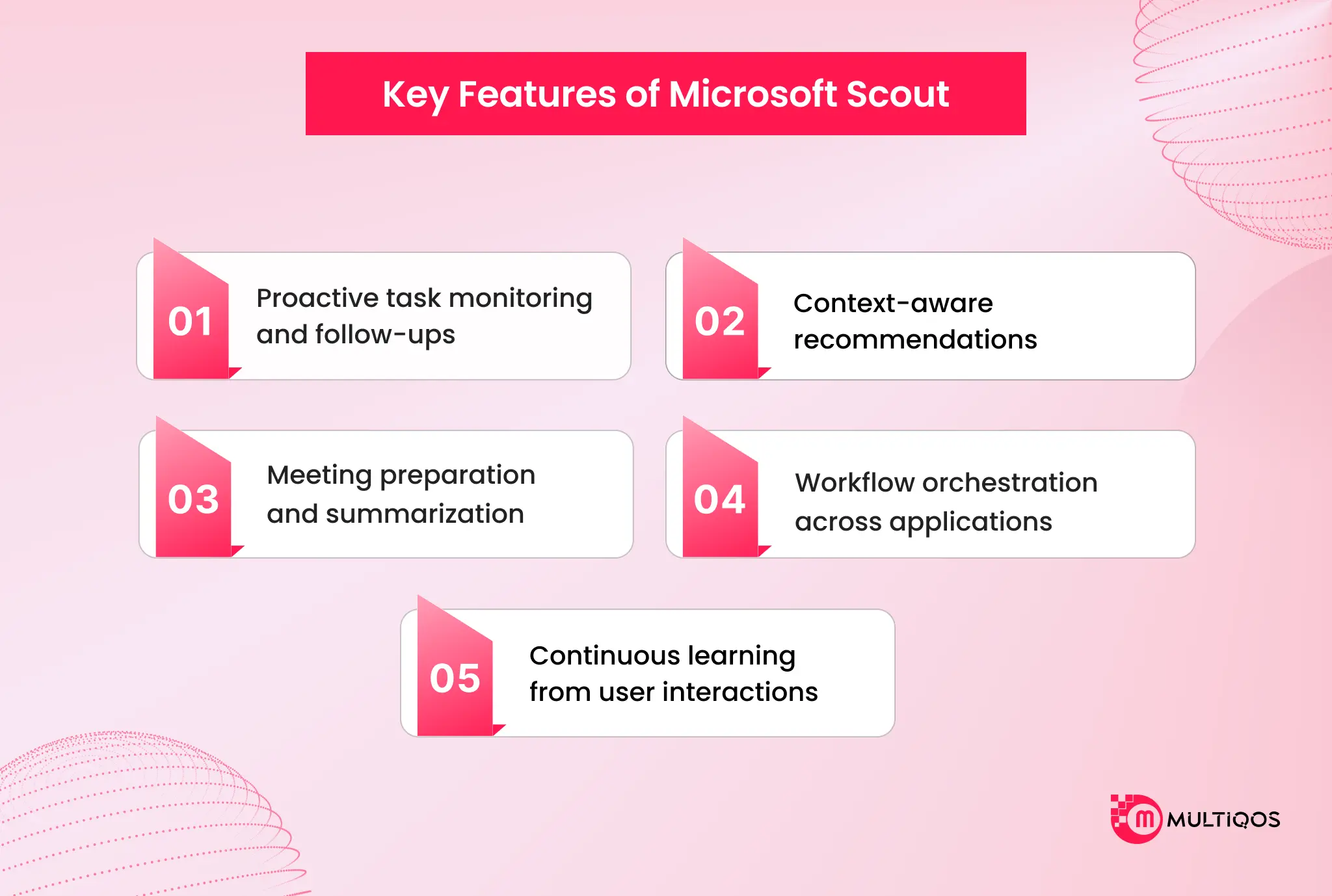
Microsoft Scout’s capabilities cluster around a single goal: cutting down the coordination tax that piles up over a working day. Here’s what it does.
Proactive task monitoring and follow-ups.
It spots upcoming deliverables, then blocks time on your calendar automatically to keep you on track. It catches stalled decisions and surfaces them before they turn into blockers, so follow-through stops depending on whether you happened to remember.
Context-aware recommendations.
Over time, It builds context powered by Work IQ, learning how you work, what you care about, and what needs to happen next. The recommendations get sharper because the agent sits inside your real flow of work, not some generic model of it.
Meeting preparation and summarization.
Autopilot agents schedules and coordinates meeting times across time zones, flags the meetings that matter, and generates the prep materials you need, all while keeping you in the loop. Walking into a meeting cold becomes the exception rather than the norm.
Workflow orchestration across applications.
It connects to Teams, Outlook, OneDrive, and SharePoint, then reaches further through the desktop app into your browser, local resources, and model context protocol servers. In one conversation, it can orchestrate workflows, ensuring seamless code edits in your workspace, run a build, email the results, and book the follow-up.
Continuous learning from user interactions.
Work IQ carries work forward, getting more useful and more aligned to your priorities the longer autonomous agents runs. It remembers preferences and decisions across conversations, too, so you’re not re-explaining yourself every Monday morning.

How Microsoft Scout Works
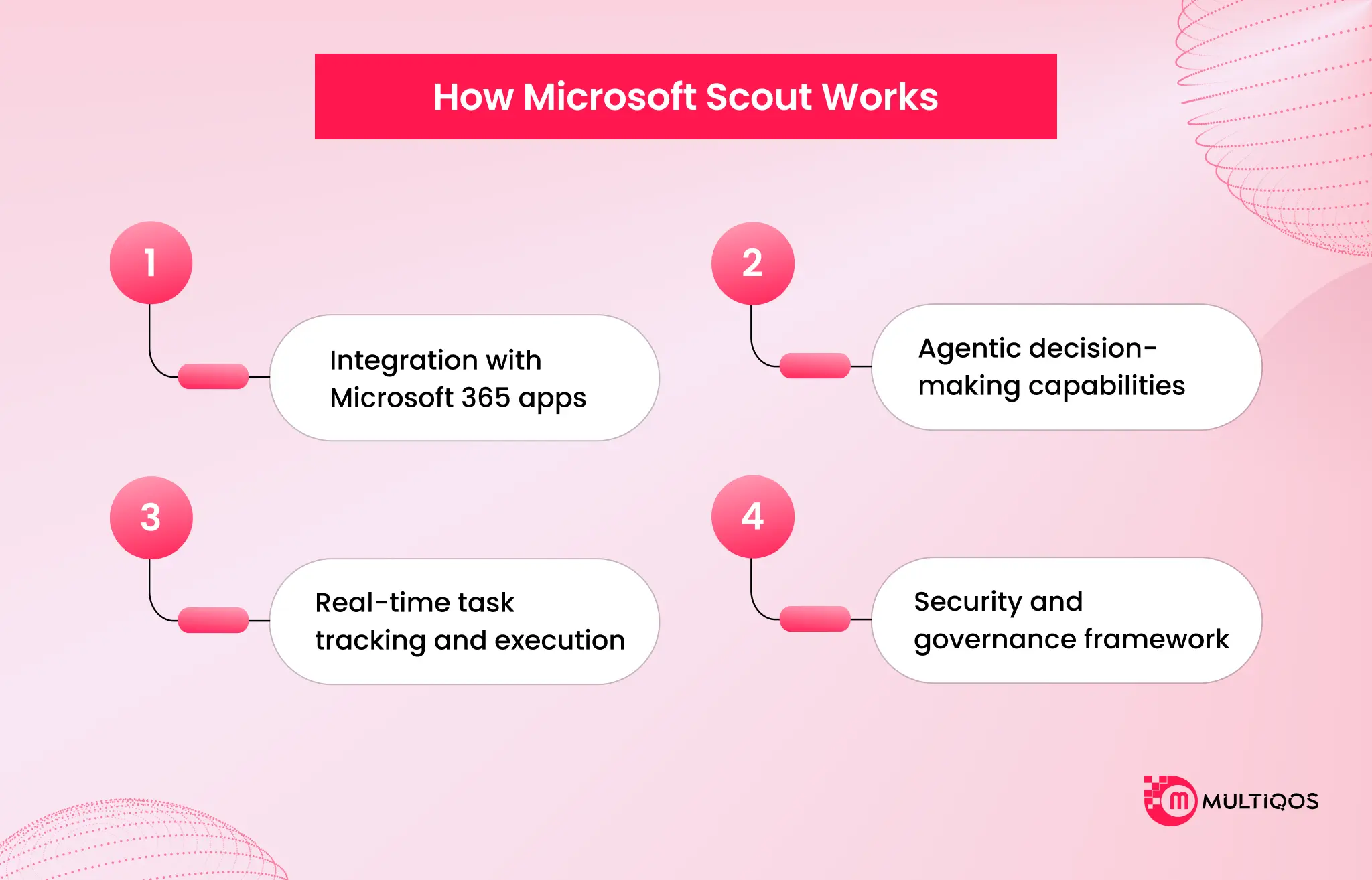
Microsoft Scout brings local + cloud together in a single desktop app. You write out a task in normal language, and it uses the tools and steps in the conversation, or saves them to your workspace, while you approve any sensitive tasks. Simple loop on the surface. Tightly governed underneath.
Data sources and context.
Such platforms are basically an application connected to your data that drives your day: chats, email, calendar, and contacts. Reads and writes files, Word, Excel, PowerPoint, and code, and is connected to your Microsoft 365 data, keeping you grounded in what is really going on.
Integration with Microsoft 365 apps.
You interact with autopilot agents in Teams and extend its reach through the desktop app. It operates across cloud, desktop, and web, which means it meets you where work already lives instead of dragging you into yet another surface.
Agentic decision-making capabilities.
It runs autonomously in the background through two modes, as Microsoft documents directly. Heartbeat runs periodic check-ins every 15 to 120 minutes while you’re away. Automations fire off scheduled or condition-triggered tasks on their own. And for heavier work, autonomous agents spins up specialized sub-agents that run in parallel and report back when they’re done.
Real-time task tracking and execution.
It shows progress step by step as it goes, and it runs shell commands, builds, tests, and scripts through a tiered permission system. You watch what it’s doing while it does it.
Security and governance framework.
Such a platform is built with enterprise-grade controls so it can be trusted from day one. Credentials are scoped to the task at hand, redacted from logs, and managed with first-party rigor.
Agents reach only the resources you’ve approved, sensitive actions can require a human to sign off, and Microsoft Purview policies, including sensitivity labels and data loss prevention, get enforced in the moment before anything is sent or written. It doesn’t route around these controls. It works inside them.
Business and Workplace Benefits of Microsoft Scout.
The case for an always-on AI agent for enterprise isn’t abstract. It maps onto specific line items that most operations leaders already watch.
Eliminating Coordination Fatigue and Administrative Toil
Knowledge work hides a tax. The hours nobody schedules but everybody pays, chasing replies, untangling calendars, nudging stalled decisions. It runs in the background and absorbs that invisible coordination layer outright.
It triages cross-regional email, resolves time-zone calendar clashes, tracks open commitments, and flags decisions going stale before they harden into project blockers. You stop orchestrating work and start doing it. That’s the whole point. The agent acts without waiting for a prompt, so the coordination fatigue that drains a working day stops landing on you.
Deep Contextual Alignment via Work IQ
An agent that starts cold every time is just a faster chatbot. Microsoft Scout doesn’t. It runs on Work IQ, an intelligence layer that builds a living model of how your organization actually operates. It reads signals across meetings, chats, emails, and documents, then maps the informal networks and project histories a static org chart never captures. The result: Scout knows who the real subject-matter experts are, notices when priorities shift, and shapes every action to your business context instead of a generic template of one.
Accelerating Complex and Developer Workflows
Big requests don’t move as one block. It breaks them apart and hands the pieces to specialized sub-agents (Explore, Task, Code review, Research) that run in parallel and report back when they’re done.
For developers and IT teams, it goes further. It acts directly on the local machine: running shell commands, executing builds, testing code, running linters, and debugging failures. The work that used to sit in your terminal now runs alongside you.
Tailored Custom Skills for Standardized Operations
Organizations can extend autonomous agents by dropping a SKILL.MD file into a designated directory, and that’s the entire setup. Inside it, you encode your own procedures: coding standards, Dataverse conventions, report formats, whatever your operation runs on. Scout discovers these custom skills automatically at the start of every conversation, so it always works by your rules, not a vendor’s defaults.
Secure AI Adoption and Cost Efficiency
For leadership, this is the part that matters. Autopilot agents turns AI from a shadow-IT liability into a digital worker you can actually govern. Every instance runs under its own dedicated Microsoft Entra ID and honors Microsoft Purview data-loss prevention policies in real time, so every action is auditable, compliant, and walled off to authorized data.
Then there’s the economics. Microsoft’s new “Frontier Tuning” trains domain-specific models with reinforcement learning on your own workflows, matching flagship-model performance (think GPT-5.4) at roughly one-tenth the operating cost. Governed and cheap.
Potential Impact on the Future of Work
Microsoft Scout is a signal, not just a product. The rise of agentic AI in enterprises is already baked into analyst forecasts. It is one of the first mainstream products built squarely for that shift.
The transition from assistants to autonomous agents also changes how productivity gets measured. The old metric was time saved per task. The new one is work completed without supervision, and that’s a much higher bar. Productivity models built around constant human triage are going to look dated quickly, because the agent now does the triage.
Human-AI collaboration shifts, too. The person moves from operator to approver and director, setting priorities and signing off on sensitive actions while the agent runs execution. For the organization, the opportunity is structural. Teams that learn to delegate coordination to agents free up senior capacity for judgment work, which was the only kind of work that ever needed a person in the first place.
Challenges and Considerations
By the end of 2027, Gartner estimates that more than 40% of all AI-based agent projects will be discontinued due to increasing costs, ambiguous return on investment, or the lack of effective risk management. Any one of those failure modes is enough to add a level of excitement to the equation, but always-on agents take all the fun out of them.
Privacy comes first. An agent that continuously monitors context across email, chats, and calendar is reading a lot, and organizations need to be clear on what gets observed and retained. Data security and access control follow right behind. It’s governed Entra identity and Purview enforcement are designed to answer this, but the controls only do their job if someone configures them deliberately.
Accuracy and reliability matter more when the actions are autonomous. A wrong answer is recoverable. A wrong action that has already been executed is a lot harder to walk back, which is why human sign-off on sensitive steps isn’t a nicety. It’s a requirement.
User trust and transparency sit under all of it, because people only delegate to systems they understand, and Microsoft Scout’s real-time progress view and approval gates are a bid for exactly that. Then there’s change management, the quiet killer. The adoption rate is the variable, not the technology capability. Teams that don’t redesign workflows around the agent will get a fraction of the value on offer.
Conclusion
Microsoft Scout marks the moment workplace AI stops waiting for instructions and starts carrying work forward. The real takeaway from the launch is the category, not just the product. Autopilots are always-on agents, and it is the first one built for Microsoft 365 at enterprise scale.
It runs under its own governed identity, acts inside the controls your organization already enforces, and grows more aligned to your priorities the longer it works.
It is the next step with workplace AI as it focuses on outcomes rather than answers. The always-on AI age is for those teams who revamp work processes for delegation, not merely attach an AI agent to legacy ways. The question isn’t whether autonomous agents belong at work anymore. It’s how fast your organization learns to direct them.
FAQs
Microsoft Scout is a desktop AI application for Windows and macOS that acts on your behalf across files, shell, browser, and Microsoft 365 data, working autonomously in the background. It’s Microsoft’s first Autopilot, a new category of always-on agents that operate with their own identity and act without being prompted each time.
Copilot responds conversationally inside an app when you invoke it, while Microsoft Scout runs continuously in the background and acts across your apps on its own initiative. It also operates under its own governed Entra identity rather than yours, so every action it takes stays attributable and auditable.
Yes. it is built with enterprise-grade controls, including scoped credentials, governed Entra identities, and Microsoft Purview enforcement of sensitivity labels and data loss prevention. Sensitive actions can require human sign-off, and it works within your existing access controls instead of bypassing them.
It coordinates meeting times across time zones, generates prep materials, blocks calendar time for upcoming deliverables, and flags stalled decisions before they become blockers. It can also edit files, run shell commands, automate browsers, and launch sub-agents for parallel work, all inside a single conversation.
Access requires Frontier program enrollment, Intune policy configuration, and an opt-in attestation, after which users with a GitHub Copilot license can download and install it. Microsoft Scout is currently an experimental preview release available to a select group of customers and Frontier organizations.

Get In Touch

Get Stories in Your Inbox Thrice a Month.
Microsoft IQ Explained: The Role of Fabric IQ, Foundry IQ, Work IQ, and Web IQ
Building Automated Approval Workflows with Microsoft Power Automate
Paper Checklists to Power Apps for Manufacturing: Digitizing Shop-Floor Workflows