
Legacy System Integration Mobile App Strategy: Connecting to Enterprise ERP, EMR & MES Systems
Need quick insights? Summarize with AI & save time
 ChatGPT
 Perplexity
 Claude
 Google AI Mode
Table of Content
- What is Legacy System Integration for Mobile Apps?
- Why Legacy ERP, EMR, and MES Systems Break Mobile Projects
- A Practical Framework for Matching Your Stack to the Right Approach
- The Implementation Roadmap: Five Steps to Run This Quarter
- Conclusion
- FAQs
Summary:
This guide covers why bolting mobile onto legacy ERP, EMR, and MES fails in predictable ways, from database contention and stale batch inventory to HL7 v2 Z-segment drift and the OT firewall standing between the shop floor and the enterprise network. It compares three approaches—middleware and API gateway, direct API, and iPaaS—and marks the point where each one stops working. Then a four-question framework scores your stack on age, protocol, system count, and timeliness, followed by a five-step roadmap to run this quarter.
Most enterprise mobile app development strategies get written in the wrong order. Teams pick the framework and the sprint plan, then ask in week six how the app will reach the ERP. By then the answer is already fixed.
Legacy system integration means connecting a modern, high-concurrency client to systems designed before mobile, REST, or JSON existed as requirements. A legacy MES system running a proprietary serial protocol does not care what your app is written in. Neither does an IBM i green screen, an HL7 v2 feed, or an SAP ECC instance which speaks in IDocs.
So, the real decision is not React Native versus Swift. It is middleware versus direct API versus iPaaS, and real-time versus batch sync, which together decide what the app can reliably do, how far it scales, and how much risk you carry after launch.
This guide breaks down the three approaches, the sync pattern which decides between them, a four-question framework for scoring your stack, and a five-step roadmap for this quarter.
What is Legacy System Integration for Mobile Apps?
Legacy system integration for mobile apps is the architectural process of connecting modern iOS/Android clients to legacy backends (such as SAP, AS/400, or EHRs). It uses translation layers like middleware, API gateways, or iPaaS to convert proprietary formats (HL7 v2, COBOL, XML) into mobile-friendly REST/JSON APIs.
Why Legacy ERP, EMR, and MES Systems Break Mobile Projects
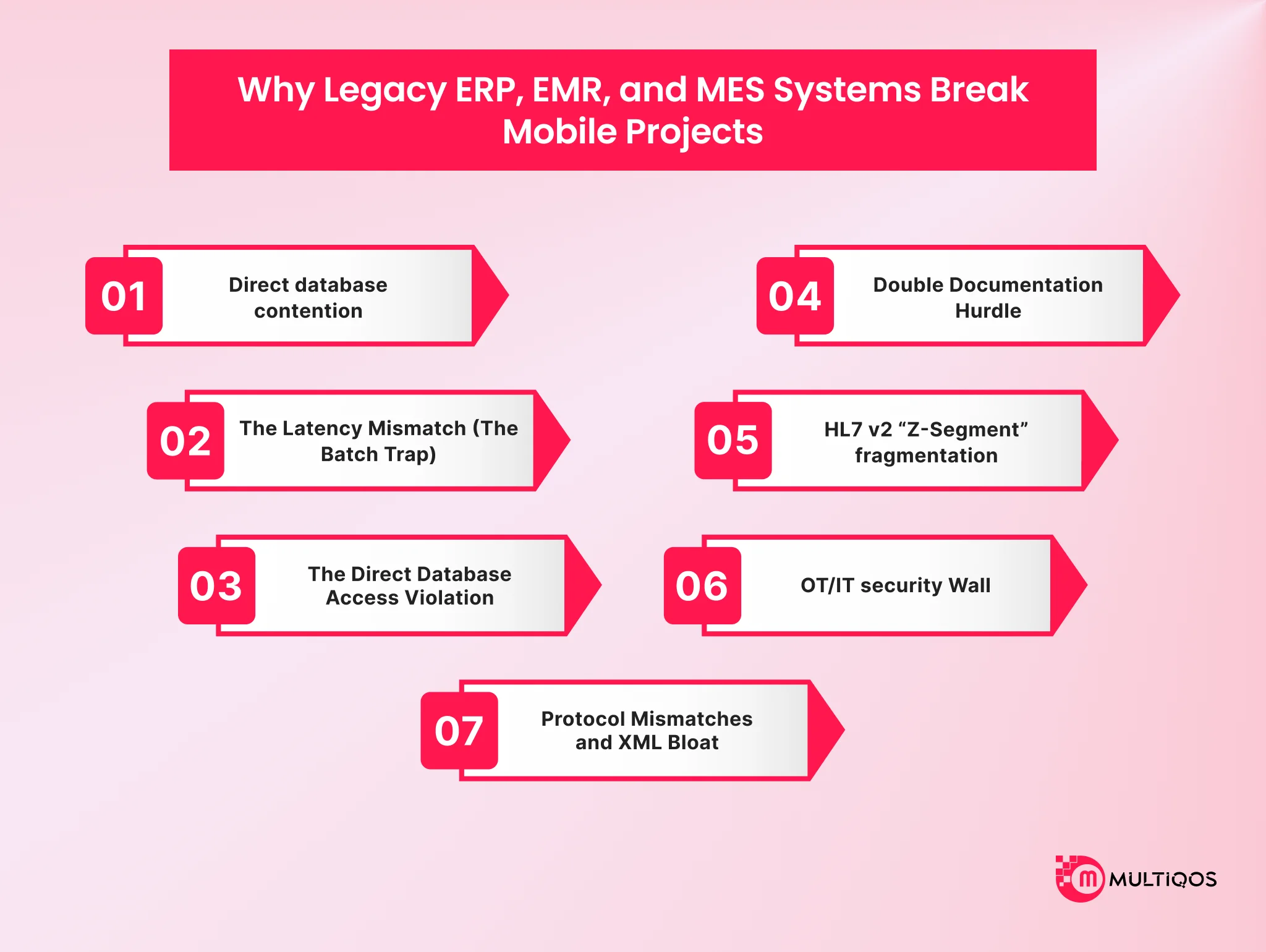
When enterprises try to bolt mobile apps on top of legacy ERP, EMR, and MES, the end result is a broken system. Legacy system integration means connecting modern applications to enterprise systems designed before mobile, REST, or JSON existed as requirements.
Some of the key reasons why ERP mobile projects break are,
The Direct Database Contention Trap
Legacy ERP architectures are monolithic and centralized, which means connecting a high-concurrency mobile app directly to the database becomes complex. If connected, it leads to database contention and severe performance issues.
The Latency Mismatch (The Batch Trap)
Mobile app users expect real-time data, like real-time access to estimated time of delivery of food or data regarding an Amazon order and where it is now on the app. However, legacy systems rely on the batch processing of data.
So, a mobile warehouse app that uses hourly sync of inventory data is bound to report outdated stock information, leading to overselling of eCommerce products.
The Direct Database Access Violation
Bypassing the business logic layer of ERP to directly integrate the data in database tables can be complex. The main reason is the built-in validation rules, workflows, and audit trails causing these issues during direct database access.
Some of the key reasons why EMR mobile projects break are,
Double Documentation Hurdle
Clinicians have zero tolerance for double data entries. Plus, integration of a patient engagement tool in central EMR becomes crucial because without it, clinicians need to manually transcribe data from the app into EMR. It increases the cognitive load and administrative friction.
HL7 v2 “Z-Segment” Fragmentation
The majority of legacy clinical systems exchange records using HL7 v2 pipe-delimited messages. HL7 v2 does not have a single strict global structure. Different EHR vendors and hospitals can customize their messages with non-standard “Z-segments.”
Legacy systems can’t cope with the mobile apps expecting standard fields, which means your teams will need complex, fragile, and point-to-point translation interfaces.
Some of the key reasons why MES mobile projects break are,
OT/IT Security Wall
Often, manufacturing facilities have the factory floor separated from the enterprise network. This is important to comply with cybersecurity standards like IEC 62443. IT departments are often hesitant and do not want their firewalls exposed to external cloud-connected mobile apps.
Protocol Mismatches and XML Bloat
High-level enterprise integration standards like B2MML use verbose XML schemas for data exchange between ERP and MES systems. At the same time, the shop-floor controllers of PLCs operate fast-paced, with timings in milliseconds. So, parsing heavy XML data becomes extremely complex.
Now that you know the issues of integrating a legacy system with a modern mobile app interface, it’s time to understand different approaches you can use to avoid such scenarios.
Approach 1: Middleware vs API Gateway vs iPaaS: Handling Legacy Protocols at Scale
Implementing middleware or an API gateway can help you bridge the deep architectural gap between legacy systems and mobile frontends. It adds an enterprise-grade layer as middleware managing communication, security, and payload transformation.
How it works
Implementing this approach of legacy system integration in mobile app development requires the addition of a translation and orchestration layer that sits between the legacy backend and the mobile application.
It acts as a buffer and helps shield fragile transaction engines from mobile traffic patterns, handling functions like,
- Protocol and Data Format Conversion- The middleware sits in the path, intercepts those payloads, and maps them into structured JSON exposed through REST or GraphQL. The mobile team never touches the dialect.
Every interaction you leave unmapped becomes a parsing branch inside the app, and these are the fastest way to make a mobile release dependent on a backend patch cycle. - Authentication and Identity Brokerage- The tempting shortcut is letting the app authenticate straight against the legacy database. It works in the pilot and is also a boundary violation, and the boundary existed for a reason nobody wrote down.
An identity broker such as Keycloak or Okta sits at the gateway instead.
It speaks OAuth 2.0 and OpenID Connect, validates granular access scopes, and keeps clinical and financial records behind an authorization decision that can be revoked centrally. Skip it, and credentials for the core end up distributed across every device in the field. You cannot rotate what you cannot reach. - Message Queuing and Buffering- Mobile traffic is bursty and concurrent by nature. Legacy relational cores were sized for a fixed population of terminals, not for a field force opening the app at shift change.
Middleware absorbs the difference with asynchronous message queues, Kafka, JMS, or RabbitMQ, backed by dead-letter queues for what fails. This decouples the client’s write from the backend’s execution. When the core hits a bottleneck, the requests queue, throttle, and retry.
When This Approach Makes Sense?
This pattern is essential for any legacy ERP modernization initiative where unthrottled mobile reads risk connection limits on core databases. Custom on-premise transactional backends, COBOL mainframes, undocumented homegrown databases. Common in EMR/EHR mobile integration, where clinical systems long outlive the interfaces built on them.
The interface is proprietary, message-bound, or binary. HL7 v2 on the clinical side. OPC UA, Modbus, and PROFINET on the plant floor, which is what makes MES mobile app integration structurally different from a standard web backend. Mainframe terminal sessions in finance and logistics.
- Concurrency will outrun the core- high-traffic deployments where direct unthrottled reads and writes exhaust the connection limits of the transactional core. ERP mobile app integration hits this early, because the ERP was never sized for every user carrying a client.
- Latency needs are mixed- real-time synchronous responses for bedside queries and inventory checks, running alongside asynchronous batch transfers for reporting, billing, and ledger reconciliation. One pattern cannot serve both, and choosing one silently forecloses the other.
Run this decision before the API contract is drafted, not after. Among enterprise application integration approaches, this is the one that gets picked last and constrains the most.
Approach 2: Ship Faster with Direct API Integration When the System Already Speaks REST or FHIR
Direct API integration is lean and point-to-point. The mobile client, or a thin server-side proxy, talks straight to the backend. No enterprise middleware in the path. The entire architecture rests on one assumption- the legacy core has already been modernized far enough to expose stable, secure, performant web endpoints of its own.
How It Actually Works
The app opens direct connections over HTTPS and calls the native endpoints exposed by the ERP, EMR, or MES. Payload transformation, routing, and access control all happen inside the core transactional system, not in an intermediary.
Authentication is negotiated with the backend’s own authorization server, typically OAuth 2.0 with PKCE because the mobile client is a public client and cannot hold a secret. That is the whole architecture. There is no second layer to describe, which is precisely the appeal and precisely the exposure.
Where the Bet Pays?
This approach makes sense where the volume is low and, more importantly, predictable. Read and write traffic from the client stays small enough that it will not create database contention or start demanding queuing, caching, and throttling to stay upright.
The integration footprint is genuinely narrow with this approach. Nothing to orchestrate, no cross-system field mapping to own, no reconciliation logic to write.
Agility outranks governance for now. Rapid pilots, MVPs, unblocking a client-facing channel this quarter. Standing up an ESB or an iPaaS costs time and configuration overhead that a pilot cannot justify, and among enterprise application integration approaches, this is the only one that ships in weeks.
Take the bet knowingly. The problem is not that teams take it. The problem is that nobody writes down that it was a bet.
Every New System Multiplies, it Does Not Add.
Point-to-point looks fine at one connection. The scaling behavior is the trap.
Each additional system the app touches does not add one integration. It adds a connection to every system already in the web, plus the version drift, the credential rotation, and the failure mode of each.
ERP mobile app integration usually starts this. Someone adds inventory lookups, then a second plant system, then MES mobile app integration for shop-floor status, and the maintenance surface stops being something one team can hold in their head.
And nobody schedules the migration off point-to-point, because there is no single day it becomes untenable. It just gets worse at a rate slightly slower than anyone’s attention span.
Your Rollback Path Runs Through the App Store
Direct calls couple the client tightly to the backend’s schema. Not to a contract you negotiated. To whatever the backend happens to emit this quarter.
An upstream version upgrade, a database change, a shift in how custom fields are handled, and the app breaks. Custom HL7 Z-segments get restructured. An ERP upgrade splits production orders differently. None of that is announced as a breaking change, because from the backend team’s side nothing broke.
Now count what a fix costs you. A client-side code change, a full regression pass, a store review queue you do not control, and a user population that updates on its own schedule.
In a middleware pattern, that same change is a mapping edit deployed in an afternoon. That gap is the real price of legacy system integration mobile app work done point-to-point, and it is charged later, in a currency you did not budget.
Approach 3: Connect Multiple Systems Quickly with iPaaS
Delivery teams pick the platform, because delivery is measured on the date. Finance teams inherit a metered subscription that grows every time the app gets popular. Engineering teams inherit the edge cases nobody demoed. Operations inherits an extra network hop they cannot tune.
That split is the whole story. Integration Platform as a Service (iPaaS) is a good approach to a real problem of legacy system integration in mobile apps, and it is chosen on a metric that does not carry any of its long-run cost.
What you are actually buying
An iPaaS moves integration middleware out of your data center and onto a managed cloud platform. You stop building, hosting, and patching an integration runtime for every new pipeline. The platform becomes a centralized broker.
It standardizes data flow between heterogeneous applications, translates messages, and orchestrates transactions that cross system boundaries. Legacy backends on one side, mobile touchpoints on the other, one place in the middle that both can reach.
So the honest framing of the middleware vs API gateway vs iPaaS question is not which one is better. It is which operational burden you would rather carry, and which one you would rather rent.
How it works
Three mechanics carry the pattern.
- Pre-built connectors. Instead of writing custom API adapters, teams pull vendor-certified connectors for the applications everyone already runs: Salesforce, Shopify, Stripe, and the standard clinical and manufacturing gateways. The adapter is somebody else’s maintenance problem, including when the upstream vendor changes it.
- Visual, low-code orchestration. Mappings, transformation rules, and flow logic get built in a drag-and-drop canvas rather than in bespoke code. This is the part that shortens the calendar, and it is real.
- Centralized operations and error control. Horizontal scaling, rate limiting, and security are handled by the platform. Failed integrations route to dead-letter queues for manual resolution or trigger automatic retries, and you get that visibility on day one instead of building it in month four.
Where is it the right call?
For most mid-market enterprises, iPaaS is simply the correct pattern, and the reasoning is elimination rather than enthusiasm. A traditional ESB is heavy, expensive, and needs people who know it. Point-to-point turns into unmaintainable spaghetti the moment a third system joins. iPaaS sits between those two failures, which is a better argument for it than any feature list.
It earns its place when speed to market is the defining constraint, because pre-packaged flows compress work that would otherwise be bespoke engineering.
It earns its place in hybrid estates, where a cloud-hosted client portal or field service tool has to reach an on-premises system of record safely. Most ERP mobile app integration and MES mobile app integration work lands here, and so does EMR/EHR mobile integration where the core clinical system is never leaving the building.
A Practical Framework for Matching Your Stack to the Right Approach
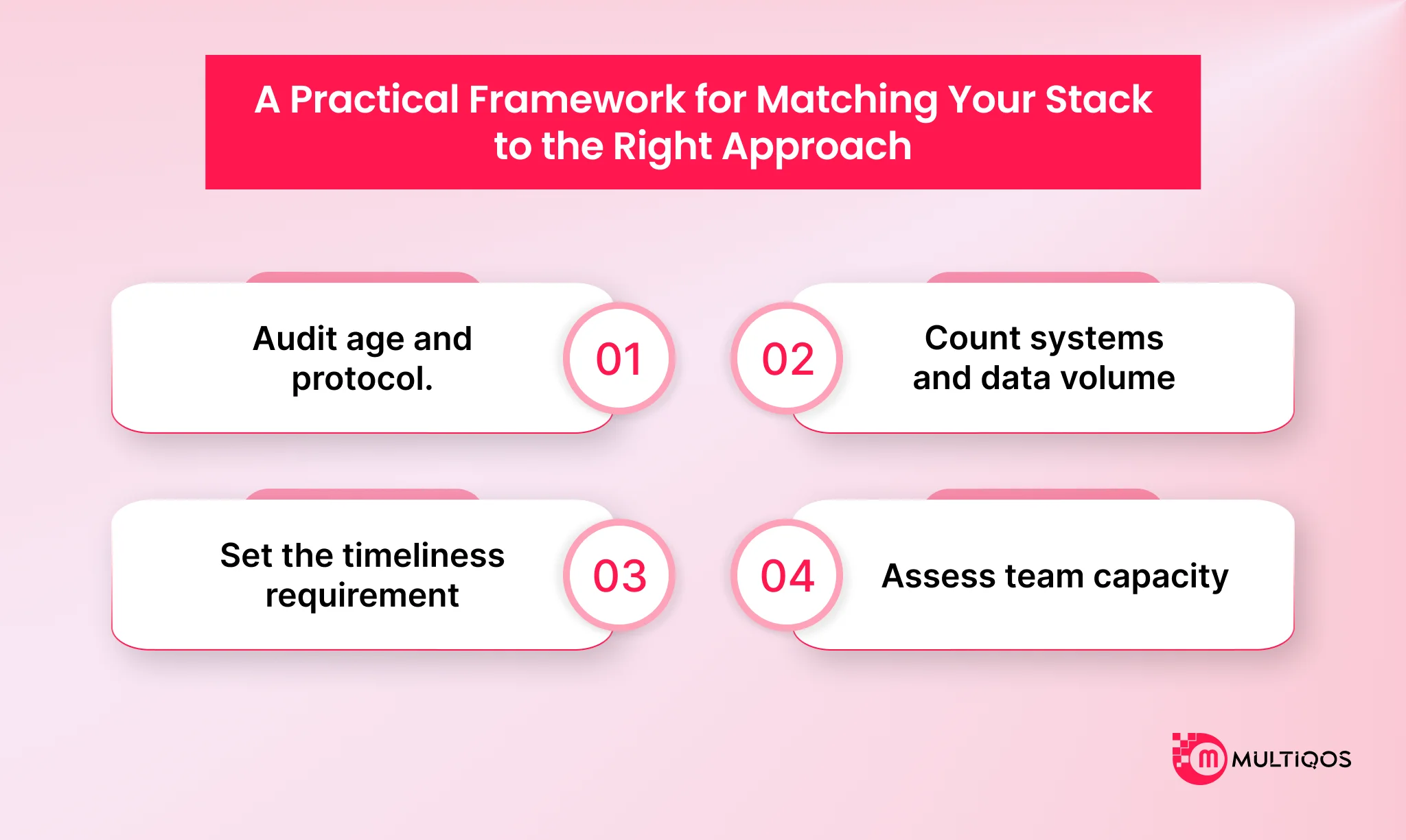
Four questions, answered in order, resolve the approach for most enterprises. Score your stack before you evaluate a single vendor.
- Step 1- Audit age and protocol. Establish what the system exposes today. HL7 v2, OPC-UA, 5250, and IDoc point toward middleware. REST, OData, and FHIR R4 open the direct API path.
- Step 2- Count systems and volume. One or two systems make direct integration viable. Three or more, or high-volume batch traffic, push toward middleware or iPaaS.
- Step 3- Set the timeliness requirement. Sub-second clinical alerts and shop-floor events need queuing and guaranteed delivery. Back-office synchronization tolerates scheduled runs.
- Step 4- Assess team capacity. With no dedicated integration engineers, managed connectors beat custom middleware regardless of what the architecture diagram prefers.
| Variable | Direct API | Middleware / API Gateway | iPaaS |
|---|---|---|---|
| System age | Cloud or modern on-prem | 10+ years, no exposed API | Mixed estate, some cloud |
| Protocol | REST, OData, FHIR R4 | HL7 v2, OPC-UA, 5250, IDoc | Vendor-connector coverage |
| Systems in scope | 1 to 2 | 1 to 3, deep protocol work | 3 or more |
| Timeliness | Request-response | Real-time with queuing | Near real-time to batch |
| Team requirement | App developers | Integration engineers | Configuration analysts |
That comparison holds with one caveat. Acquisition activity changes the answer, since a two-system estate becomes a six-system estate after one deal, which is why any legacy system modernization strategy should model that scenario before you commit to point connections.
Pick the approach that survives your next acquisition, not the one that fits today’s system count.
The Implementation Roadmap: Five Steps to Run This Quarter
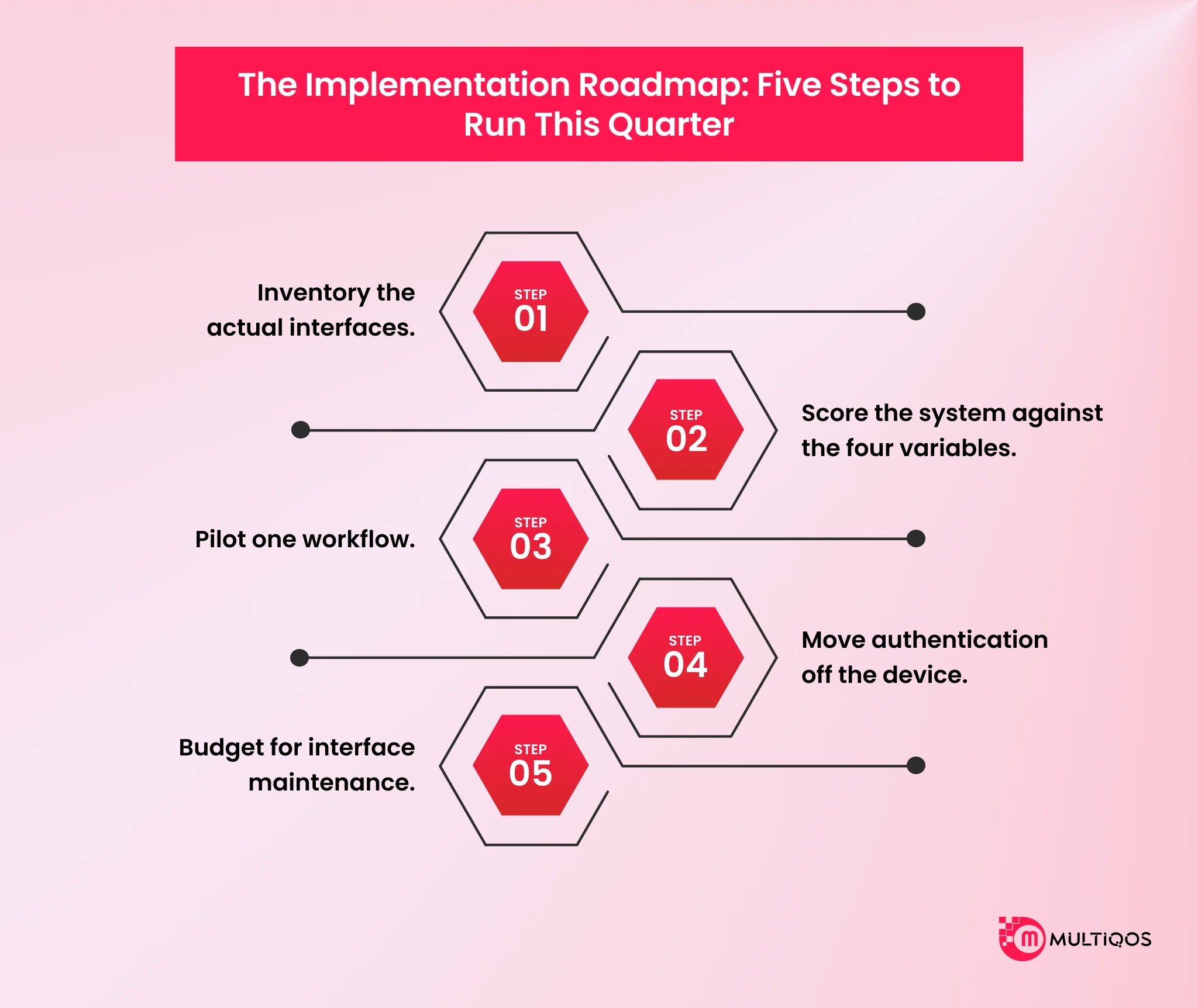
Turning the framework into a delivered legacy system integration mobile app takes five steps. Airbus reached one-week API delivery only after building the reusable layer first, and most teams reverse that sequence.
- Step 1- Inventory the actual interfaces. Check for existing APIs, message queues, scheduled export jobs, and database views before assuming none exist. Vendors frequently ship interfaces that nobody documented internally.
- Step 2- Score the system against the four variables. Age, protocol, system count, and timeliness. Write the score down and circulate it, because this artifact survives staff turnover.
- Step 3- Pilot one workflow. Field ticket capture, inventory lookup, or a single clinical order. Conquest Completion Services started with field ticketing and reached 80% efficiency gains before extending scope.
- Step 4- Move authentication off the device. Credentials for ERP and EMR systems belong in a backend token service issuing short-lived tokens, never in the mobile binary or the device keychain.
- Step 5- Budget for interface maintenance. Build cost is the smaller number. Epic integration builds can cost higher if not strategically planned, and every interface needs a named owner after go-live.
Timeline planning should account for gates outside your control. Any credible application modernization strategy budgets for that gap up front. The pilot is not a proof of concept. It is the first production interface you will maintain for a decade.
Conclusion
The framework choice is cheap to reverse. The integration pattern is not. It sets what the app can do, how far it scales, and who gets paged when it stops. Teams spend weeks on the reversible decision and minutes on the one they will live with.
Direct API ships fastest and couples hardest. Middleware costs most up front and buys room to be wrong. iPaaS rents you the operations and meters your success.
Score age, protocol, system count, and timeliness before the API contract is drafted. MultiQoS usually gets called after the app is built. Bring us the estate first, and we will ensure your legacy system integration in a mobile app achieves the organizational goals.
FAQs
Reads still consume connection slots and bypass the validation and audit layer. ERP mobile app integration should terminate at a service layer, and the real-time vs batch data sync call gets made there, not in the client.
Only if FHIR covers every resource you need, most EMR/EHR mobile integration still falls back to HL7 v2 Z-segments for orders and results, which HL7 FHIR integration alone will not parse.
Terminate OPC-UA MES integration at a DMZ broker and let the app read only from that side. No mobile client should hold a route into the control network.
Cheaper to start, metered forever. The middleware vs API gateway vs iPaaS question is about which operational burden you rent versus own, not license cost.
Mainframe/AS400 API integration means wrapping 5250 sessions or program calls in a REST facade. Budget it as a permanent interface with a named owner, not a one-time build.

Get In Touch

Get Stories in Your Inbox Thrice a Month.
Mobile App Development Cost in 2026: What to Budget and Why
iPhone Duo App Development: The Hidden Cost of Not Adapting Your Enterprise App
Why Upgrading Your iOS Architecture for Foldables Protects Your Brand Impression